Zkrige
Members
-
Joined
-
Last visited
-
-
-
could you share a link to the bms software please? c
-
this is all fascinating, but far beyond what im asking. All I need is to know what protocol number I must select on my inverter in order to communicate with the battery. I had it on protocol 0, but although it shows no errors, it seems like its not actually working because the battery never charges
-
-
hmmm sooo... I spent some time on this last night. I configured all the voltages as per battery spec on the inverter, then I set the inverter to use SOC and bms protocol as 0 and now it all seems to be working
-
Currently I have my inverter manually setup for voltage parameters, but I'd prefer to use the battery bms to manage charging / discharging. Does anyone know what protocol five star uses on its bms? I've tried 0 and 1 but both seem to error out im using a MUST 5kw hybrid inverter and 10khw fivestar battery
-
CFE did a firmware update, but sadly it just masked the problem. I have 5 batteries, which is 25kwh. I pulled all the logs from the inverter and put it into excel. essentially the batteries are draining faster than they should based on the current drawn from them. At one point the BMS reports 50% but according to calculations it should still be at 71%. So effectively ive lost ~40% of my batteries. The SOH shows 99% on all of them but I suspect the CFE upgrade did something to fudge that number, because previously it was 69%
-
hmmm. so problem not resolved. despite disconnecting the damaged panel, it still seems to sometimes "turn off" the solar and just pull from batteries and grid
-
-
problem resolved. I had a faulty panel
-
so after about 45 minutes it went back to this

-
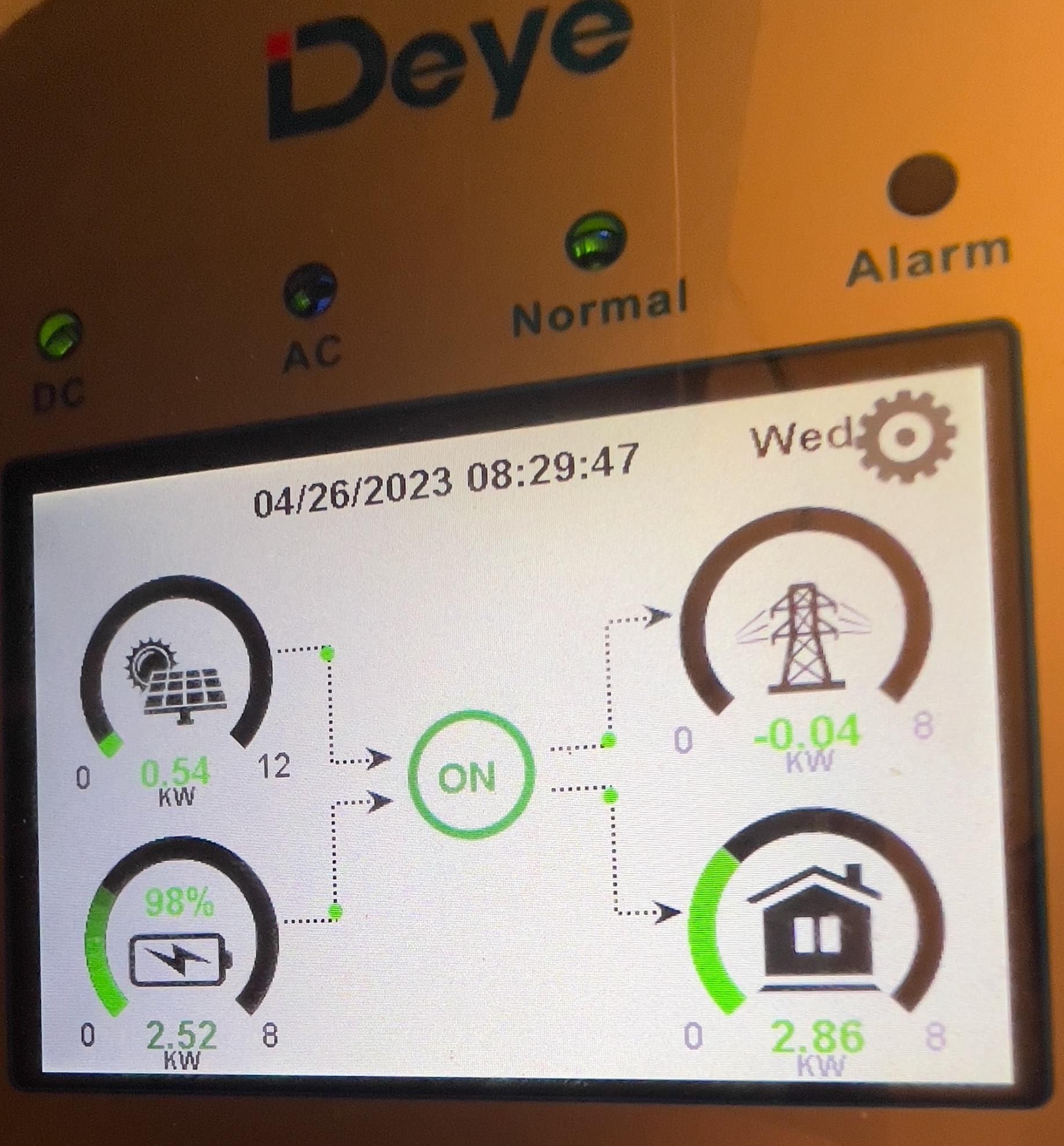
I noticed that last few days my inverters haven't been using my solar much. I turned them off and did full cold start reboot and now suddenly they're using all available solar again. This seems to have started out of the blue so im not even sure where to start looking. Rebooting them obviously isn't a long term solution. has anyone had anything like this and if so how did you resolve? I've attached two photos. the first one is before the reboot. you will see it sucking the batteries and only pulling ~500w from solar. once I rebooted it started pulling ~2kw from solar and only a small amount from batteries

 So CFE upgraded firmware on my batteries - will see how things go from here outI had a similar issue - see here -I had a similar issue. I have 6 of these batteries. during extended power outage, my batteries slowly discharged. when they hit 40% they suddenly dropped to 1% and refused to come back on. Once power came back I checked everything and lo and behold 2 of the batteries were now reporting 66/69% SOH. After about a month of back and forth VOLTEX had them repaired at the supplier. 3 weeks later EXACT same story, but with 2 different batteries this time. 40% then instantly 1%, and when things came back the batteries were 71/73% SOH. Before this they were all 99% SOH. I'm now fighting with VOLTEX to try resolve but they're giving me the run around2 of my CFE batteries had low SOH (state of health). the one was 69%, the other 72%. I've removed those and they're being replaced under warranty. The remaining 4 batteries no longer vacillate between 90 and 100% all the time. they consistently sit around 99/100% so maybe check the SOH of each battery....yeh let me do some more testing and confirm