Skip to content
View in the app

A better way to browse. Learn more.

Power Forum - Renewable Energy Discussion

A full-screen app on your home screen with push notifications, badges and more.

To install this app on iOS and iPadOS
  1. Tap the Share icon in Safari
  2. Scroll the menu and tap Add to Home Screen.
  3. Tap Add in the top-right corner.
To install this app on Android
  1. Tap the 3-dot menu (⋮) in the top-right corner of the browser.
  2. Tap Add to Home screen or Install app.
  3. Confirm by tapping Install.

Roos

Members
  • Joined

  • Last visited

  1.    Roos reacted to a post in a topic: Solar Assistant Installation Cost
  2. Sorry for the late reply, yes, still available..
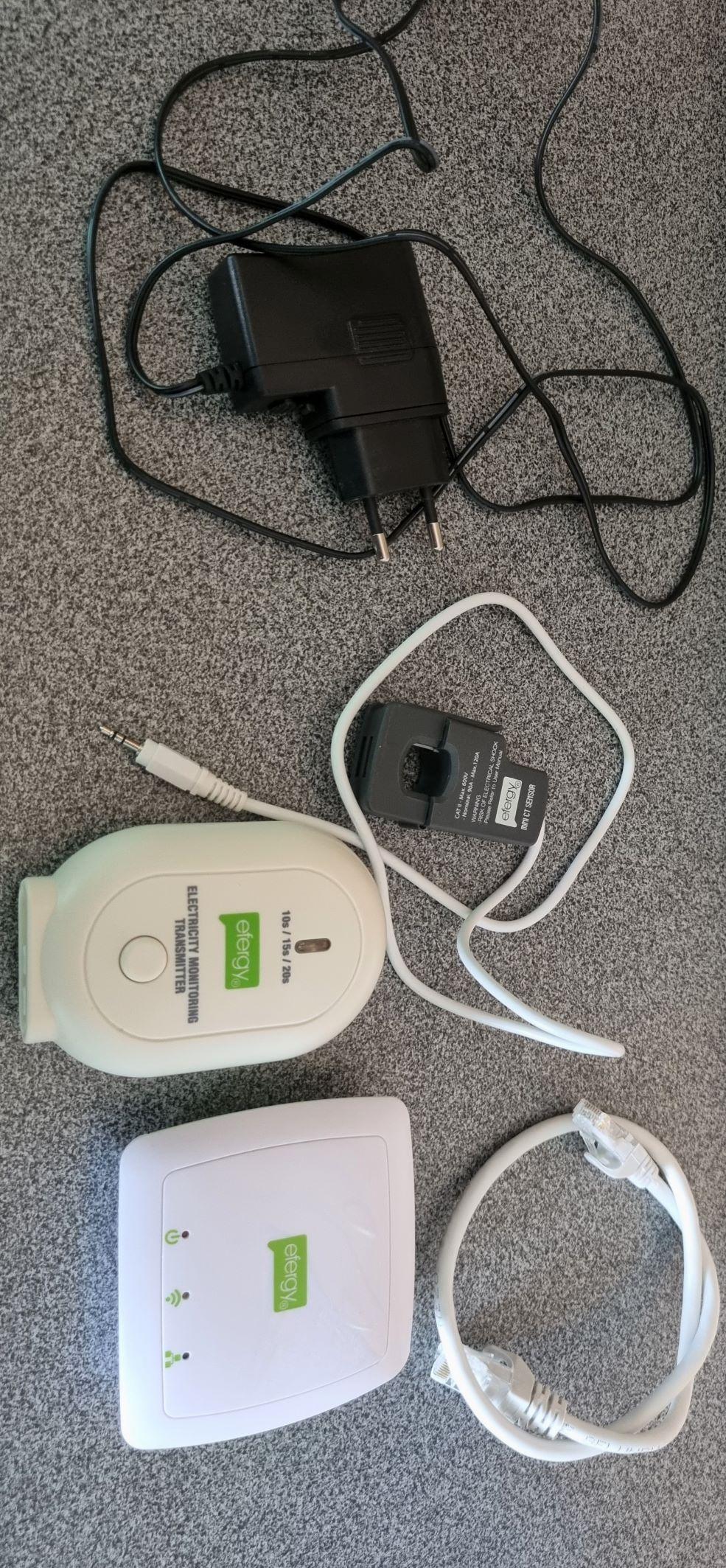
  3. Item: Efergy Engage Electricity Monitor Age: 5 months Price: R900 Payment Method Accepted: cash/eft Warranty: none Packaging: none Condition: like new Location: Centurion Reason: Installed Solar Shipping: buyers cost Collection: Centurion
Account

Navigation

Search

Search

Configure browser push notifications

Chrome (Android)
  1. Tap the lock icon next to the address bar.
  2. Tap Permissions → Notifications.
  3. Adjust your preference.
Chrome (Desktop)
  1. Click the padlock icon in the address bar.
  2. Select Site settings.
  3. Find Notifications and adjust your preference.