


Dheven
Members
-
Joined
-
Last visited
Everything posted by Dheven
-
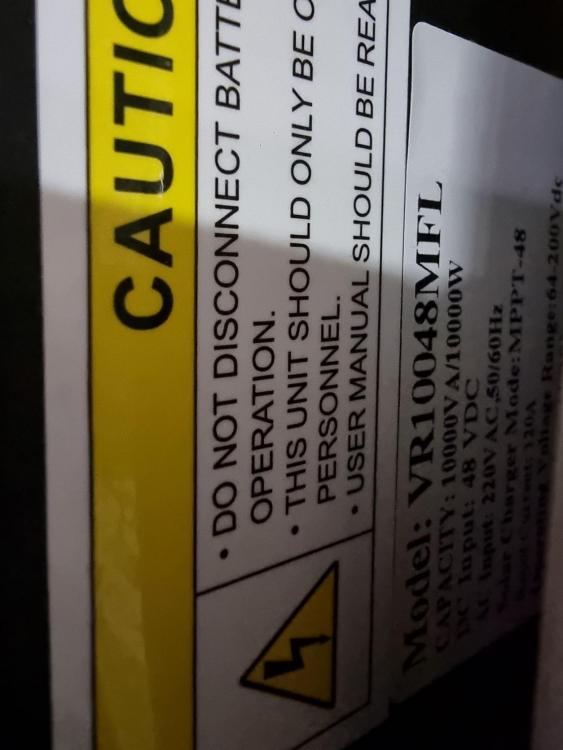
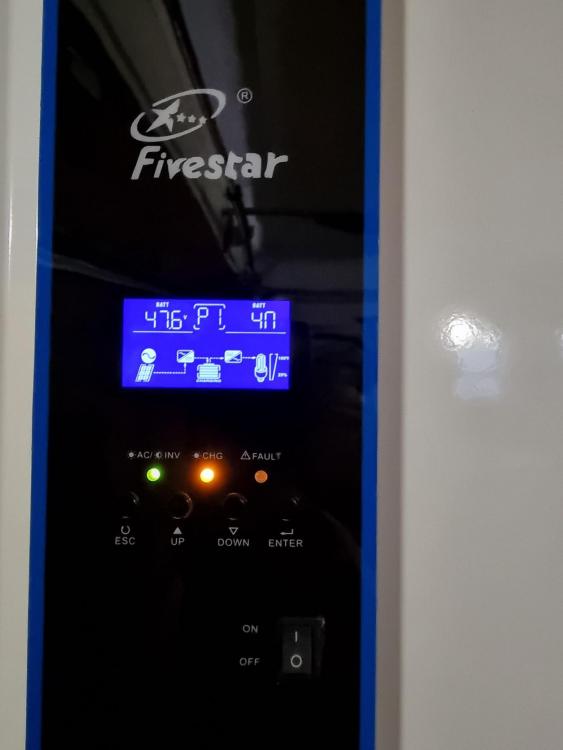
Hi Coulomb, i have attached pictures of my inverter.

-
Hi one and all, was sick and tired of all the loadshedding and took the plunge with solar. I am struggling to get my system to work in sbu mode. I have the following, 10Kva Fivestar grid-tied 48v inverter (looks like the AXPERT/MERCER/VOLTRONIC inverters) 2 x 10kva 48v Narada lithium batteries (connected in parallel) 12 x 450w Mono panels here is my issue: when the system was powered up it used the solar as primary source, in the evening the batteries took over but i got an alarm/fault (ok!! thought that when the sun rises and the solar starts generating power again the fault will clear, nope it didn't), then early hours of the morning when my geyser kicks in for the morning shower the utility takes over but does not fall back onto solar when the voltage/watts has increased with the panels. here are my setting on the inverter: Al r (00) APL AFr (01) HI _ (02) SBU _ (03) CUt ACP (04) 100% SCP (05) 100% CU (06) 14.2v FLU (07) 13.5v CoU (08) 10.5v dtA (09) 11.6v Atd (10) 13.5v oU (11) 220v CSt (12) 1 dE oF (13) 50hz rA (14) tE bLC (15) Lod bEC (16) AoF bol (17) oN LL (18) oN LEL (19) oFF bAU (20) 00 odt (21) 220 r5 (22) oFF installer says when set it's set to SBU it should work according to that setting. BUT it does not, PLEASE, PLEASE help. Regards


