


Richelo
Members
-
Joined
-
Last visited
-
We just sold our house and bought a new one. We put in a solar and battery system for the house we sold a little over a year ago. The new house does not have solar, so we have the joy of doing it all over again. We had 2 x 14.4 kw SolarMD batteries in the old house. In the 13 months we had them, we had zero issues whatsoever. I am tempted just to do SolarMD again, but I thought I would check in with the hive mind to get opinions. My only requirements are ... Readily available in South Africa Well supported in South Africa REALIABLE 10kw or more SO ... If you were putting in a brand new solar and battery system in a house with none of it, money was not a major concern, and all listed requirements are met ... Which batteries would you install? Thanks in advance for your thoughtful answers! Cheers Rich
-
Also this one. I'll stop now 🤪
-
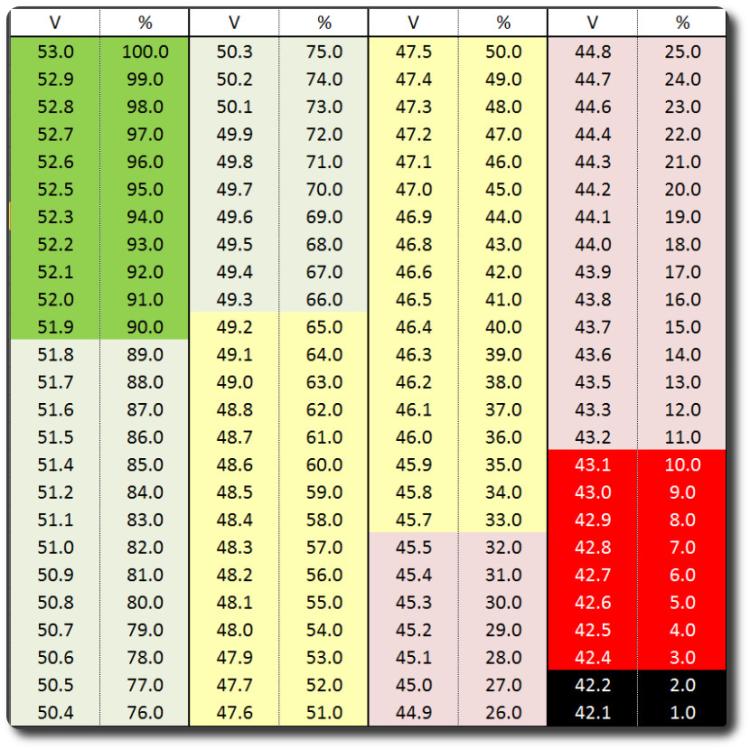
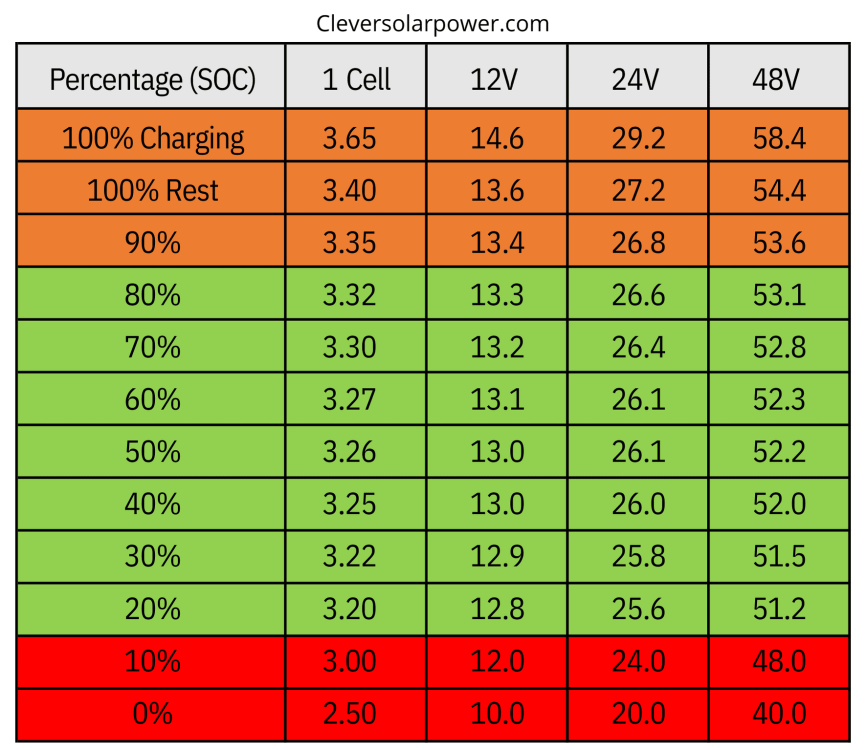
Does this look about right for the 48V?
-
SO ... Spoke to my installer today. He says the CANBUS on the battery IS connected to the BMS port on the inverter, but he claims that without the MD Solar logger, it won't show any data on the inverter like you posted @Steve87. Do you have the Solar MD data logger, or is he BS'ing me? He says that without the logger, using V is MUCH more accurate, as you stated as well. Is there some rough table that shows the corresponding battery % in Volts, in 10% increments? I know it won't be 100%, just a rough idea so I can set the mode to V, and the work time in V based on the percentage I want?
-
-
Thank you so much for your amazing support Steve. My knowledge and experience with these things can only be classified as dangerous 🤪 I'm going to wait for the installer who got paid a LOT of money to do this right, to come and fix their setup 😉
-
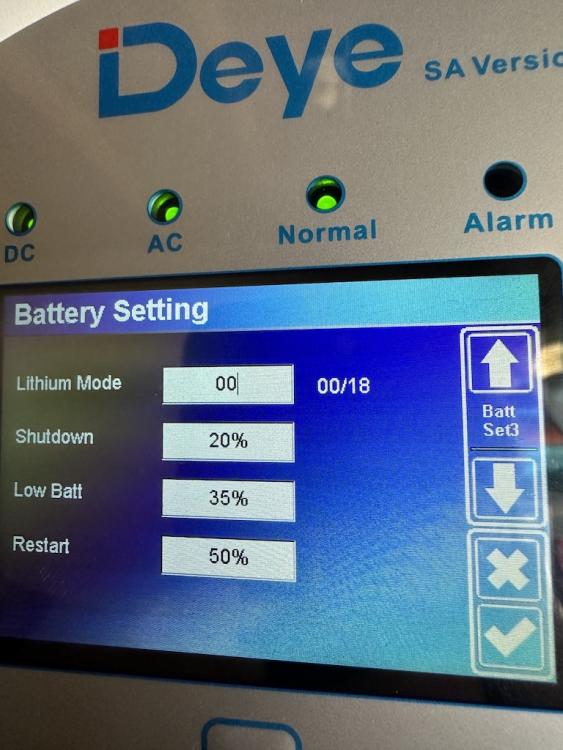
Because the comms is not working properly right now, should I just use % instead of lithium until it is fixed?
-
My installers clearly messed up! 🤬 They WILL be phoned tomorrow to come fix their install!

-
Even now at 7:25, it is still drawing from the grid, even though there is more than enough coming in on PV: This is from Solar Assistant. This is the work mode timer setup:


-
Thank you SO much for that Brett! Can't believed I did not spot that. It 100% is Lithium, and the CAN comms cable IS installed. I changed it to Lithium and yes, immediately the work mode changed to %. Now I have something else weird ... I set the 1st option from 19:00 to 05:00 to use grid charge. It is now 07:12 and it is charging from grid. Should it not completely stop using the grid at 05:00? To be fair, the battery is very low at 5%. PV is 914W and load is 670W, so I would think grid is not needed at all at this point? Could it just be because the battery is SO low?
-
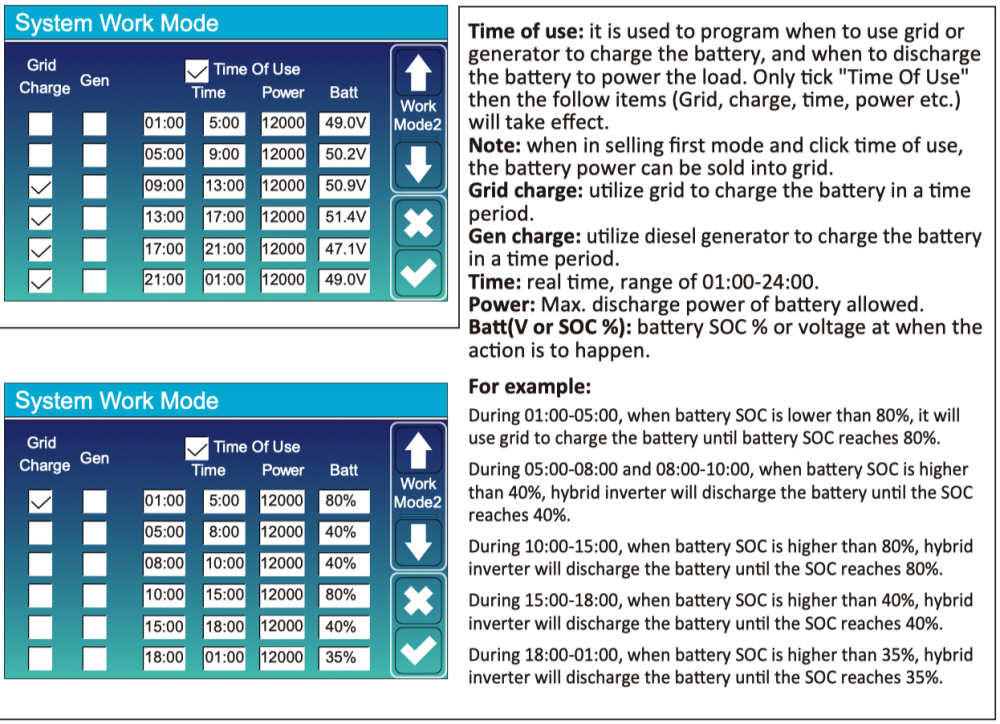
In the manual though, it shows both V and %: It is that 2nd screen with Batt % that I am after, but for the life of me, cannot find it.
-
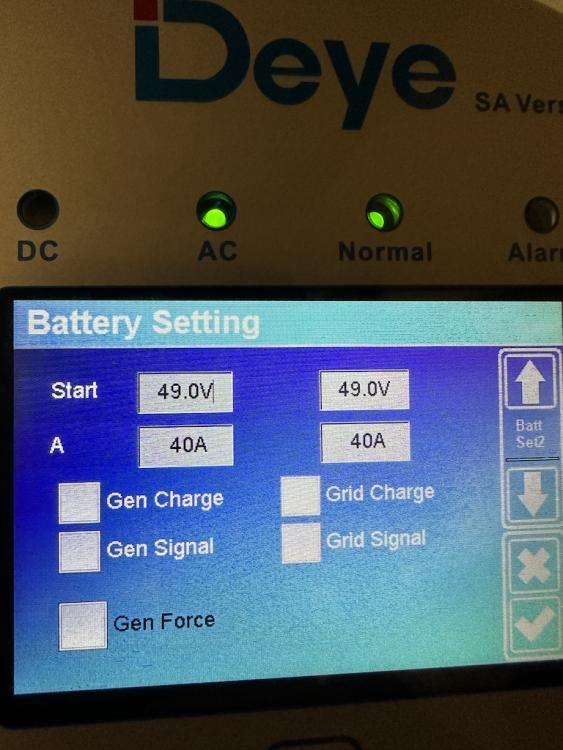
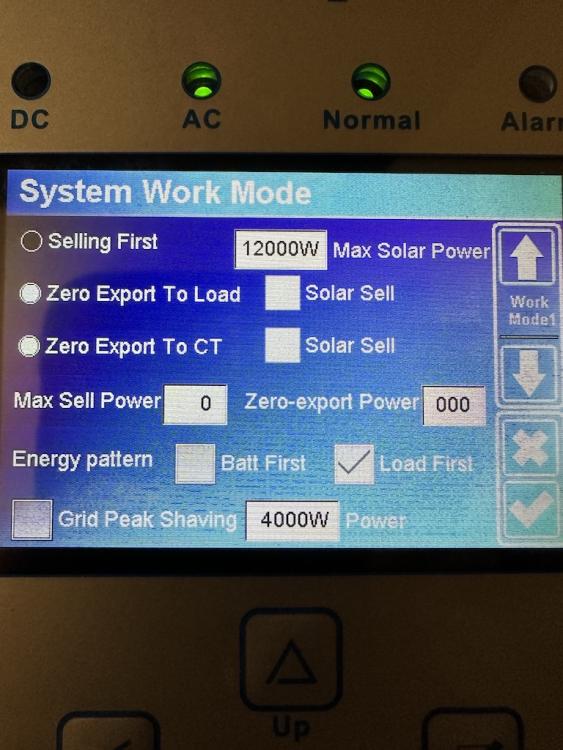
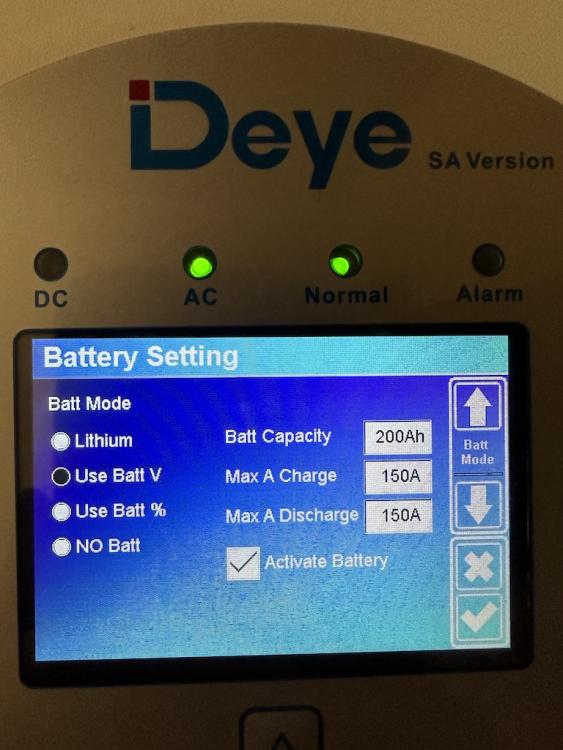
The battery is 1 x 14.3Kw MD Solar Lithium. Screenshots attached.


-
Hey everyone, New here and SUPER new to solar. My system was installed this past Thursday, 2 days ago. I want to set my inverter to charge the battery at night from grid when it drops below a certain %. From reading here and from the manual, it seems simple enough. I have the Deye 8K hybrid. When I go to System Work Mode setting, it is only in volts, and I see no way to switch it to %. I am sure it is something simple I am missing somewhere. Please help?!


