Skip to content
View in the app

A better way to browse. Learn more.

Power Forum - Renewable Energy Discussion

A full-screen app on your home screen with push notifications, badges and more.

To install this app on iOS and iPadOS
  1. Tap the Share icon in Safari
  2. Scroll the menu and tap Add to Home Screen.
  3. Tap Add in the top-right corner.
To install this app on Android
  1. Tap the 3-dot menu (⋮) in the top-right corner of the browser.
  2. Tap Add to Home screen or Install app.
  3. Confirm by tapping Install.

shabeepk

Members
  • Joined

  • Last visited

Everything posted by shabeepk

  1. Since most 550w panels have Voc around 48v... You'd get around 7 PV x 2 strings you'd get around 336 Voc which may be good enough for MPPT. I would suggest you the couple new ones you're gonna add, add them in one string each so the voltage remains similar on both strings generally.
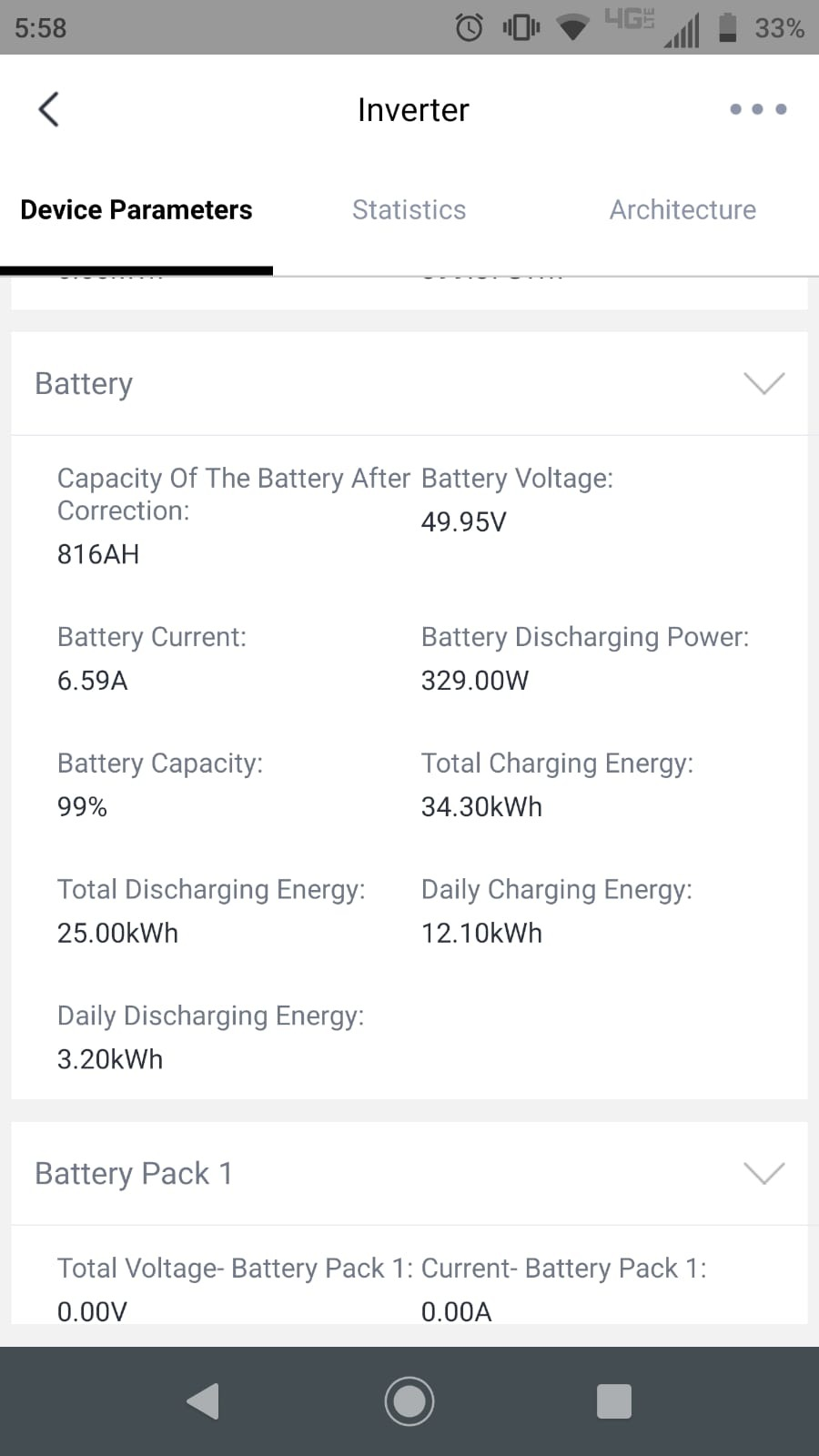
  2. We're using Tubular Lead Acid batteries. The battery is showing its voltage on the Device -> Inverter (Logger) page as you may be able to see in the screenshot. But it is not showing anything anywhere else. All SOC displays are showing --.
  3. Hi, We did have a similar issue and then we did enable the battery by changing system type to Storage System. But now the battery is showing but the battery SOC is still not showing anywhere. It is showing as "--" everywhere ... Any idea why?
Account

Navigation

Search

Search

Configure browser push notifications

Chrome (Android)
  1. Tap the lock icon next to the address bar.
  2. Tap Permissions → Notifications.
  3. Adjust your preference.
Chrome (Desktop)
  1. Click the padlock icon in the address bar.
  2. Select Site settings.
  3. Find Notifications and adjust your preference.