JlarSA
Members
-
Joined
-
Last visited
Everything posted by JlarSA
-
Ok, so chatting to the installer this is normal for the SMA TriPower Smart Energy (3-phase hybrid inverter). It doesn't support per phase adjustment when in grid-tied mode, so it balances the active power (e.g. solar or battery) output load to zero across the three phases. The net effect is zero, but if you have a basic meter that isn't omni-direction then it reads all flows across the phases as used power. The installer has applied for an AMI (two-way) meter with the CoCT which will address this. If anyone else has feedback on this issue that would be great. JLarSA
-
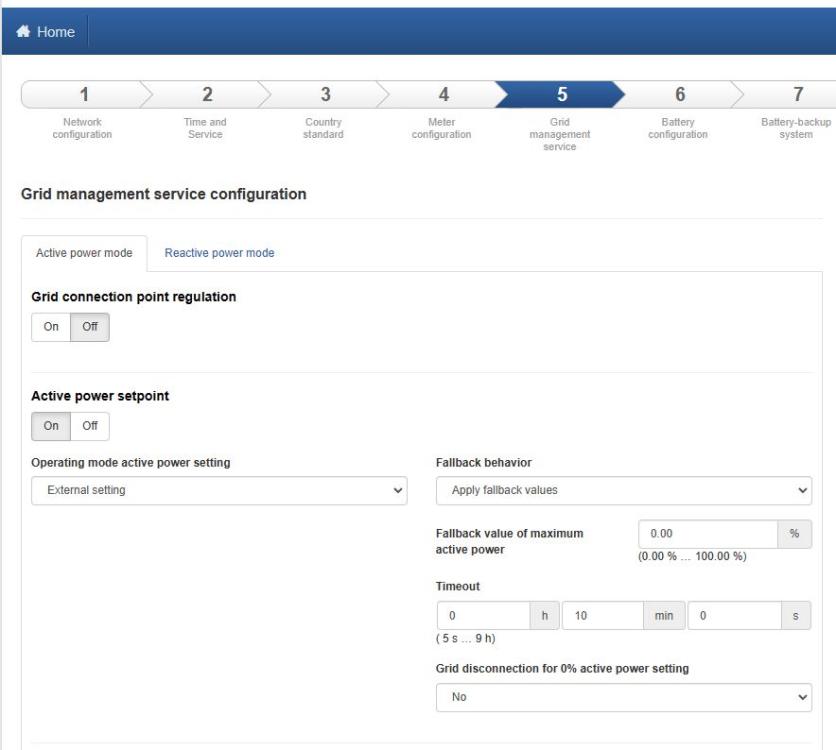
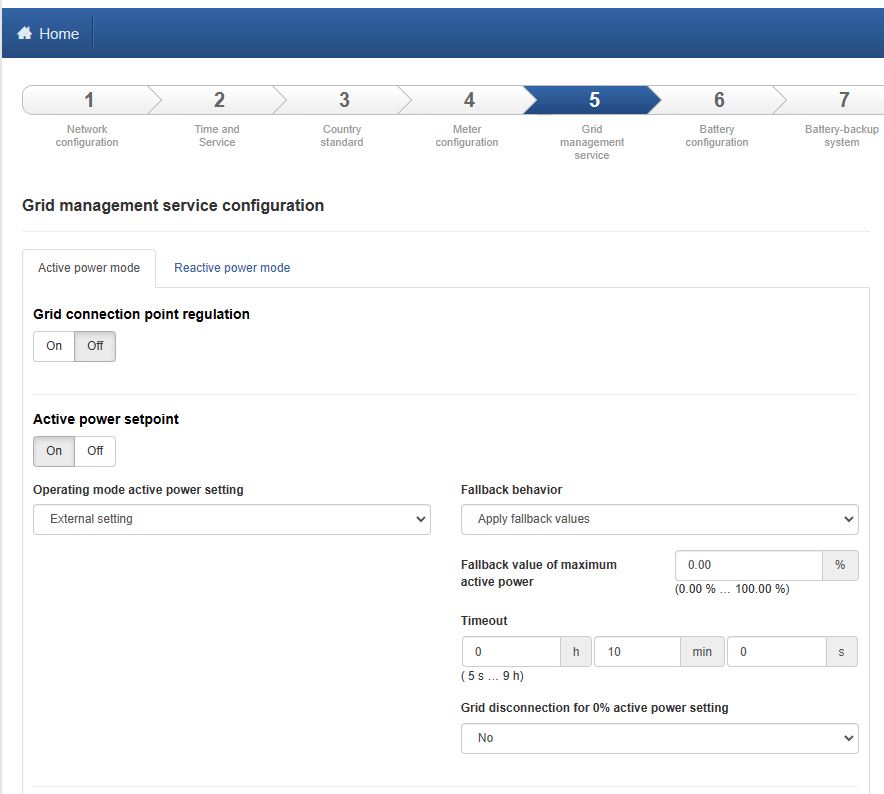
Hi terkazarian I have the Home Manager 2.0 and SMA Tripower Smart Energy 10 (Hybrid Inverted). I am encountering the same issue. During high solar generation 4000 Wh + and a small house load of 1600 Wh, I still seem to be consuming ~800W on the grid power meter. Used 10kWh today during sun hours, 8 - 7pm (2 hours of load shedding during this), which is high - better than when I was completely on the grid, but it does seem like there is scope for improvement. My grid consumption on the SMA Inverter home page suggests ~400W was used during the time, a huge difference. Have you tried limiting active power to zero in the grid management settings (from start installation assistant in your inverter's portal). These are my settings currently (which resulted in the above): My house uses the Landis + GYR Cashpower CIU 3 prepaid meter. I am going to reach out to my installer tomorrow, and will update you if I make any progress. JlarSA