Skip to content
View in the app

A better way to browse. Learn more.

Power Forum - Renewable Energy Discussion

A full-screen app on your home screen with push notifications, badges and more.

To install this app on iOS and iPadOS
  1. Tap the Share icon in Safari
  2. Scroll the menu and tap Add to Home Screen.
  3. Tap Add in the top-right corner.
To install this app on Android
  1. Tap the 3-dot menu (⋮) in the top-right corner of the browser.
  2. Tap Add to Home screen or Install app.
  3. Confirm by tapping Install.

Leek

Members
  • Joined

  • Last visited

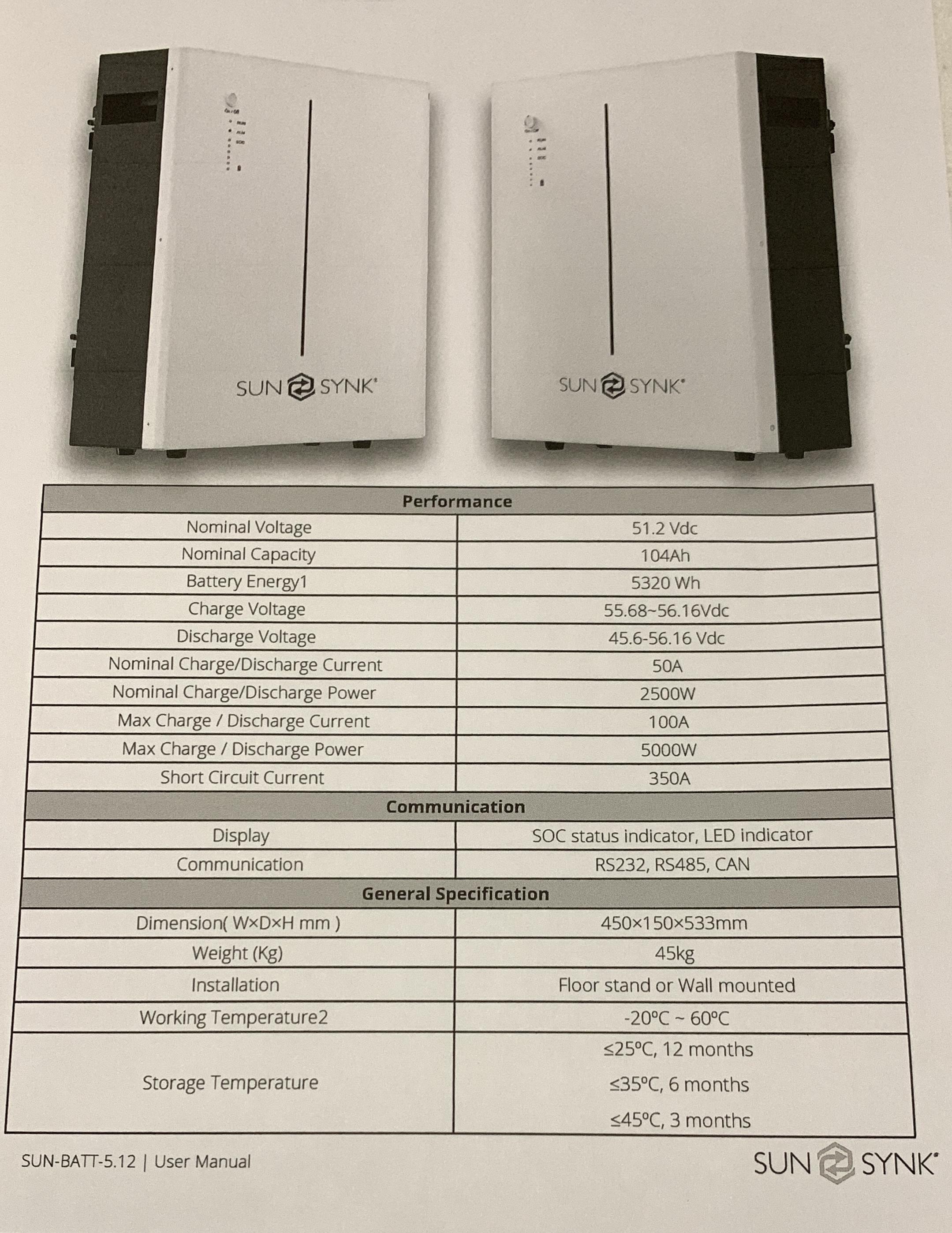
  1. Thank you, frivan. Given the attached Nominal (50A) and Max (100A) charge/discharge specs, what would be the best charge and discharge rate to set the inverter at?
  2. I recently had a Sunsynk 5.5Kw inverter installed paired with a Sunsynk SUN-BATT-5.32 5Kw battery. My question is : “Is it necessary to enter any battery charge and discharge settings manually or does the inverter “read” the required info automatically via the network cable that connects the battery to the inverter? Obviously one would like to stretch the lifespan of the battery as far as possible. That is why I would like to ensure optimal settings. Thank you in advance.
Account

Navigation

Search

Search

Configure browser push notifications

Chrome (Android)
  1. Tap the lock icon next to the address bar.
  2. Tap Permissions → Notifications.
  3. Adjust your preference.
Chrome (Desktop)
  1. Click the padlock icon in the address bar.
  2. Select Site settings.
  3. Find Notifications and adjust your preference.