


TheN
Members
-
Joined
-
Last visited
Everything posted by TheN
-
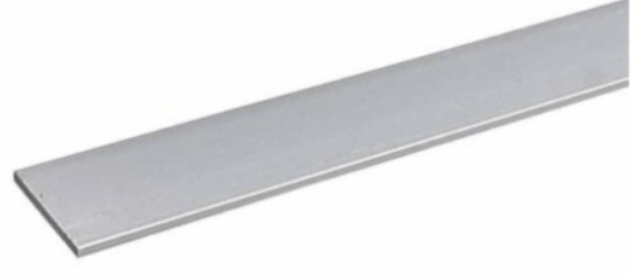
Hi guys, I have a question I'm struggling to find the answer for. In our office we have an aluminium flat bar (for lack of any other description) as skirting. It is very thin and about 100mm wide. Where on earth does one get this from? the renovators I had in really messed up and pulled off some of it and threw it away. I want to get some more so I can fix it. It looks like this, just a lot thinner...
-
BINGO thats it!!! Thanks so much!
-
See, that's the thing, it has nothing to do with the light socket or bulb socket. It is a 3 prong socket with a 3 prong plug, which is smaller than a type M. The one office has sockets built into the building ceiling, there is 1 of them every say 2-4 ceiling panels (there is A LOT of them). The other office has the sockets at the end of the cables going to the DB board scattered in the roof. The plug top is connected to 1200x600 luavre lights at one of the offices. The other office has 600x600 light panels and the same plug tops.
-
Hi guys, In 2 offices we have, the ceiling has plug sockets in it, at first glance it looks like a normal plug socket (old style type M), but they are about 3/4 of the size. What on earth are these plugs and sockets called? I'm assuming they're there to make lighting easier to chop and change without rewiring needing to be done. -TN