Skip to content
View in the app

A better way to browse. Learn more.

Power Forum - Renewable Energy Discussion

A full-screen app on your home screen with push notifications, badges and more.

To install this app on iOS and iPadOS
  1. Tap the Share icon in Safari
  2. Scroll the menu and tap Add to Home Screen.
  3. Tap Add in the top-right corner.
To install this app on Android
  1. Tap the 3-dot menu (⋮) in the top-right corner of the browser.
  2. Tap Add to Home screen or Install app.
  3. Confirm by tapping Install.

Kaspersky

Members
  • Joined

  • Last visited

  1. All is done ! Uploaded firmware by USB OTG. RS232 don't work with my laptop. MCU upload by RS232 19200 bps. After update firmware get error 32....was crying...:-) With MCU updated and total restart of inverter (disconnect PV and batteries) all ok. Thanks so much Coulomb !!!
  2. Nothing to do. Tried all possibilities, baudrate, usb/RS232 converter, compatibility mode (Win7, 8 & XP) Always this message. What's wrong ? Regards.
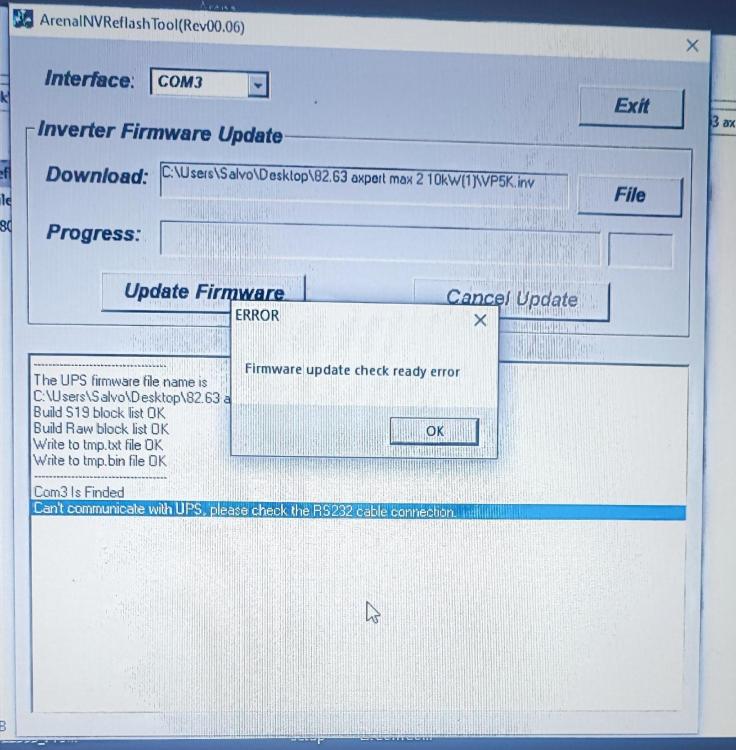
  3. Thanks a lot, Coulomb. I've appreciate your support. I will update this post soon. Salvo.
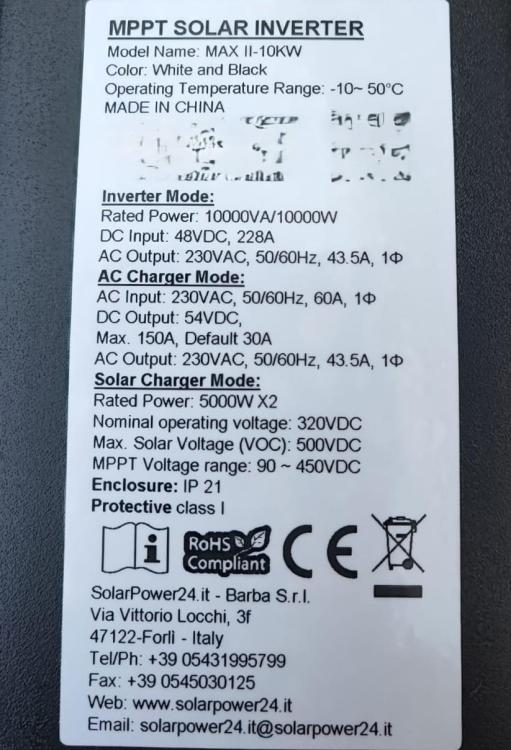
  4. Hi Coulomb, last firmware published by Danilo is ok for my Voltronic Inverter ? (see pic in attachment) Can I use original data cable that I've found with inverter or I must use 4 wires cable with resistor ? Thanks. Salvo. Nuovo Immagine bitmap.bmp
Account

Navigation

Search

Search

Configure browser push notifications

Chrome (Android)
  1. Tap the lock icon next to the address bar.
  2. Tap Permissions → Notifications.
  3. Adjust your preference.
Chrome (Desktop)
  1. Click the padlock icon in the address bar.
  2. Select Site settings.
  3. Find Notifications and adjust your preference.