Vaughn Kretzmann
Members
-
Joined
-
Last visited
Everything posted by Vaughn Kretzmann
-
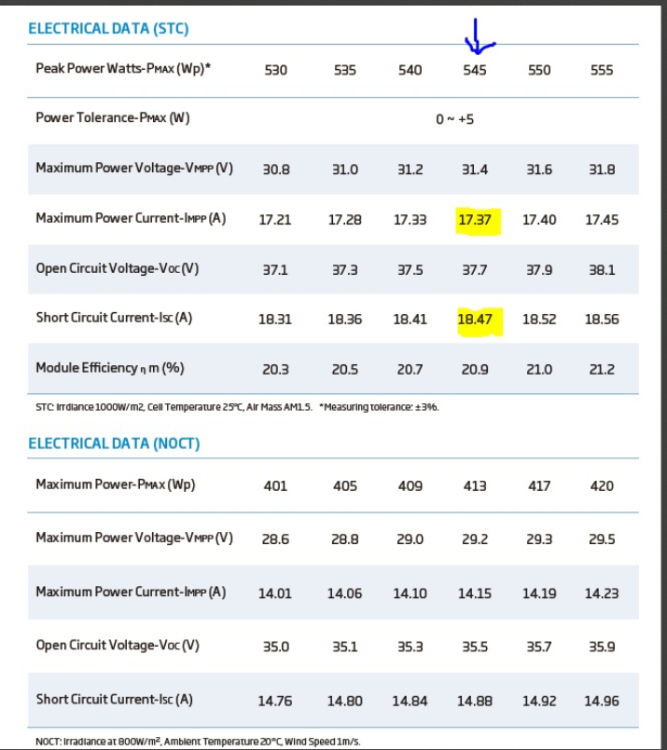
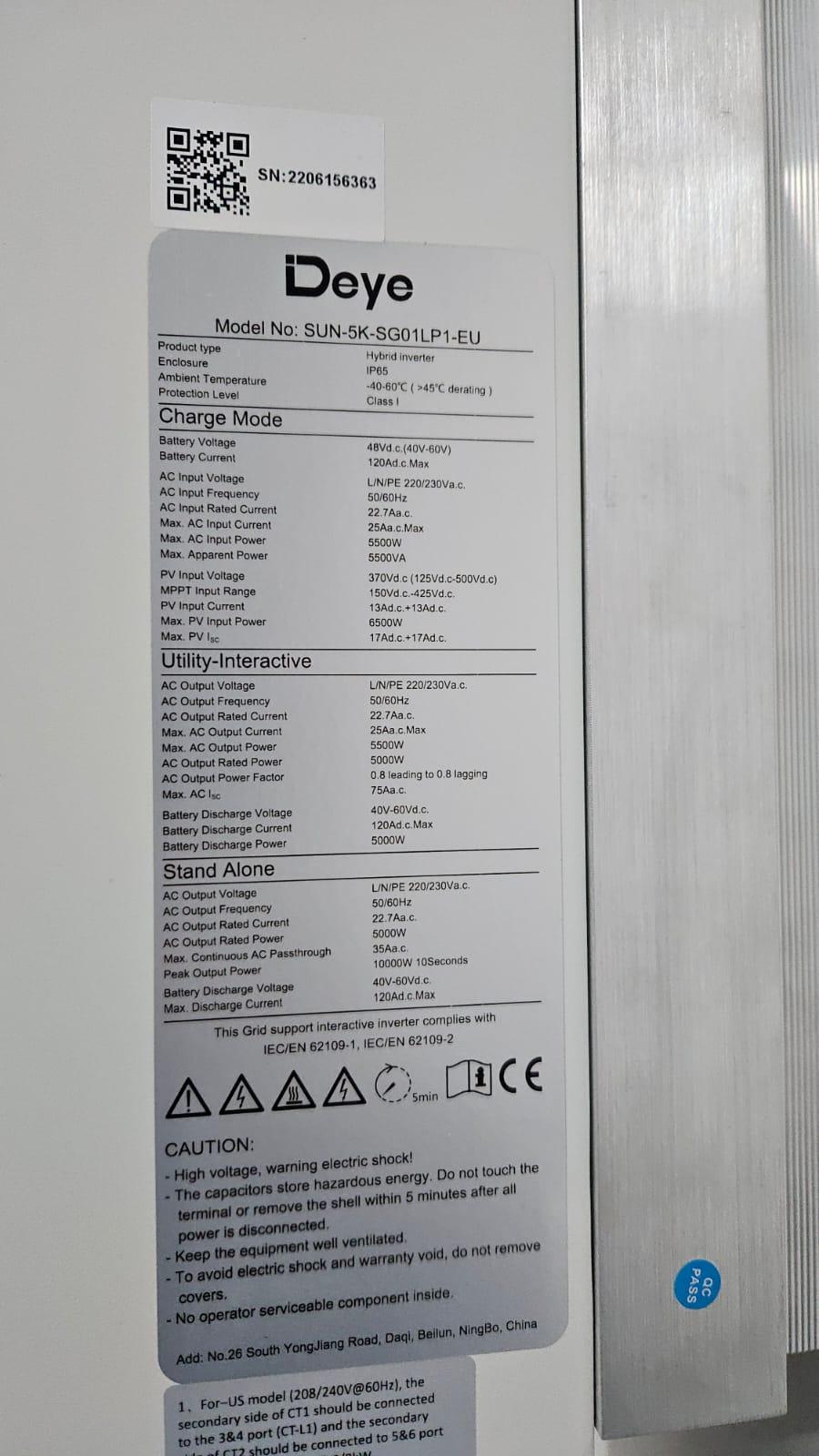
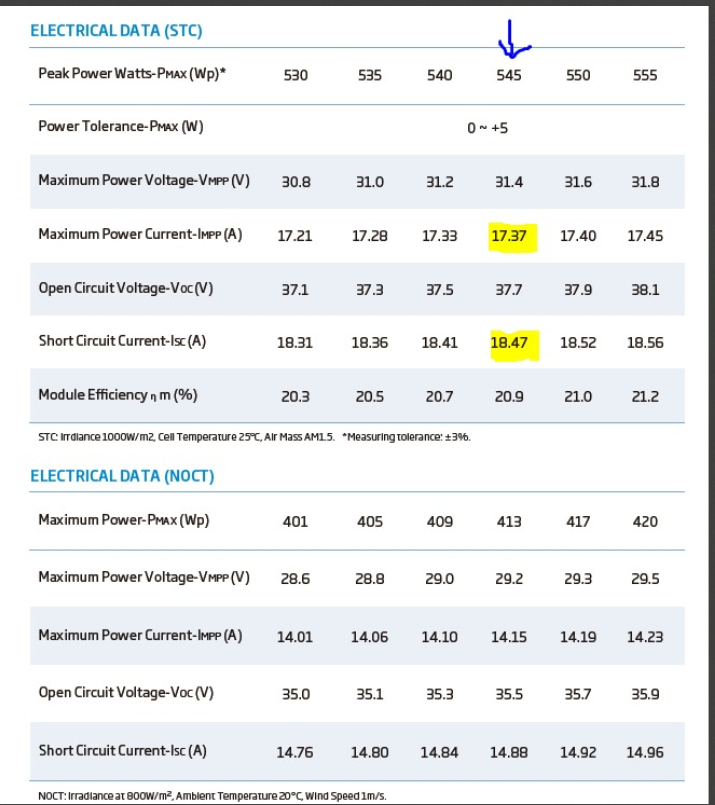
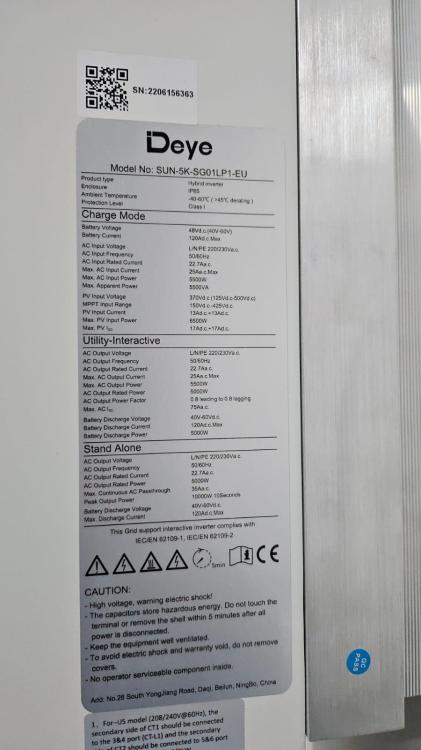
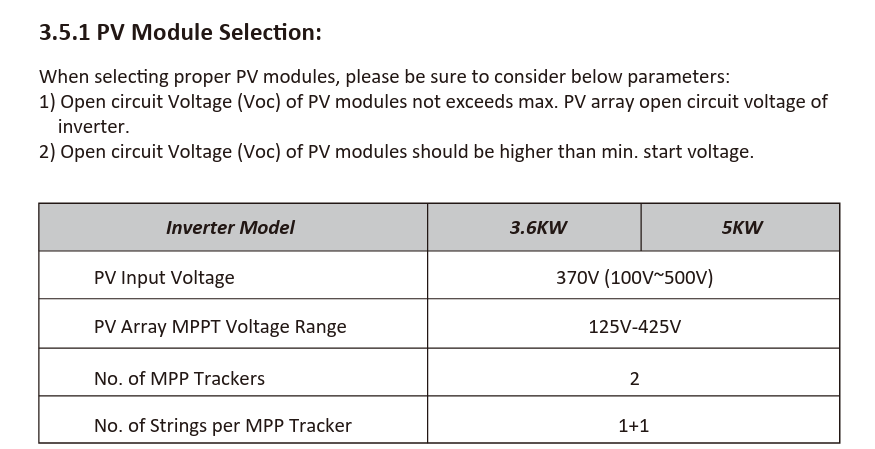
I wish to connect 7 X TSM-545W-TS4 solar panels to my 5kW Deye inverter on PV1 MPPT input but my electrician says that the current rating of the solar panels is too high for the inverter MPPT input. I do not agree and need some advice. The inverter has 2 X MPPT inputs rated at 13A input current each (17A Isc) The TSM-545W-TS4 solar panels can deliver a higher current than the rating of the MPPT input. Common logic would say that this should not be an issue as the MPPT will only use the current it requires. Is it correct to say that one should only be concerned with the string voltage to ensure that does the latter not exceed the rating of the MPPT input? I have attached the Deye inverter nameplate and the solar panel datasheets. This inverter manual also only makes reference to the Voltage when selecting the solar panels. Any advice would greatly appreciated. TRINA SOLAR SPEC SHEET.pdf
-
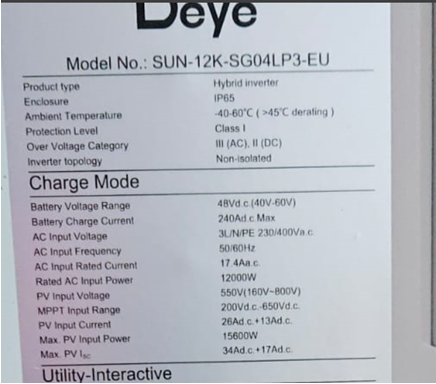
We have just installed the DEYE SUN-12K-DG04LP3-EU 3 phase inverter as a backup supply for our workshop /office. We now wish to connect Trina 545W solar panels to this inverter. Our electrician has told us that even though the Impp of the solar panel is less than the rating of the MPPT input 1 of the inverter. The inverter can actually only handle 2 strings of max 13A each on the first MPPT input and not 1 string of up to 26A as shown on the nameplate. Could someone clarify this for us? TRINA SOLAR SPEC SHEET.pdf