


barqi92
Members
-
Joined
-
Last visited
-
no its not working for manual settings like as saving event log, timer settings & Source priority etc, With long pressing an (Enter Key) and also not beeping continuous with pressing that key it just a single beep while pressing or releasing. but i'm able to change these settings trough android app.
-
these details obtained by android app connected with built in bluetooth address.
-
hurrahh!!! Firmware Flashing has been completed 100% and newer version is (20.59)......... but the system doesn't open inverter settings .............. do you have any idea what happened now?
-
here i want to share a link and watch the video then guide me again. you need to mute audio due to language issue.
-
thanks God.....but its reacts as bricked machine....NO output. here is the picture of dead error

-
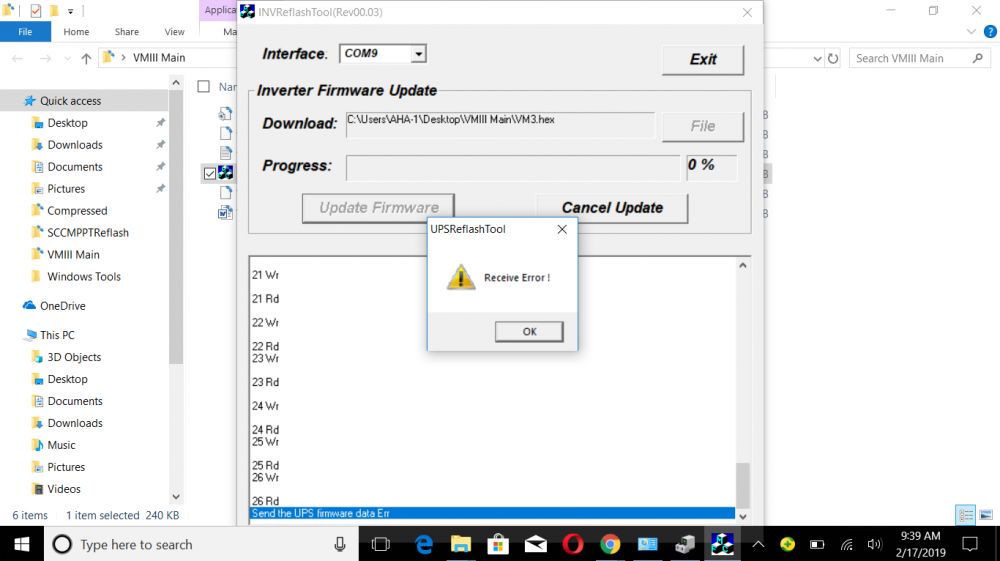
error screenshot
-
previous versions CPU1 20.58 CPU2 1.12
-
today i tried to updating firmware with the following instructions according AEVA site but results are awkward. during the reflashing a new window shows "Receiver Error" at 2% bar. what kind of that error?? is that windows problem or other?
-
you mean BIOS problem like as bugs stuck in controlling memory or a hardware problem?
-
i also checked all type of rated volts and current but that problem really makes me confused.
-
you are right because i'm not a native and again thanks to you for guide me about firmware updating. i really excited to join your team but excuses that i have already work for an organization and i think i can't manage the time for another hard job.
-
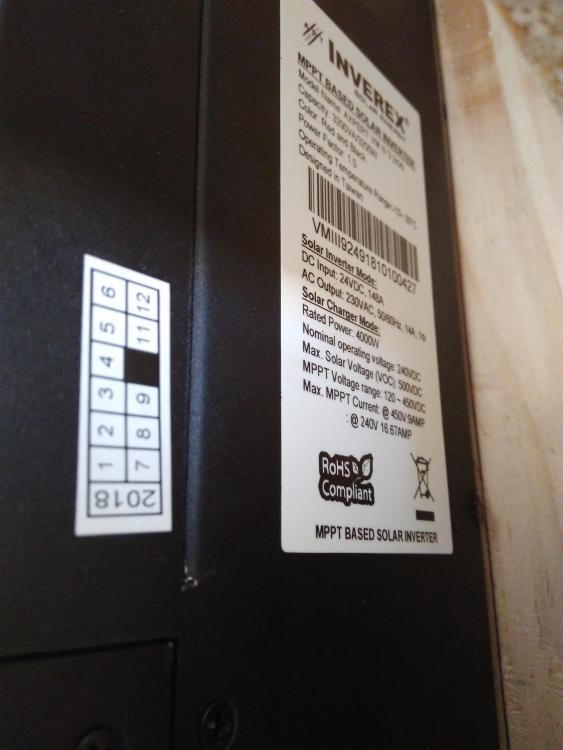
Thanks for sharing....yes after getting this picture i confirmed that my inverter is not a clone. 🙂
-
But i order that one from authentic manufacturer of Inverex_Axpert_Technologies available nearby me and i haven't any knowledge about its cloning or fake manufacturing. Secondly how it is skillful to update a firmware of own inverter? ..........i'm a graduate engineer and you can easily guide me through technical commands.....i hope i will understand.....and i think its very easy to rebuild a hex or binary file into a controller memory of invetrer by simply linking a connecting media between system and inverter because we don't need any simulating software and memory burner to erase and reinstall the main operating files. and the 3rd part is that i notice many errors during the operations like as sometime its RAM didn't load correct command entered by users and that machine reacts as a mad animal. that's the reason to force me and find some updates for correction. i hope you and weber will work on this to make an efficient hexadecimal code for smooth operating machine.
-
Hello, i hope you all fine and in peace. from the last weeks i noticed that mostly members talk about upgrade firmware of Main & SCC MPPT with new versions for the XP, KS and MKS 3~5KW series. But no one provide any useful information or downloads for the Axpert VM, VM ii, VM iii Series. i have installed Axpert vm iii 3.2kw inverter and also need to upgrade its Main Firmware and SCC MPPT firmware. If anyone have useful links or downloads in regards to VM series then kindly share with me.


