Tony Baart
Members
-
Joined
-
Last visited
Everything posted by Tony Baart
-
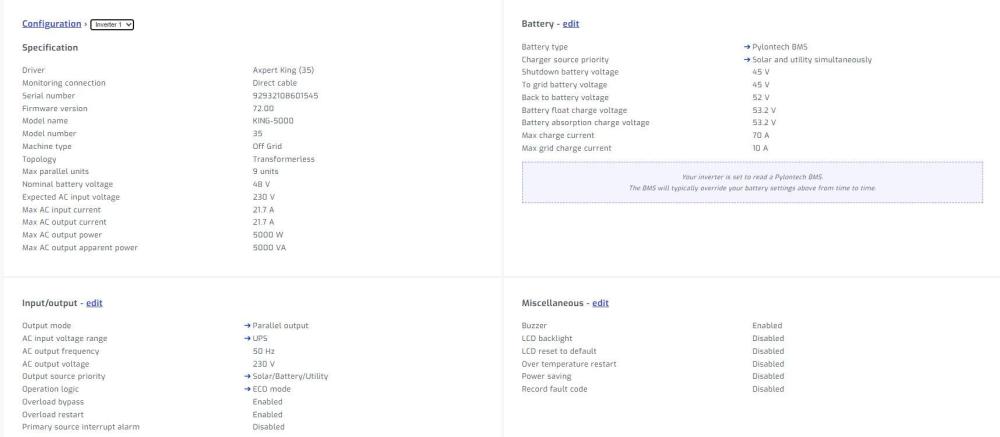
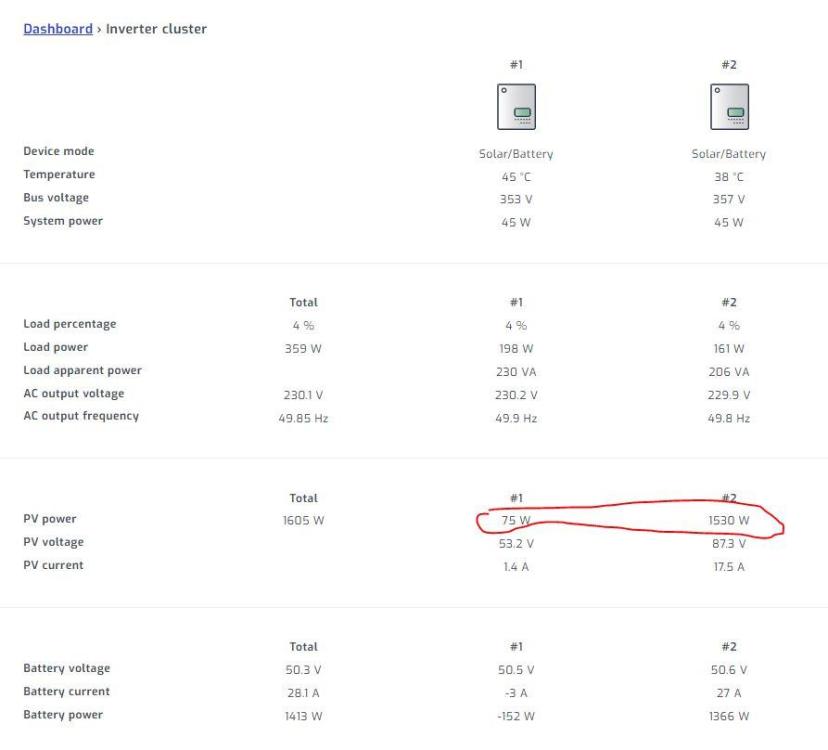
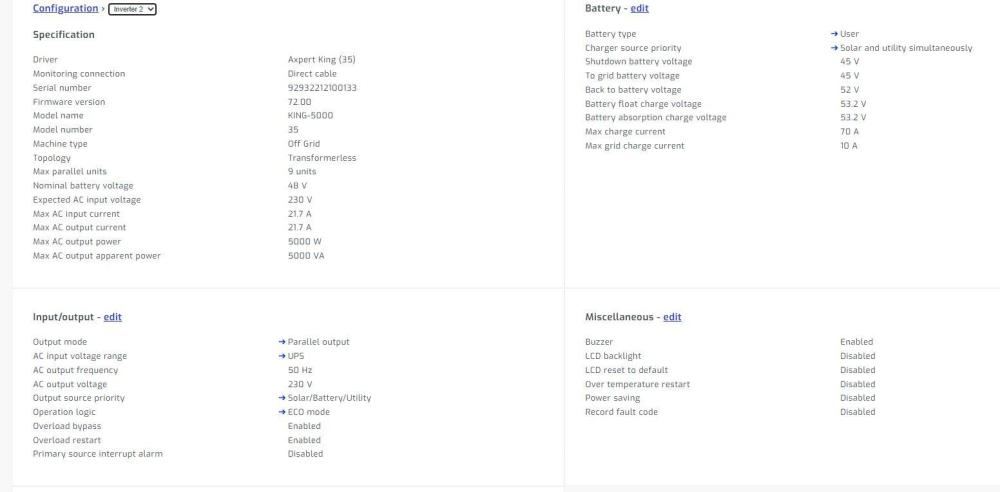
Thanks again Arandoza, ECO was set to test, but same behaviour in auto, which I reverted to last night again. Pylontech's are still connected directly to the master. It throws an error when the cable is unplugged. Last night I reverted to user on the master as well, allowing SA to change settings as needed. So far it hasn't made a difference, solar still sitting at the 65/70w mark on the master, while slave producing expected power. Cheers
-
Thanks for the response. Checked and settings are identical, both in SA and on the LCD. Only difference being for battery type, that the one is set to Pylon BMS the other user. This behavior is experienced while the batteries are charging and fully charged, if I increase the load, in excess of the PV, it utilises battery. Regarding the parallel cables, they have been unplugged and re-plugged. Switching off the Master, the Slave takes over and making adjustments on the master, the slave soon changes it's settings, so "assumption" is they are talking to each other? If there's nothing glaring in the setup, I guess the next option it to break the cluster, making the "faulty" unit stand alone and then adding it back as a slave. It's almost as though the one unit has gone into a mode where it doesn't use solar for anything, charging or load. If I set it up as SBU it utilises battery for it's "share" of the load, if I use USB it switches to line mode for the load. Just to add, if I measure PV voltage before fuse they are all in the same range, hopefully this eliminates panel fault. Cheers