


fix
Members
-
Joined
-
Last visited
-
Thanks no I can't either, it looks good 😁
-
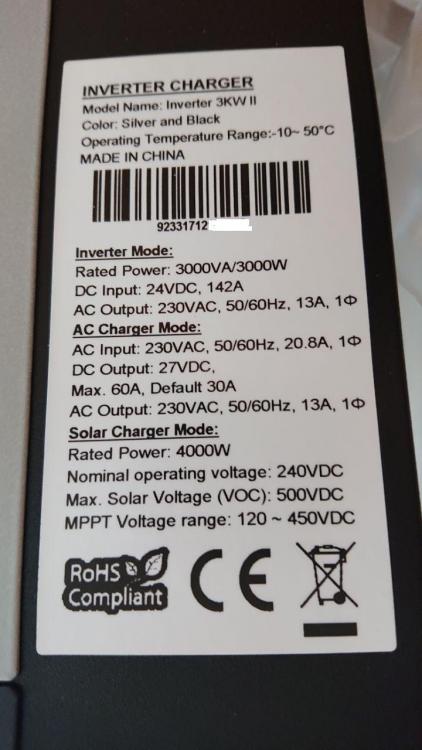
Hey thanks for the reply and tip on the sticker and screw, the sticker does cover the screw so that's good... Here's a photo of the sticker
-
Hi everyone, First Post here... I'm going to be setting up solar in a house I'm buying in the countryside. I got a cheap Axpert vm11 inverter and did what checking I could before buying, the main label seems legitimate, serial numbers look good, the little single phase mark looks good, the screws are all black, the manufacturer date label matches up with main label. I know it can be hooked upto a computer and check that way, but I don't yet have any batteries so can't turn the unit on, unless simply hooking up mains power means I can use the supplied software to check? I was hoping if not maybe something under the cover like components used could be a giveaway? Thanks!
