




.thumb.jpg.ac69b48bf409725116a3bba84ea0b884.jpg)
By WernervH
- 1,458 views
- View WernervH's images
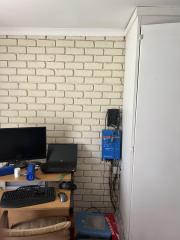
Multiplus II 48/5000/70
Cerbo GX
SmartShunt (from old system)
Enersol/Leoch 48-100 LiFePO
Dual Battery Bracket from Leroy Merlin (cheapest bracket I could find, not bad, same metal as the server racks I usually work around)
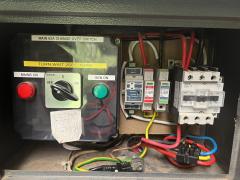
ARB/ToSunLux Fuse disconnector (160A) - 200A was overkill since I don't have big appliances, I run a gas stove, and 2kW geyser (soon to be removed)
I opted not to use a battery busbar, I couldn't find something that could handle 400A easily, end of the year suppliers had low stock levels - I'll install a good busbar topology when I install the second battery.
The final phase is to build a well-vented cabinet, disguised as the rest of the cupboard...
Recommended Comments
Join the conversation
You can post now and register later. If you have an account, sign in now to post with your account.