


Ant Seiderer
Members
-
Joined
-
Last visited
Everything posted by Ant Seiderer
-
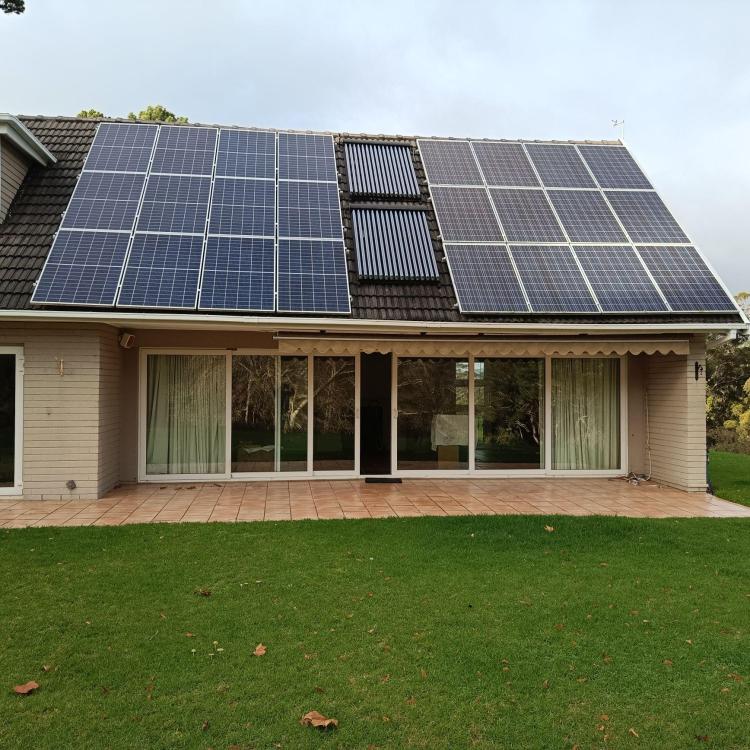
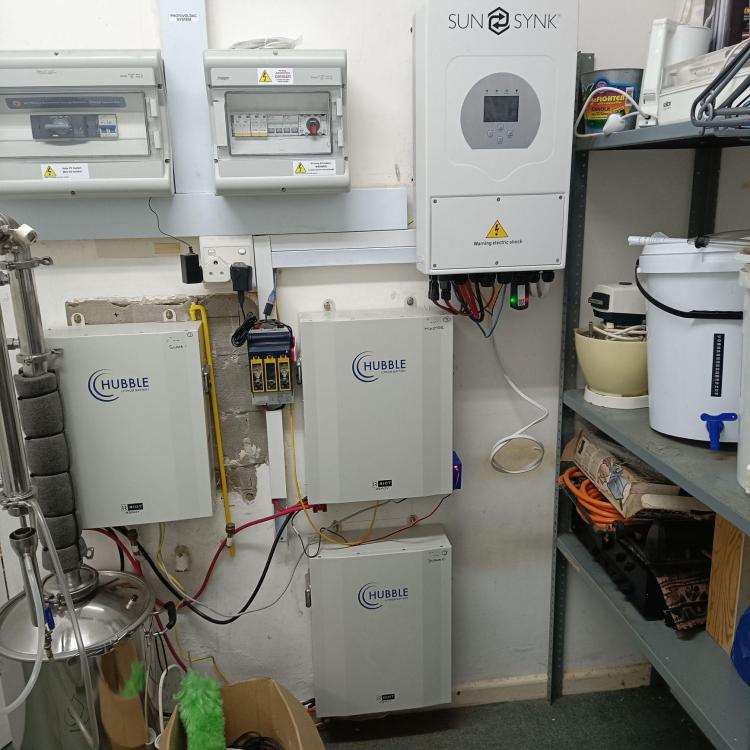
Panels 12 x Tennesol (2013) and 12 x Canadian Solar (2019) Total about 6.5kW Age: Inverter and 1 battery 2019, 2nd battery 2021 3rd battery 2022 Cycles 982, 1338, 1744 Price: Inverter and batteries R45k, panels R15k Payment Method Accepted: EFT before dismantling Warranty: None but system currently in operation Packaging: None Condition: Good Location: Constantia Cape Town Reason: House sold and being demolished Shipping: Dismantle yourself and collect from Constantia Collection: Collect from Constantia
-
Can you give details of how you connected the wired antenna?
-
Where can I get more information about the new logger dongle? I've had my Sunsynk 5kW 1P installed for just over a week, and am mightily impressed with it. Less so with the dongle and Solarman in general. Often the inverter is offline, and sometimes both the inverter and the logger are offline. The latter may be for lack of a decent WiFi signal strength, but I'm also running a RIOT module, which displays no such signal strength problems.
-
Thanks so much! I've entered conservative settings based on your recommendation, and all is well so far. All understood and easy to comply with - thank you I'd be happy to. Can you suggest what data would be helpful, in what format, and how best to publish it? I take that R12k as penance for the prior 8 years I exported on a rotating disc meter, thus enjoying a feed-in tariff equal to my purchase price. I only want to charge from the grid after a bad solar day that hasn't managed to fully charge the battery (to be prepared for a night of possible loadshedding). I could also do this manually when I see a bad situation coming. I currently only have 1 x Hubble AM2 battery and a 2.88kW solar array, so I'm really just experimenting with charge settings and scenarios until I upgrade to double my battery and PV capacity. Everybody's help has been invaluable - thank you all.
-
The bi-directional meter cost me nearly R12k. Big mistake!
-
Apologies for the lack of information. I have a 5kW 1P inverter exporting to the grid and I have non-essential loads to be powered before the inverter. I have a CoCT bi- directional meter. As I want to export to the grid once the batteries are fully charged and the load is satisfied, I have ticked "Solar Export". Also, as I want to prioritise battery charging first, I have "Priority Load" unticked. I will try your suggestion. I note that you have inserted dummy (repeated) entries to "pad out" the number of lines. Is there no way to delete unwanted lines? What is the thinking behind limiting the PV-supplied charge to SOC = 80%? If this can't be 100%, could it be, say, 98%? Thanks for your help.
-
My requirements are as follows: 08:00 - 17:00 Charge from PV only. Excess PV to supply load. 17:00 - 18:00 Charge from grid if SOC < 100% 18:00 - 08:00 Discharge batteries down to, say, SOC = 50%, then supply load from grid. I'm struggling to understand what System Mode timer settings to use. Also, my System Mode timer has data in all the rows. How do I delete data from unrequired rows? In Battery Setup, under the Batt Charge tab, presumably Grid Charge should be ticked? I'm confused about this, as the grid should indeed charge at the end of the day if required, but for the bulk of the day PV should do the charging. Any help would be appreciated.


