TheJackal
Members
-
Joined
-
Last visited
Everything posted by TheJackal
-
@Buyeye , Thanks a lot for the reply that's what I wanted to know sir . thanks a lot for the info .
-
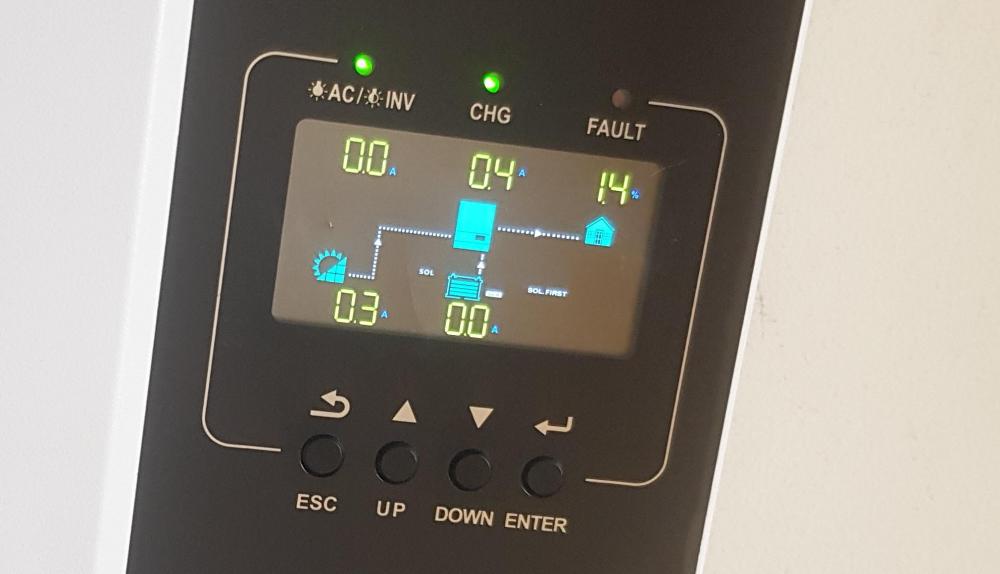
Hi , I have a Growatt Inverter and I have some questions I hope you can help me with about the info in the display panel . Today I checked my inverter in about an hour before sunset , and then I looked at the display and I saw this at the first time : Again half-Hour before sunset : after 5mins from the previous image: Please I need to know what the diagrams on the screen really mean ? specially in the last two cases of battery using . And another thing , The Sun is still up and I have no idea why would it use the batteries in last half hour before sunset? Note: The CHG indicator is not blinking in all of the cases , I think this means that the batteries are Fully Charged and the AC/IN indicator is blinking Because Grid is Off . Regards