BGD
Members
-
Joined
-
Last visited
Everything posted by BGD
-
Hello Guys, i have a 7.2KW inverter , Frimware version U1 - 45.07, can you help me with a firmware solving the problem of 90V ? I think ideal would be for 180 - 200 V . Sorry i checked better the forum, can somebody confirm to me that i can flash the 245.11 over the 45.07, to fix the 90v issue ? And another small question should i update also the display, or leave it as it is ? Thank you for your help
-
@Georg594 , i have also disconected the cable, suprizingly the production curve looked very nice, but suprisingly the information was wrong, meaning that with the cable out solar assistant showed me i have produced 10kwh, but actually in the battery went only 8kwh, you can investigate further but in my opinion if you take out the plug the information is wrong, and actually the real production is the same.
-
Ok i need the other flasher so maybe if for you it will work good, i will ask them alao the reflashtool, they gave you only this one with Arena ?
-
Can you share the firmware also for us? Thank you?
-
Hello , i need as soon as possible if somebody from here has available, Firmware for 11kw Inverter. I need the firmware flashable with Reflesh Tool, not with Arena. Please if somebody has it let me know. Thank yoiu
-
Hello @sharkut, i have checked about the led bar, by me it is not affected, when the solar PV is active i have white, when on battery i have green, and when on grid i have magenta and it is working still by me.
-
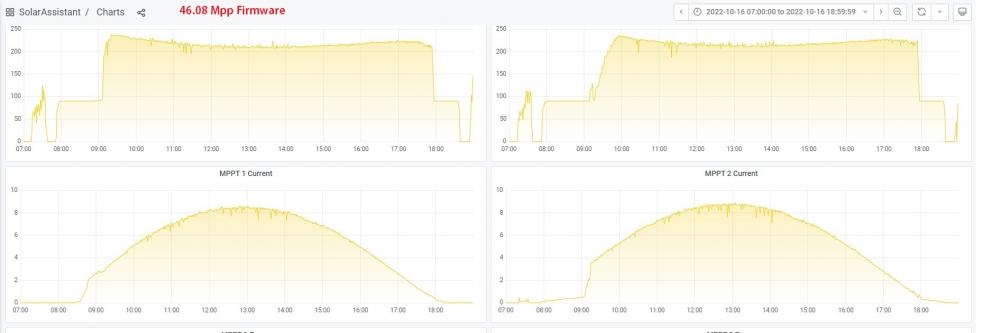
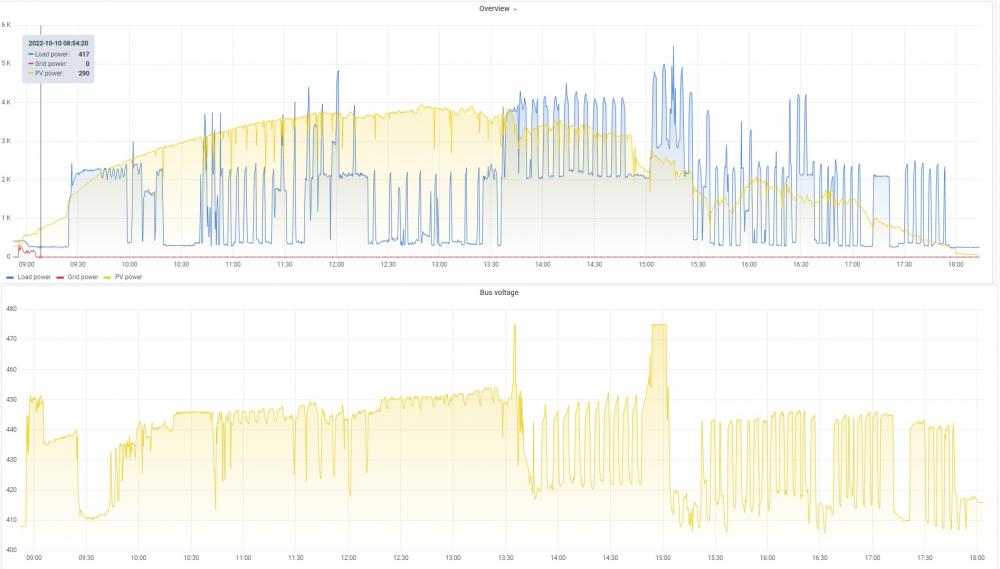
Hello @Georg594, i have checked the bus voltage, indeed with the sfotware changed it goes lower than before. With the 46.08 software it also goes down when load is greather than pv production but the lowes i saw it was around 407V, but it totaly depends on how high the PV production is With the last software which you made for me with the limit of 175V , i have a print screen of today, lowest i see is 393V, but than again production is low, check the graphs, i will make another one for today a little later .

-
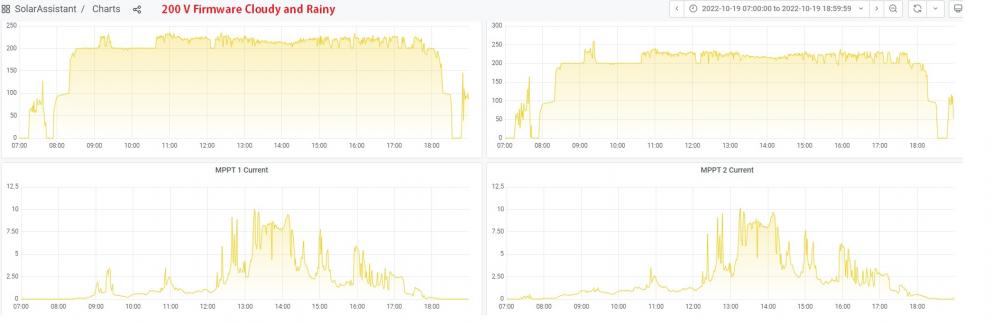
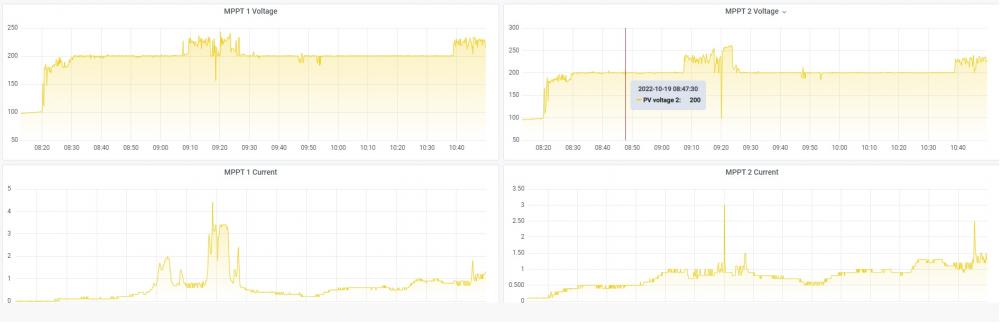
If you think 175V is better i can test it without problems, but as i see it in the bad weather conditions the inverter is keeping 200V which is very good under these conditions, why do you say that i`m lossing power? And regarding the donation, at least let me buy you a beer, for your time and effort, i have this problem since January , bricked 2 inverters with firmwares so i would really feel much better to buy you a beer
-
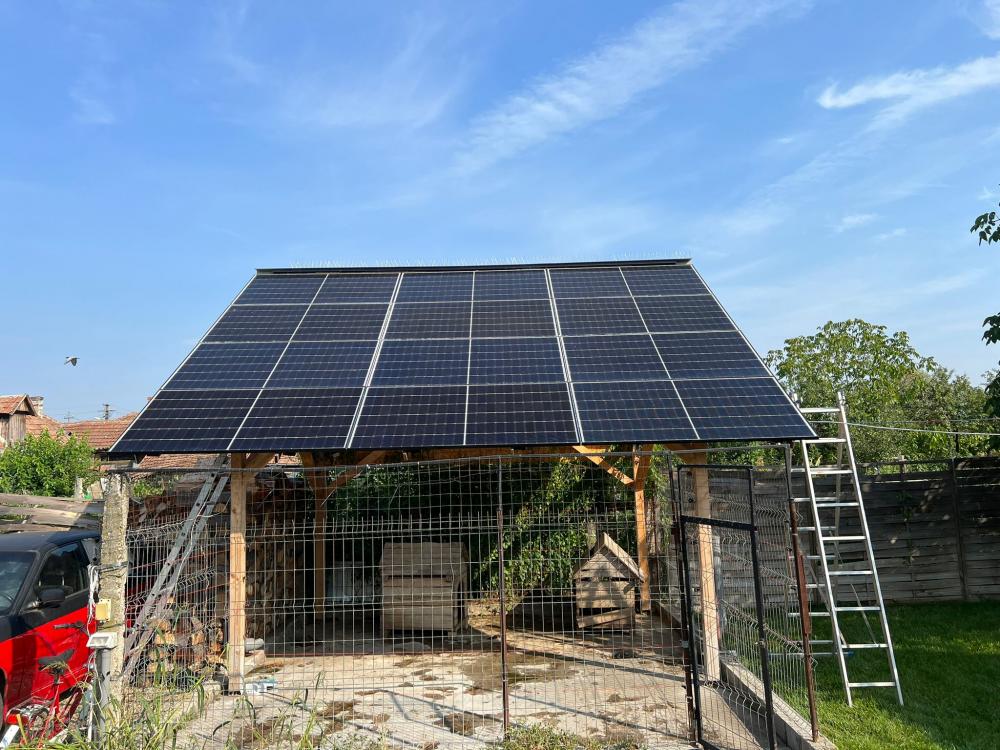
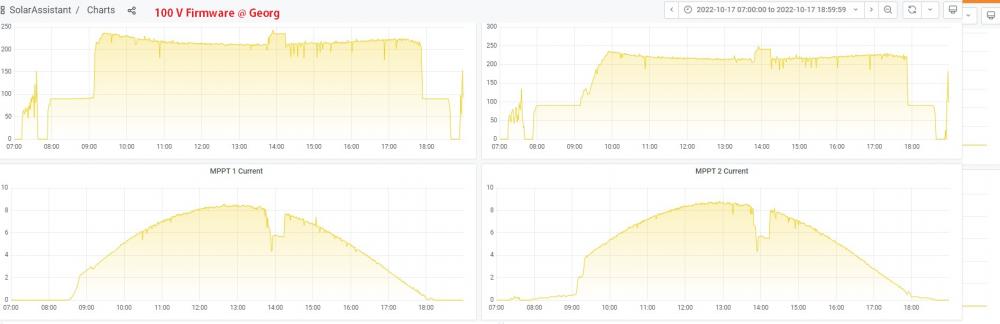
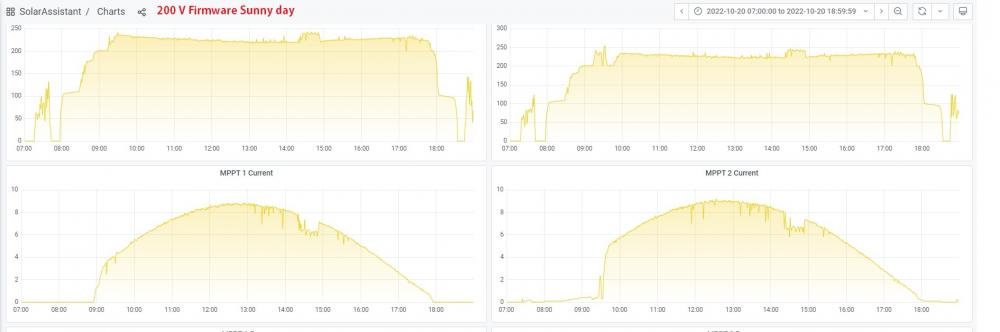
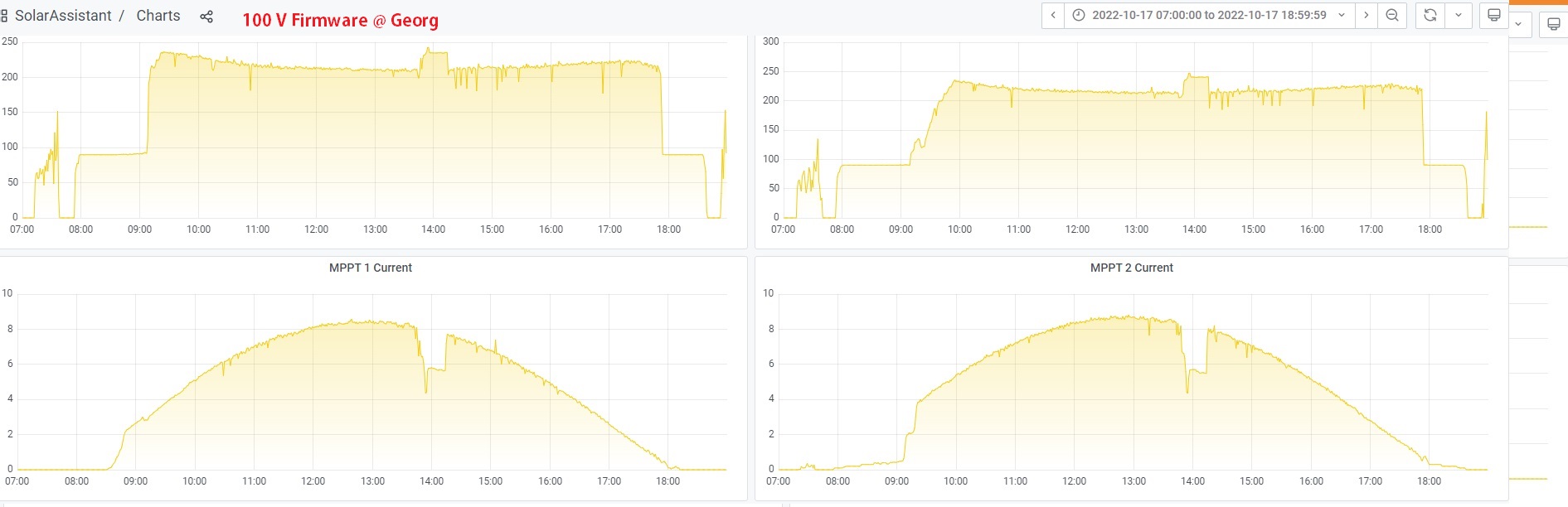
I have put both the firmwares which @Georg594 has modified. The first one with the limit to 100 volts for me it`s too little, however the second one with 200v limit, i see it`s working quite good, 2 days ago i had clouds and raini day and i can say it performed satisfying, much beter than the firmware from MPP. My setup is as follows : MPP 8048MAX inverter with 2 strings of 6 Jinko 405W Solar pannles 6 on Pv1 6 on PV2, oriented soth fixed angle degrees 32. VOC : 45.44 V x 6 = 272.64 V / string VMP : 36.33V x 6 = 217.98 v / string As an ideea i will post a picture so you have an ideea how the solar pannels are mounted, and i will post pictures with the: 46.08 Firmware from mpp 100v firmware sunny day 200V firmware toghether with clouds and rainy day, and the 200V firmware with full sun day. @Georg594 - really appreciate your effort and time and thank you, if you can share a paypal account, so we can make a small donation for your time and effort. If any questions let me know, or more detailed graps let me know what you want to see