


JohanK
Members
-
Joined
-
Last visited
-
-
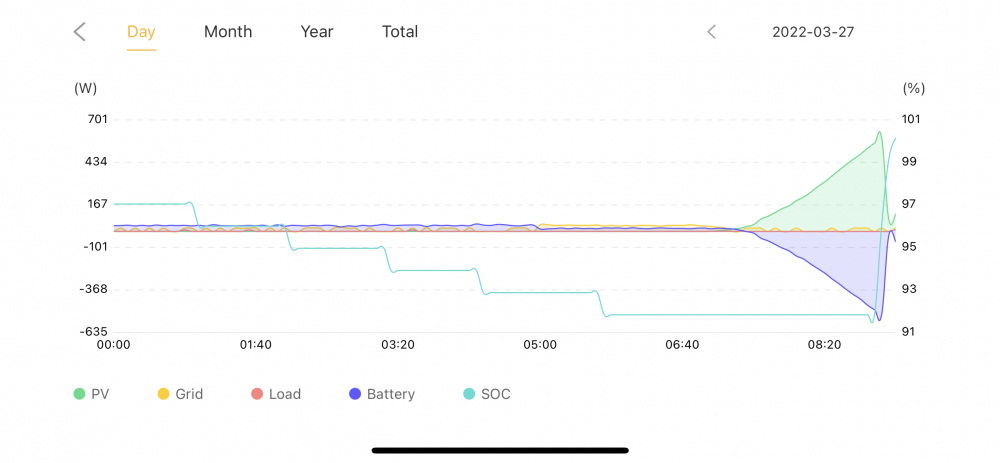
The problem was resolved after sunset, yesterday. The following came to light: a) The yellow cable was the wrong cable and b) it was plugged into the wrong port on the inverter. This means the SUNSYNK MUST communicate with the Lithium battery's BMS for optimal operation. To achieve this, make sure the correct cable is used. I am one happy chappy!
-
Good day. I have a freshly installed setup as described in the title. It was installed by a supplier (name withheld to protect all parties.) There are also 4 PV panels in series, and I have a question related to these as well, but I'll make it a different post/question. The CAN/RS232 connectors on both the INVERTER and the battery appear to be stock standard RJ45 types The pin to pin wiring between the two connectors, however, appear to be very different from LAN/Cat5 wiring. At least, that is what I can make out from the battery manual. As far as I can see, the inverter does not communicate with the battery, since no cell data appears in the "Li BMS" screen. There is a yellow cable going from the battery to the inverter, but I am not sure where this is plugged in on the inverter. Does anyone have experience with this? What can I do or look for?

