


ConradCham
Members
-
Joined
-
Last visited
-
Hi guy's I have a Meanwell TN 1500 inverter 48v. Using it for a while now. Decided to change my batteries. Logged onto the the inverter to change my battery settings. Charge voltage and cutoff voltages. Did it exactly as the software told me to do it. After I did that the inverter starts up but goes straight onto error mode. Does not give me any 220v. When I log onto the inverter I see abnormal shutdown EEPROM error. Any ideas on what the problem could be and how to fix. See attached. Thanks Guy's
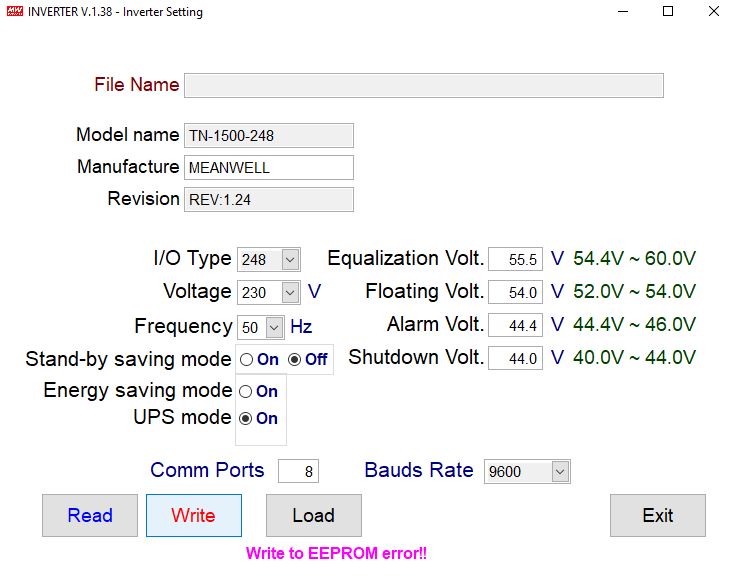
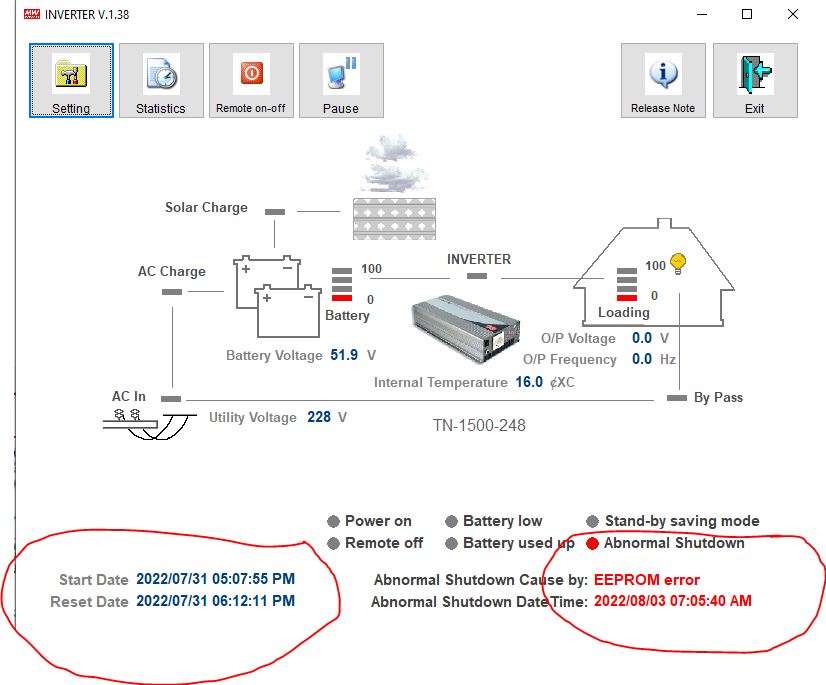
-
Hi Guy's, Need some assistance here please. I have installed sunsynk 5.5kW with ct coil. On the main screen it shows my ct in the correct place but i am unable to get any activity to show on main screen on my utility and load side. see attached picture. Any suggestions please.
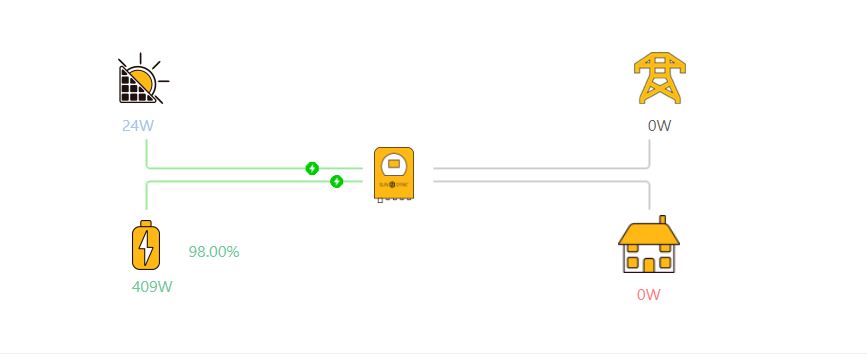
-
Hi guy's, Can anybody tell me what the following settings is on the Growatt inverter remote monitoring app and web interface. Remote Switch / Sci loss check. Tnx Conrad

-
ConradCham joined the community
-
Hello everyone, Could you please share with me the bin files for the latest firmware available with you for the Growatt SPF 5000ES? Email address is [email protected] Thanking you in advance for your gracious support