Skip to content
View in the app

A better way to browse. Learn more.

Power Forum - Renewable Energy Discussion

A full-screen app on your home screen with push notifications, badges and more.

To install this app on iOS and iPadOS
  1. Tap the Share icon in Safari
  2. Scroll the menu and tap Add to Home Screen.
  3. Tap Add in the top-right corner.
To install this app on Android
  1. Tap the 3-dot menu (⋮) in the top-right corner of the browser.
  2. Tap Add to Home screen or Install app.
  3. Confirm by tapping Install.

Nats

Members
  • Joined

  • Last visited

Everything posted by Nats

  1. Now that loadshedding is over, this is our screen, is this correct that grid is flowing in at over 2000? Geyser is connected to grid and not solar, and I used about 2 buckets of hot water. Loadshedding was 2 hours
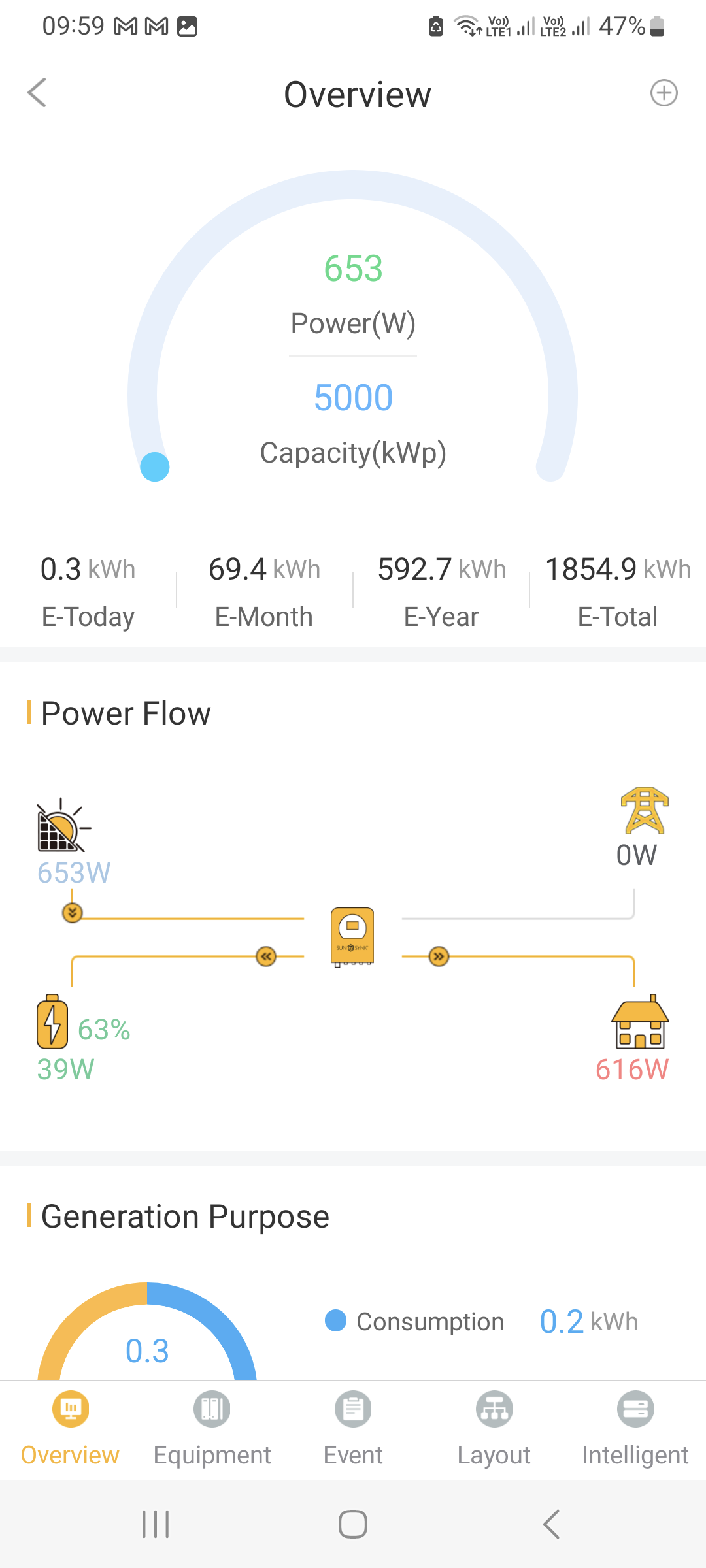
  2. Thank you very much! I have updated our settings and also updated our battery settings as per the label on the battery. We currently have loadshedding so the below now makes sense I tested with no major appliances on, and now turned on dishwasher only One questions pls, on this screen shot, battery also shows 63%, this this correct?
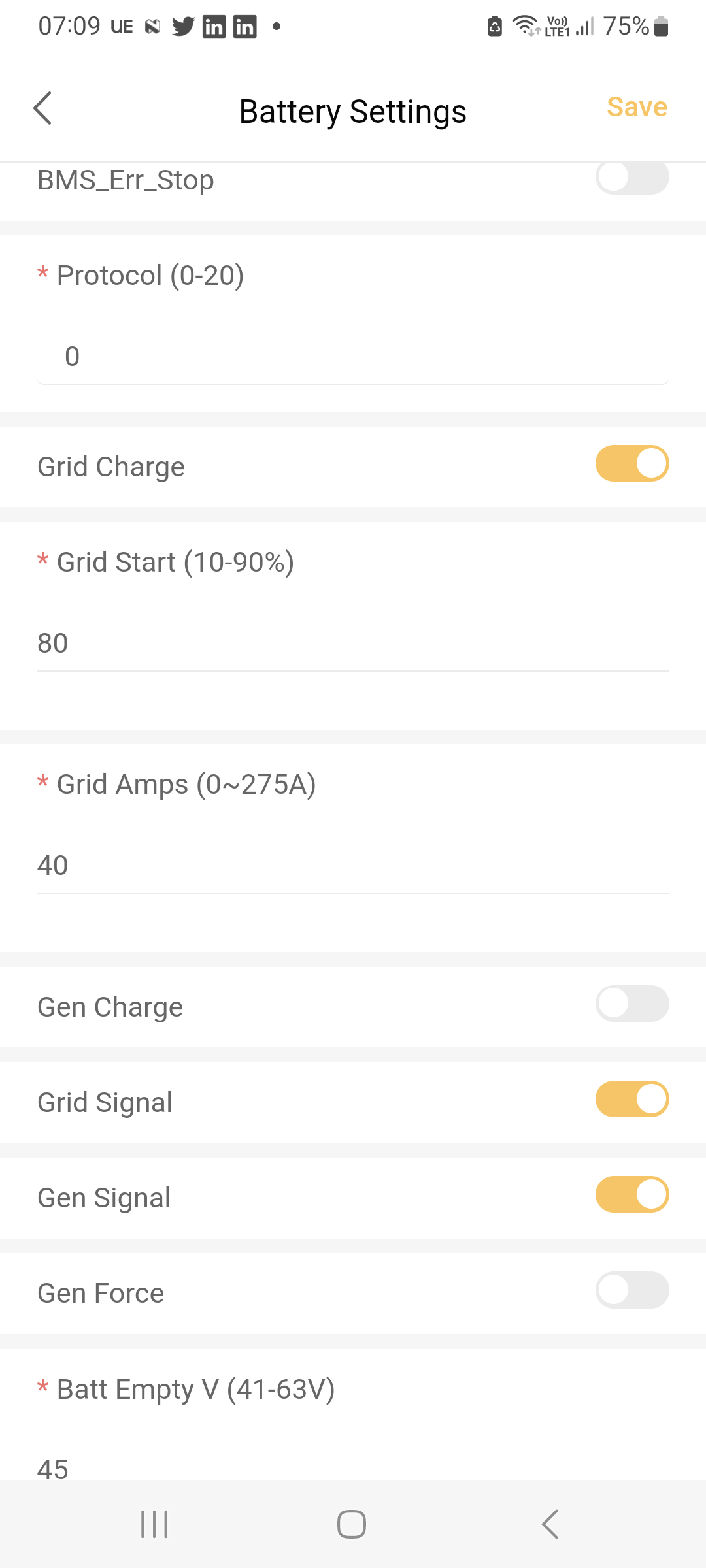
  3. Hi, I think I've messed up my settings. What should my battery settings be to use battery and only charge battery from grid when it is absolutely necessary I see my battery is always at 63%

Account

Navigation

Search

Search

Configure browser push notifications

Chrome (Android)
  1. Tap the lock icon next to the address bar.
  2. Tap Permissions → Notifications.
  3. Adjust your preference.
Chrome (Desktop)
  1. Click the padlock icon in the address bar.
  2. Select Site settings.
  3. Find Notifications and adjust your preference.