


Chris.jmps
Members
-
Joined
-
Last visited
-
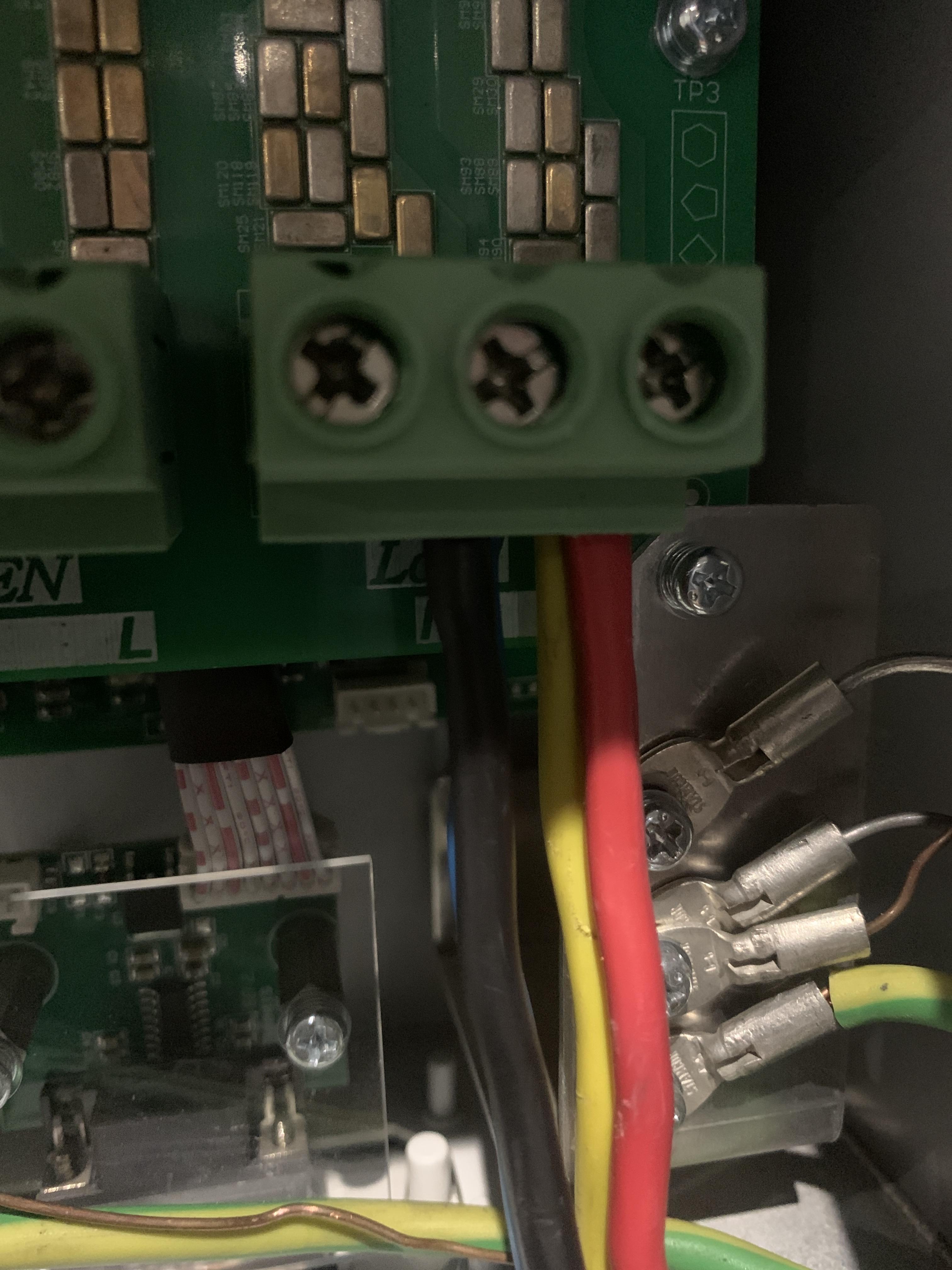
Currently everything is disconnected as I want to sort out the 486v on the inverter if possible. the only thing connected is input of 220v, but as mentioned the inverter states 486 volts which I think is the first problem. but I have it connected to the WiFi
-
Cabling to the load position although cables are connected the breaker from the inverter is off this means the inverter cannot supply any load.Cableing to the grid position I doubled out 2 x 6mm cables for live and neutralGreen button is on the ON positionAnyone with any ideas please 🙏Nothing connected only grid measuring 220v on input with multimeter.Hi this is the current state everything is now disconnected only the grid connection is on and still the voltage is 484 and the Hz is 0?The installation has no load only mains that is connected to grid input and the two batteries connected to and from the CAN ports there is a link from master to slave battery. I do not know why the voltage is 484v but when I measure with multimeter it measures 220v only live and Neutral is connected on the grid block and the most left port does not indicate that it should be earth. also the hertz is “0” ???



Account
Navigation
Search
Configure browser push notifications
Chrome (Android)
- Tap the lock icon next to the address bar.
- Tap Permissions → Notifications.
- Adjust your preference.
Chrome (Desktop)
- Click the padlock icon in the address bar.
- Select Site settings.
- Find Notifications and adjust your preference.
Safari (iOS 16.4+)
- Ensure the site is installed via Add to Home Screen.
- Open Settings App → Notifications.
- Find your app name and adjust your preference.
Safari (macOS)
- Go to Safari → Preferences.
- Click the Websites tab.
- Select Notifications in the sidebar.
- Find this website and adjust your preference.
Edge (Android)
- Tap the lock icon next to the address bar.
- Tap Permissions.
- Find Notifications and adjust your preference.
Edge (Desktop)
- Click the padlock icon in the address bar.
- Click Permissions for this site.
- Find Notifications and adjust your preference.
Firefox (Android)
- Go to Settings → Site permissions.
- Tap Notifications.
- Find this site in the list and adjust your preference.
Firefox (Desktop)
- Open Firefox Settings.
- Search for Notifications.
- Find this site in the list and adjust your preference.