RossPelser
Members
-
Joined
-
Last visited
Everything posted by RossPelser
-
Thank you very much, I took the setup to Solar and Inverter Warhouse and they were able to make the correct cable. It's working as intended. Happy to delete the thread or leave it open in case anyone else has the issue. I did get a response from LuxPower support as well and have attached the updated document. Pin Defination for battery communication 2022-10-20.pdf
-
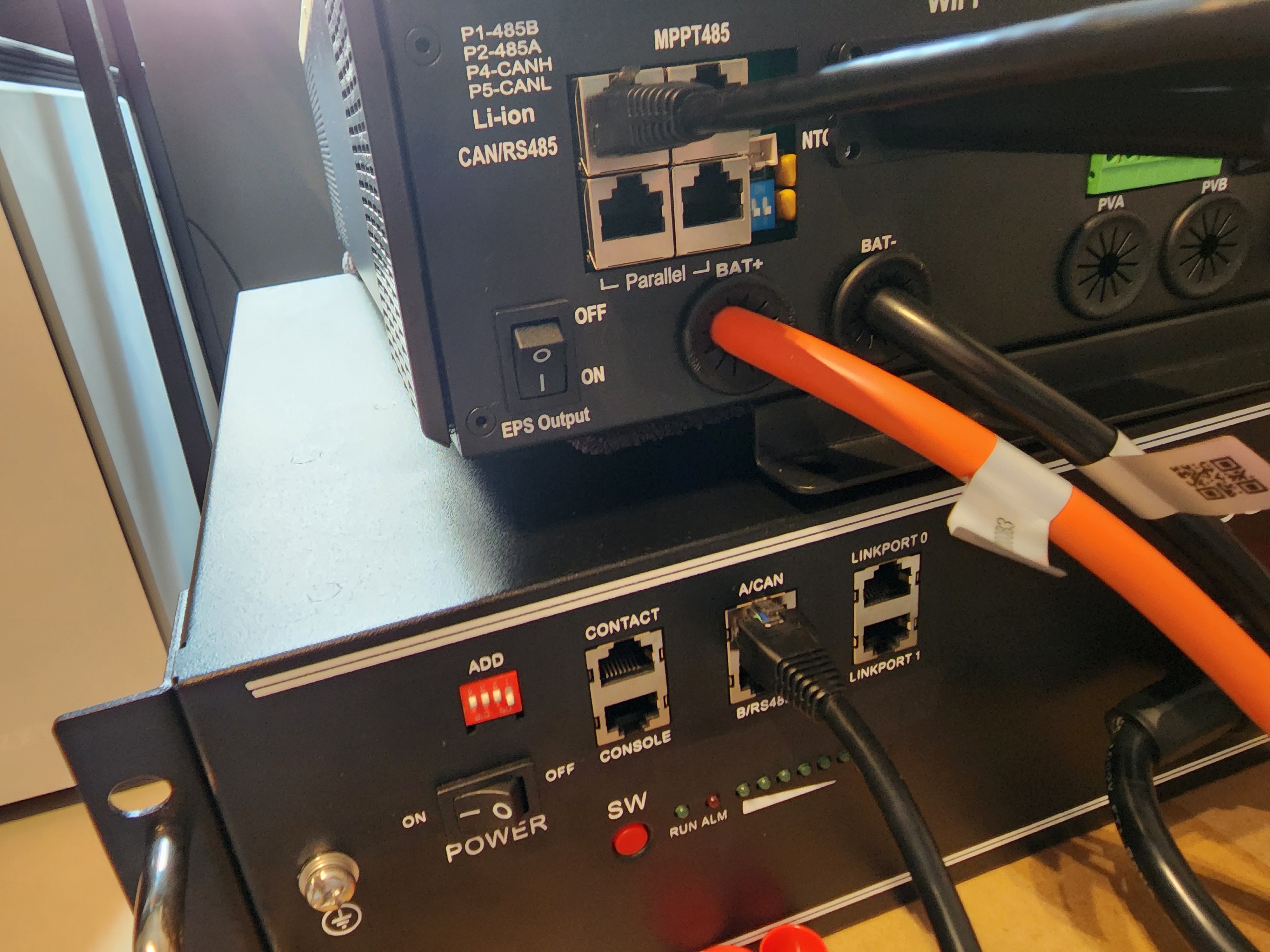
Morning all, I recently bought the LuxPower SNA 5000 and Pylontech US3000C to use as a plug and play/UPS while I'm in an apartment with the thought of getting it set up properly next year in a house. The issue is as follows: I receive "Communication failure with battery" messages on the application. I have the correct CAN cable connected from the inverter to the CAN of the Pylontech. The cable is orientated correctly as shown in the photo below: The battery lights are not on, but periodically come on with the first light illuminated and the second light flashing before both turn off again. The run light is only active in this periodic occurrence. I am not sure what the problem is - I have tried to look for ways to set the communication to CAN but there is no such setting. All the relevant settings have been applied following the LuxPower YouTube video with Pylontech batteries. I've spoken to the supplier who says it's the wrong cable but as you can see above, it matches the manual correctly. I'm considering take the whole setup to them for assistance but just hoping someone here is more knowledgable and could help. Thank you