JohanHey
Members
-
Joined
-
Last visited
Everything posted by JohanHey
-
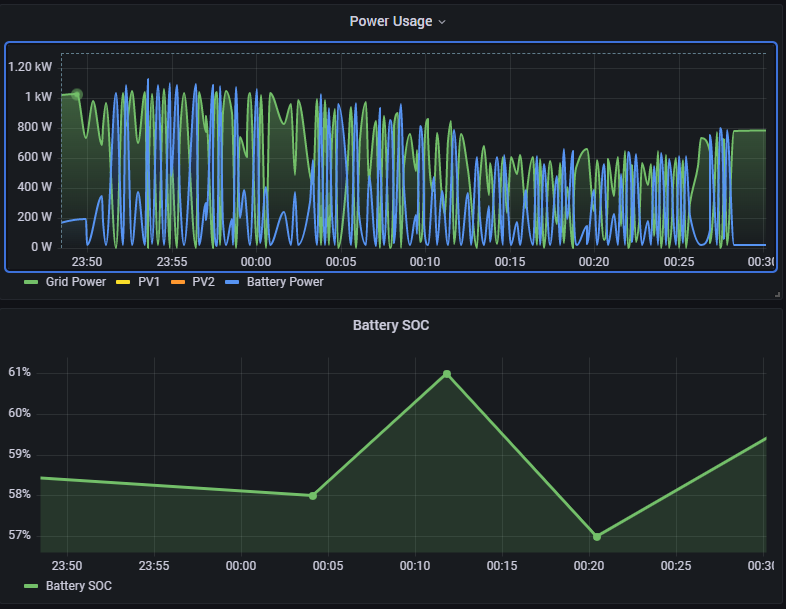
@I84RiS Had it start from 00:00 for a bit now and still doing the same. It does really look like the battery SOC is not being reported correctly which is causing this issue
-
Will give it a try and let you know, although I think the issue is more on the battery's side on how it reports its SOC.
-
@I84RiS
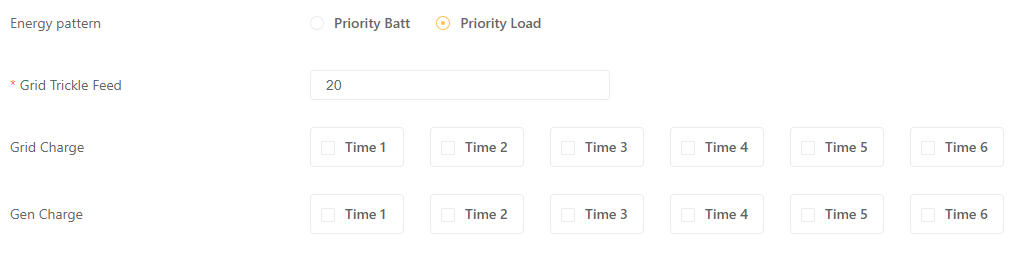
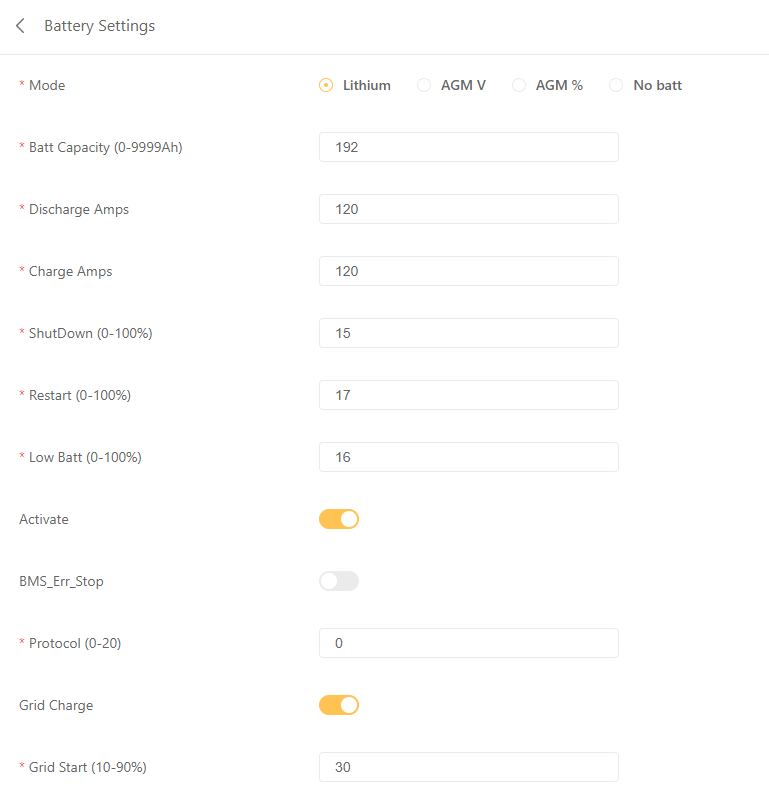
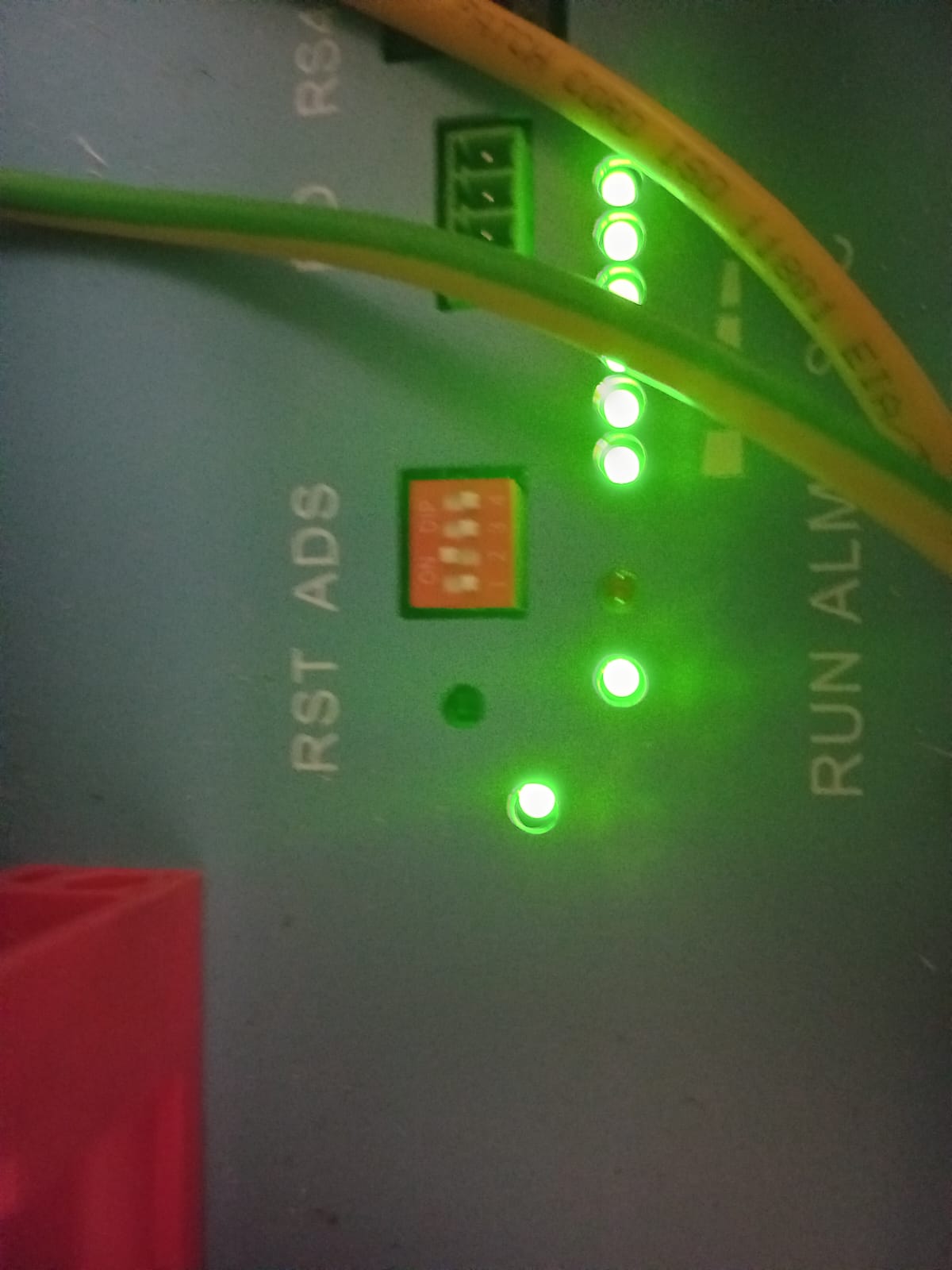
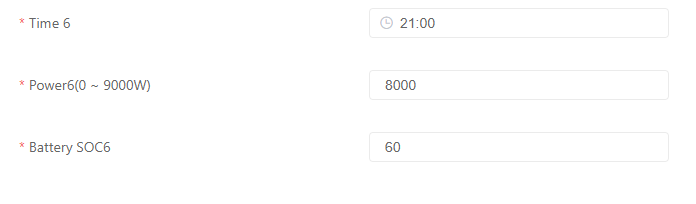 Anyone have any idea how I can fix this?@P1000 Left battery is on dip 1 and right battery is on dip 2.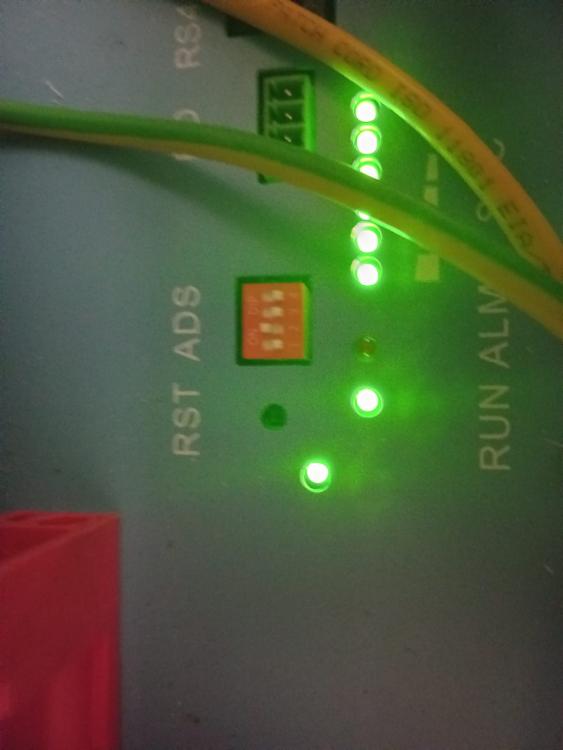
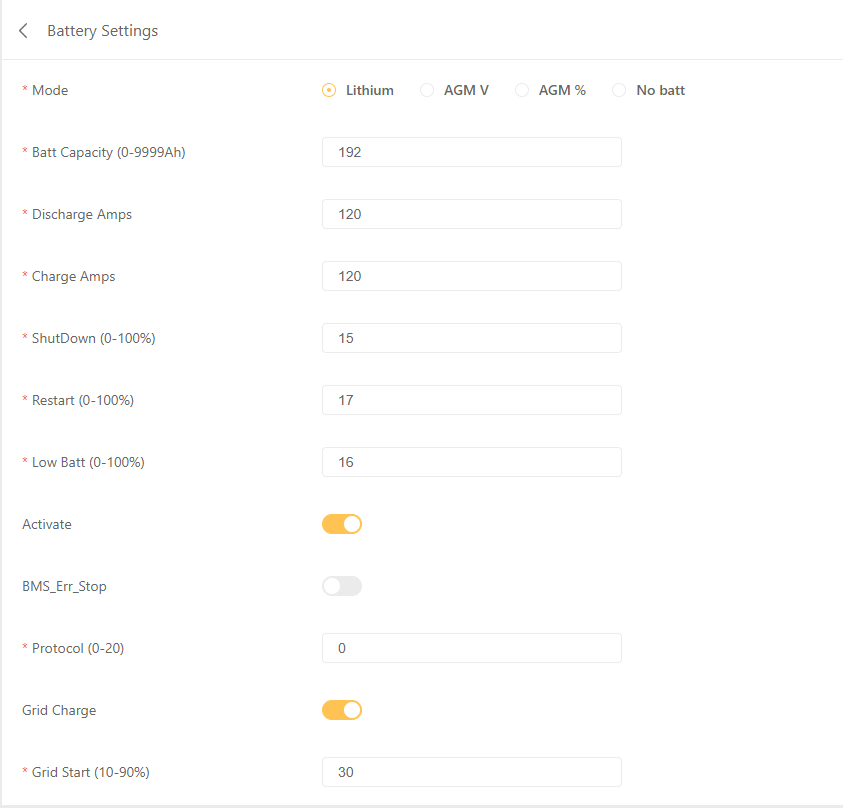
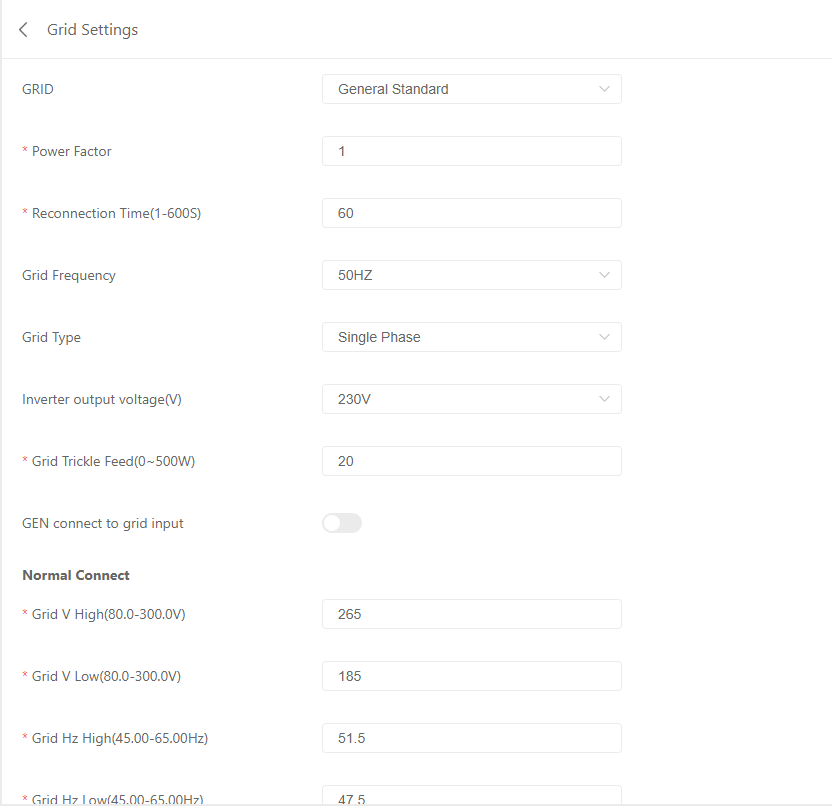
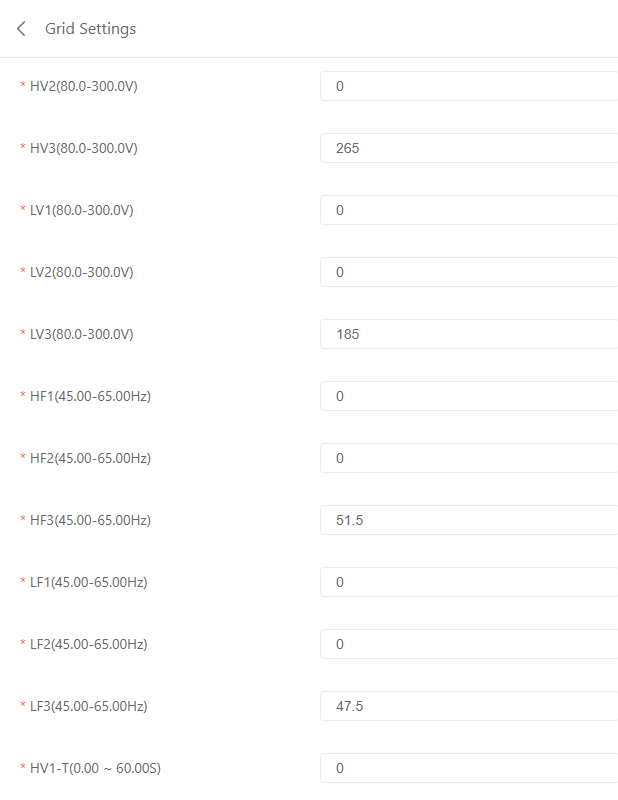
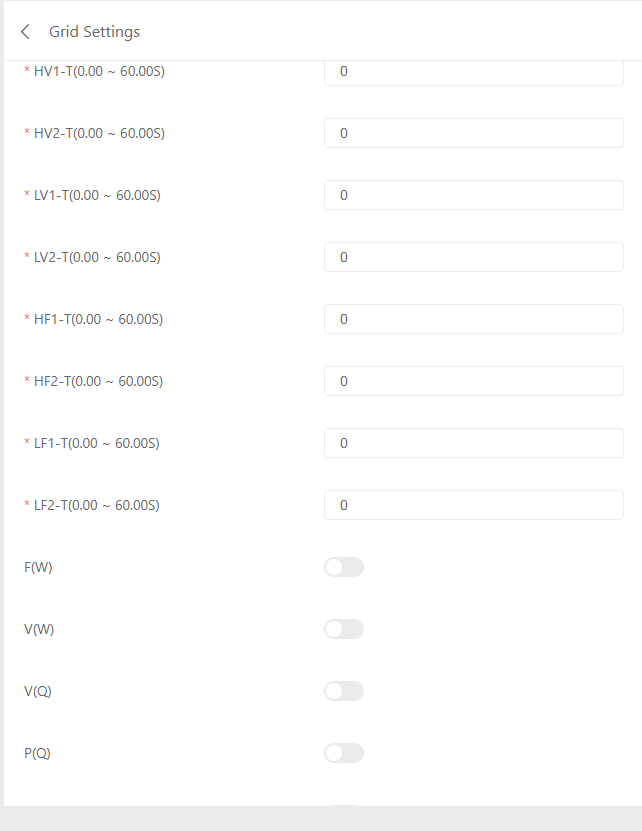
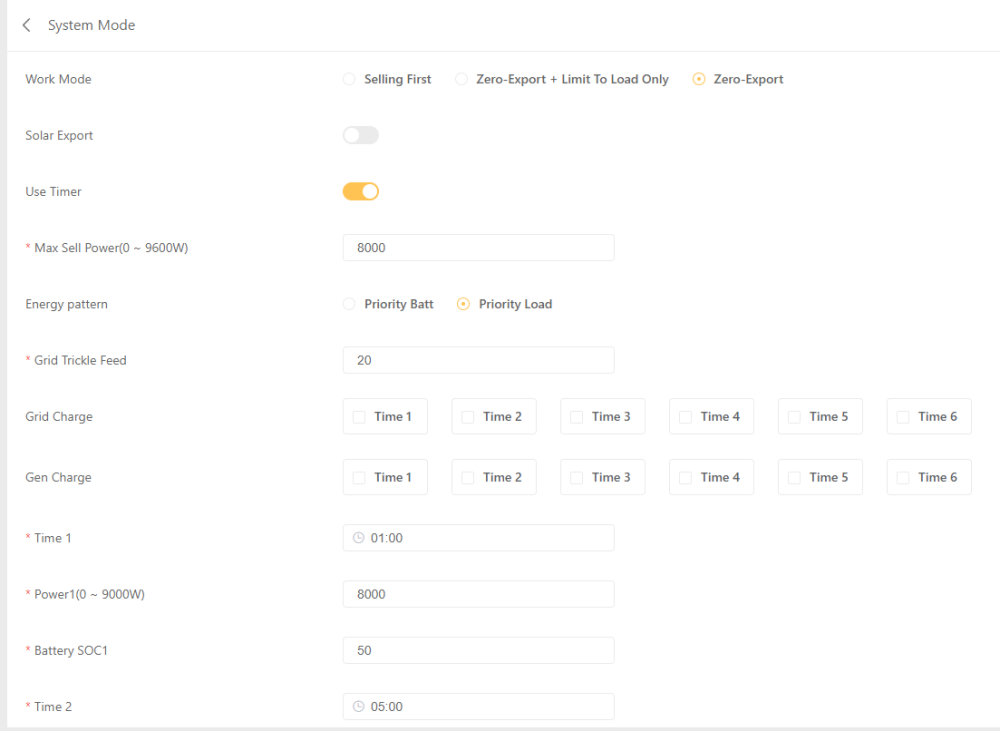
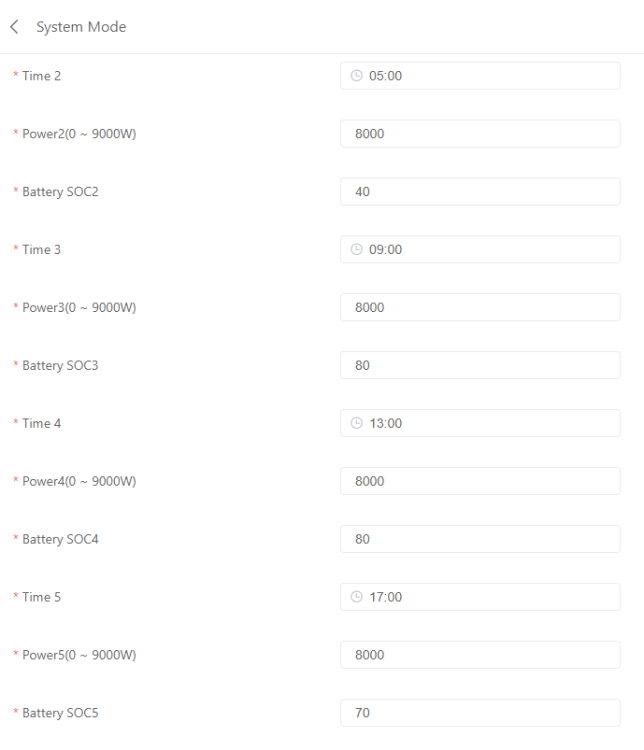
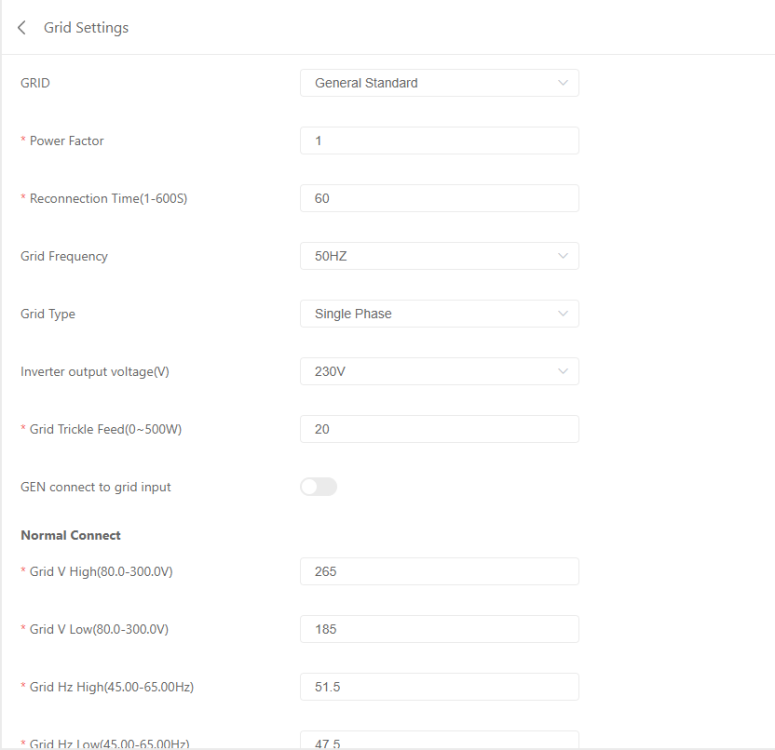
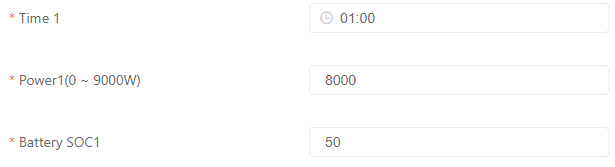
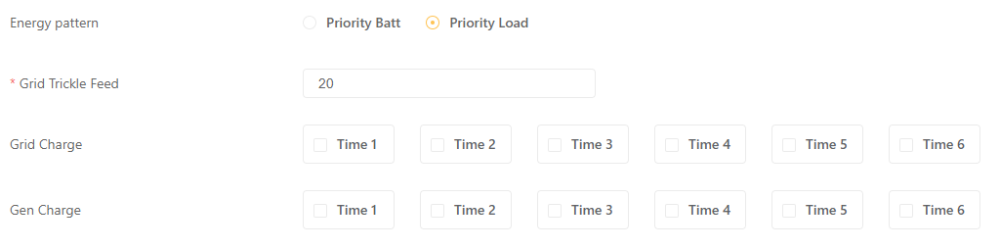
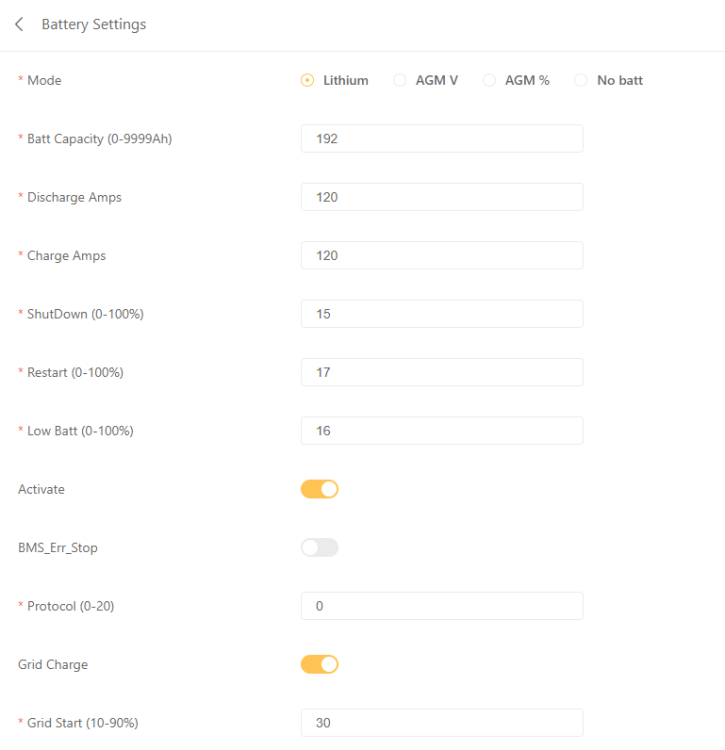
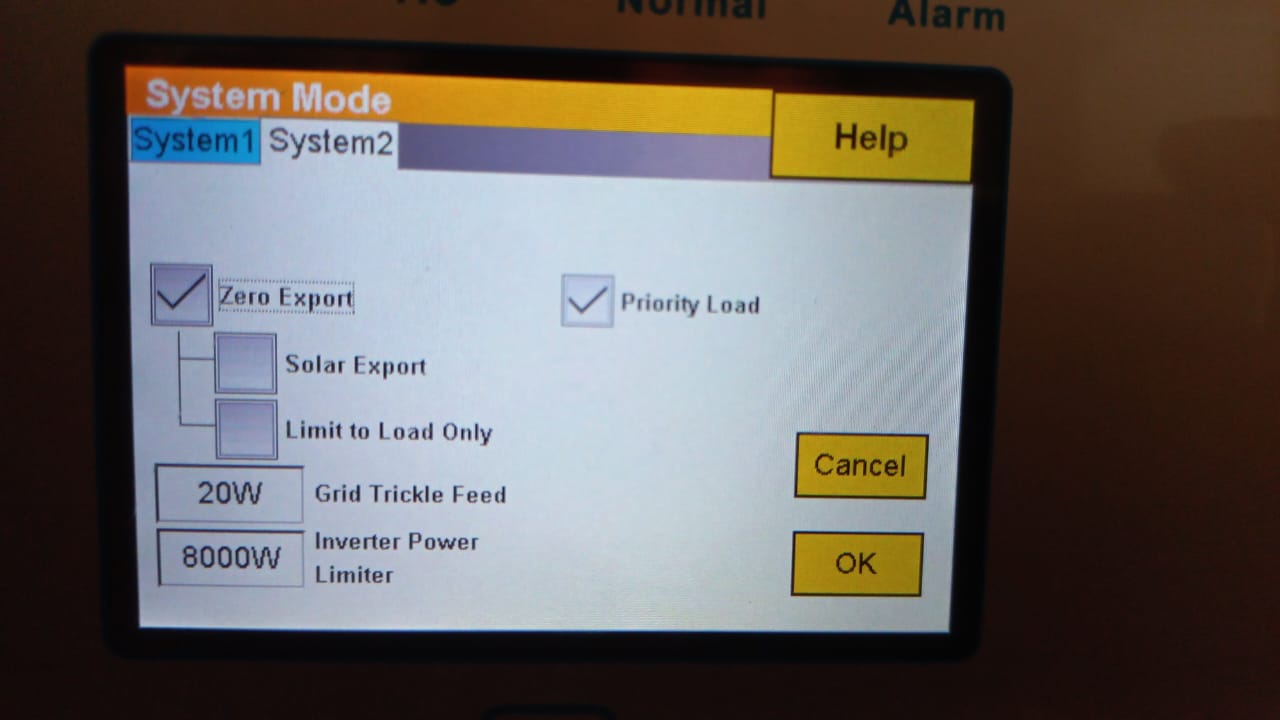
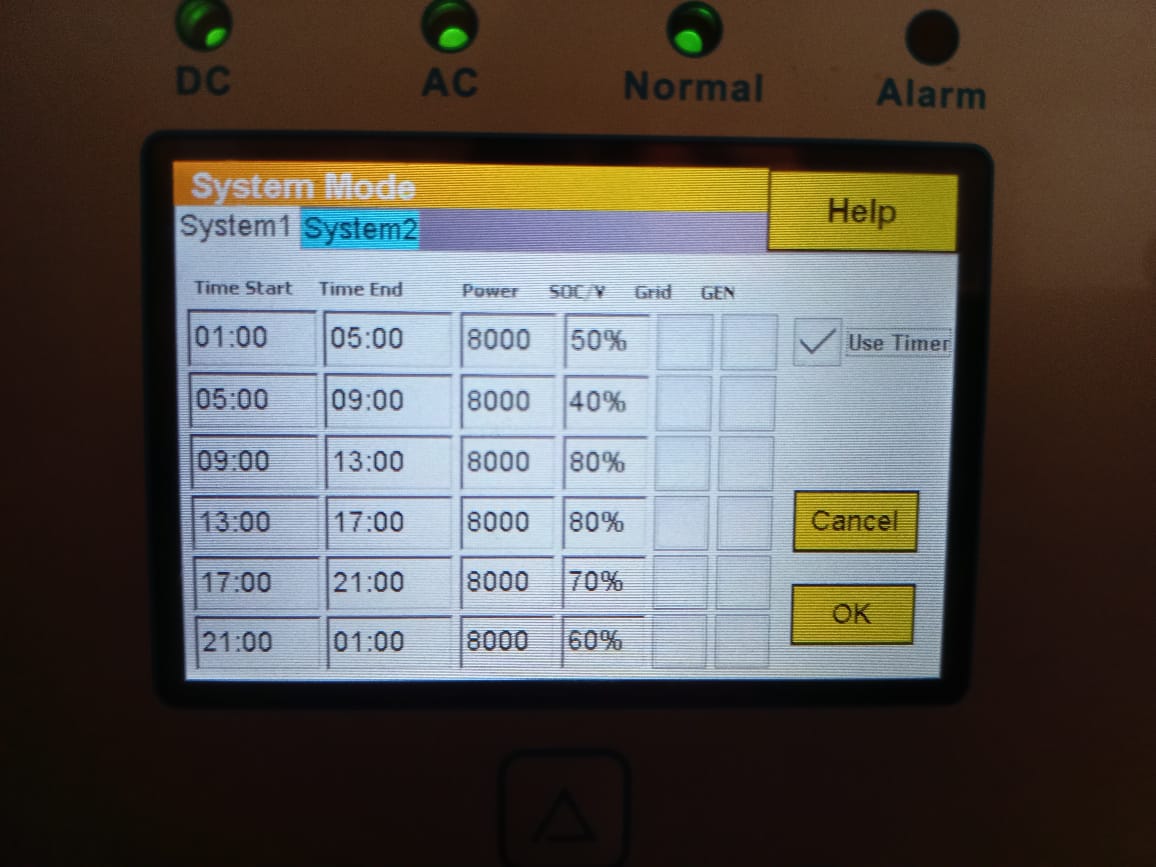
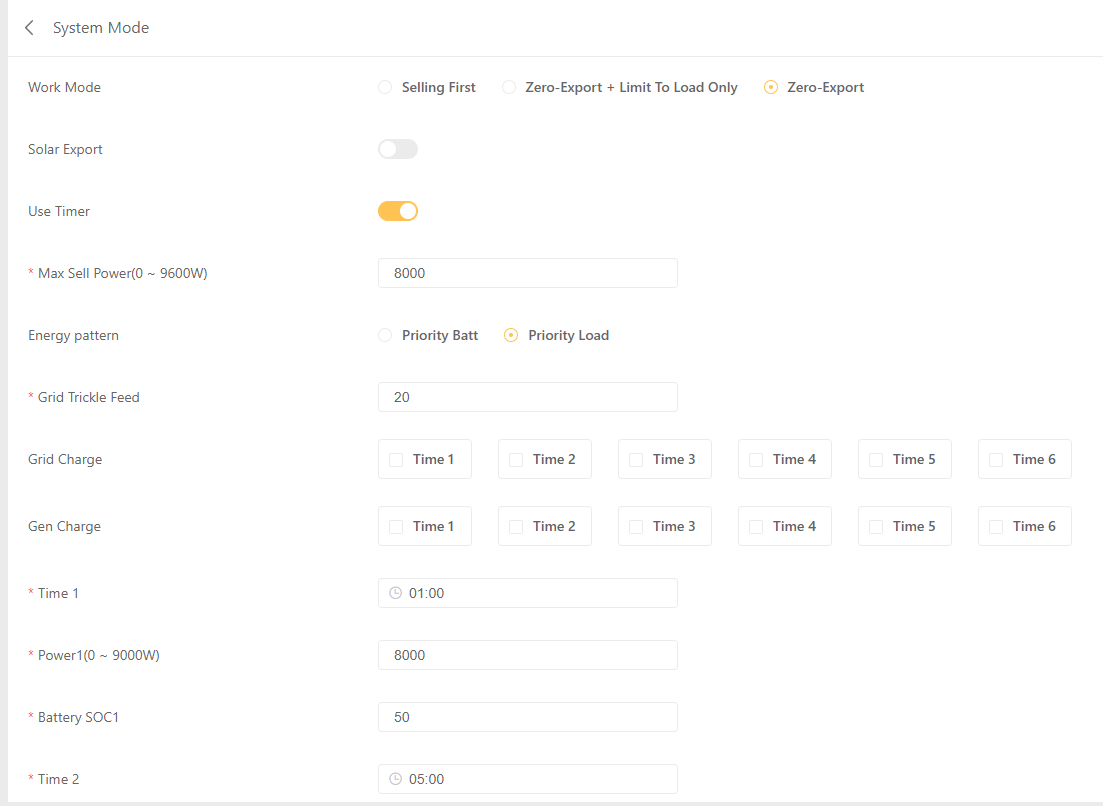
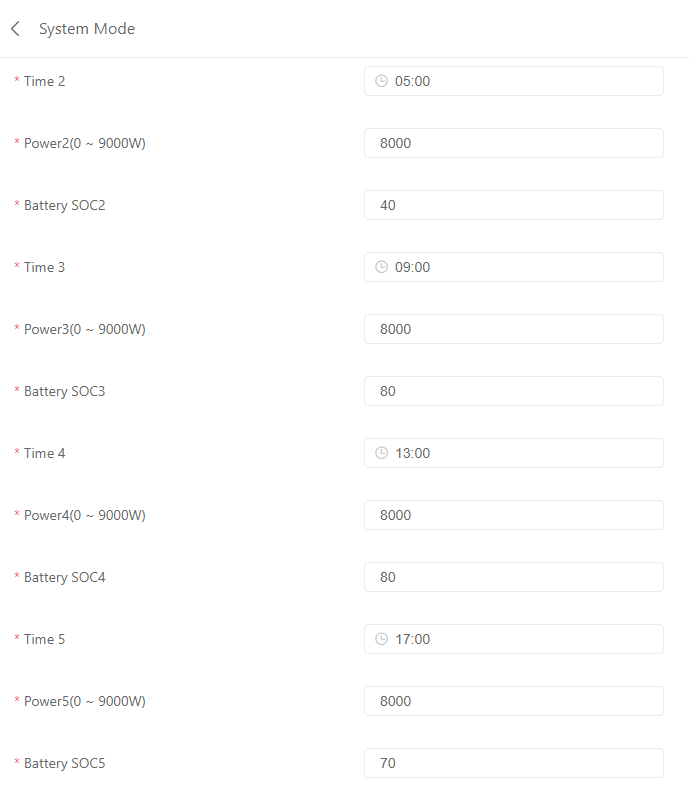
.thumb.jpeg.76a5c8fee8acfd34343e5187fef535d1.jpeg) Below is all the settings on the inverter. @P1000 Where can I see the dip switch configurations? @GreenFields I'm not familiar with grid frequency. Should I log those values to check?
Below is all the settings on the inverter. @P1000 Where can I see the dip switch configurations? @GreenFields I'm not familiar with grid frequency. Should I log those values to check?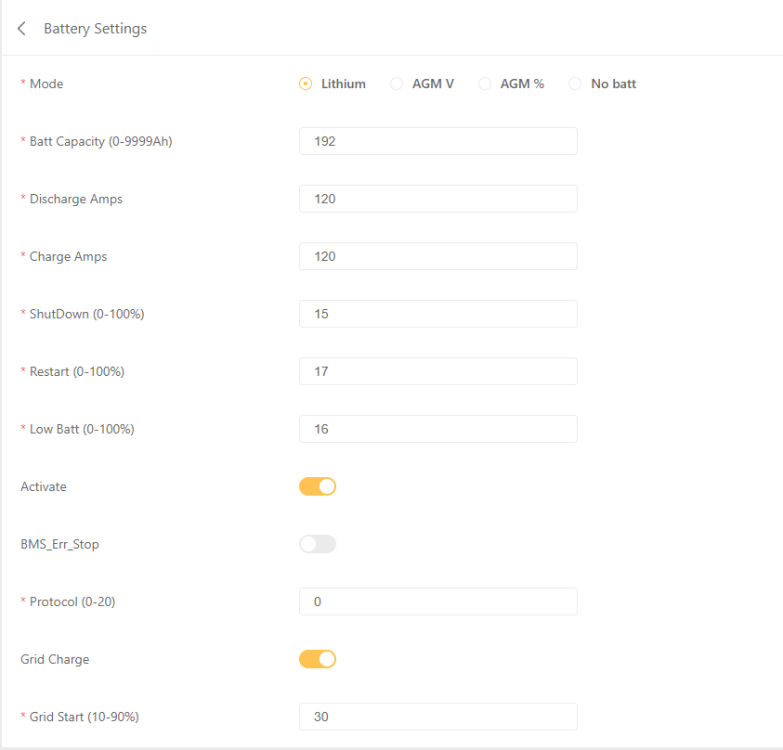
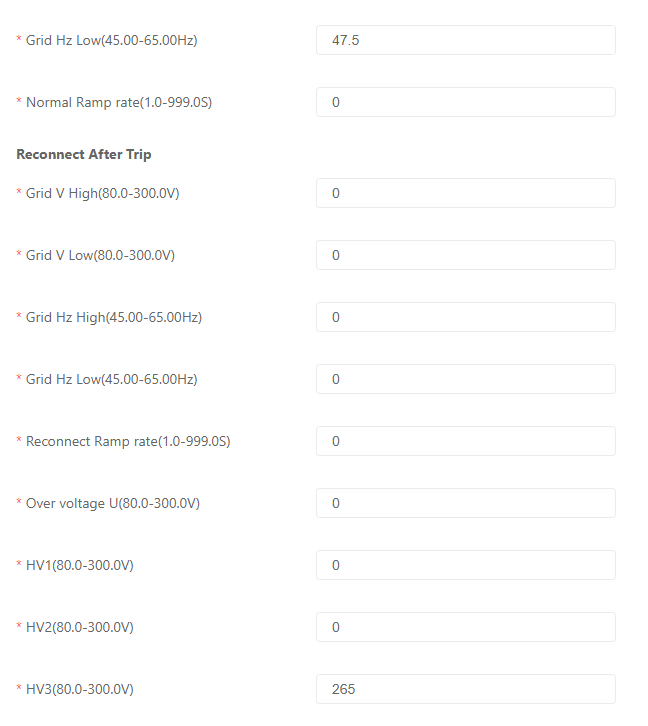
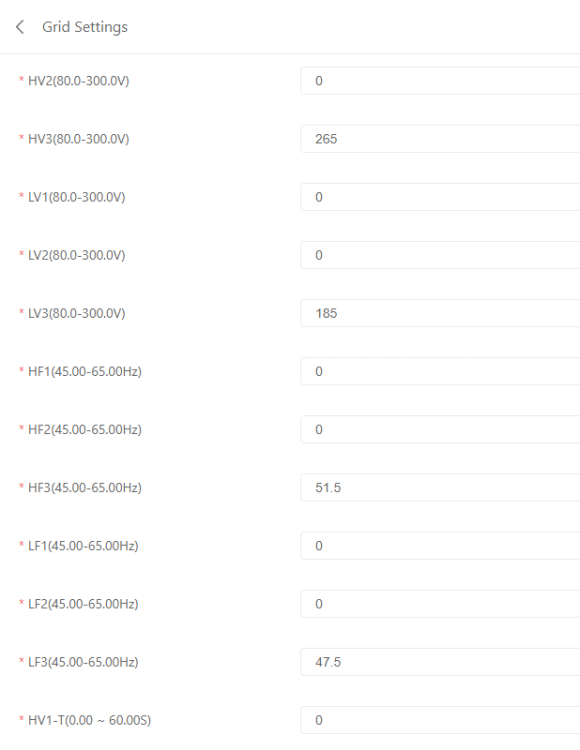
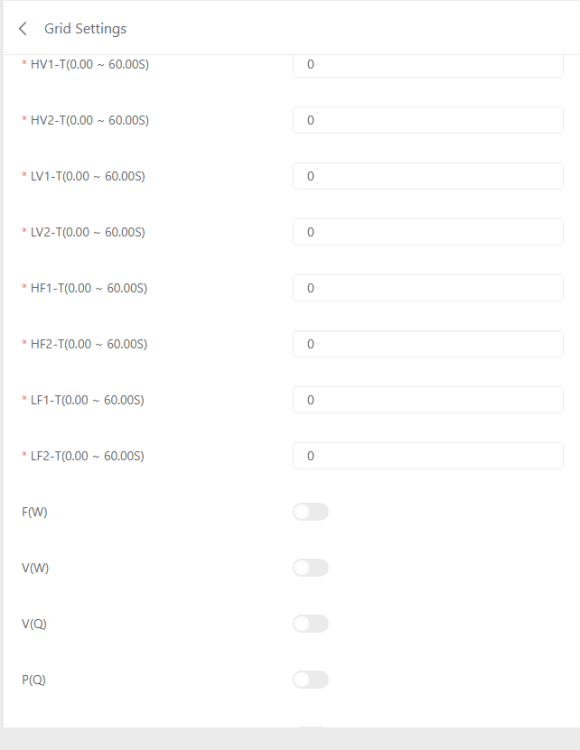
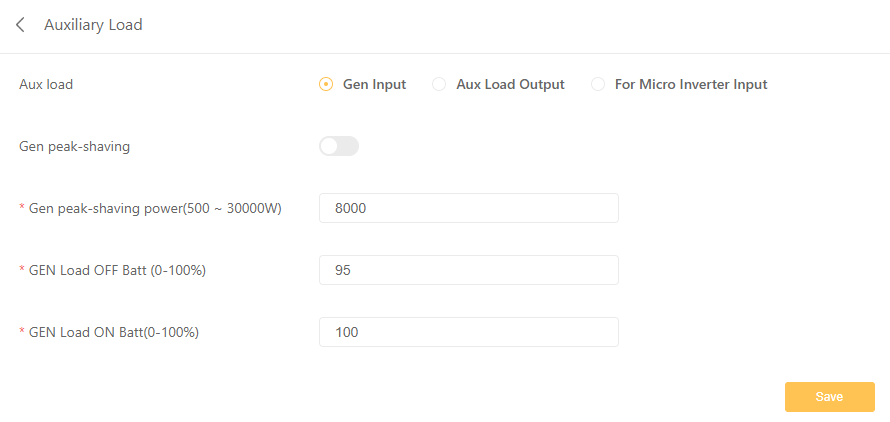
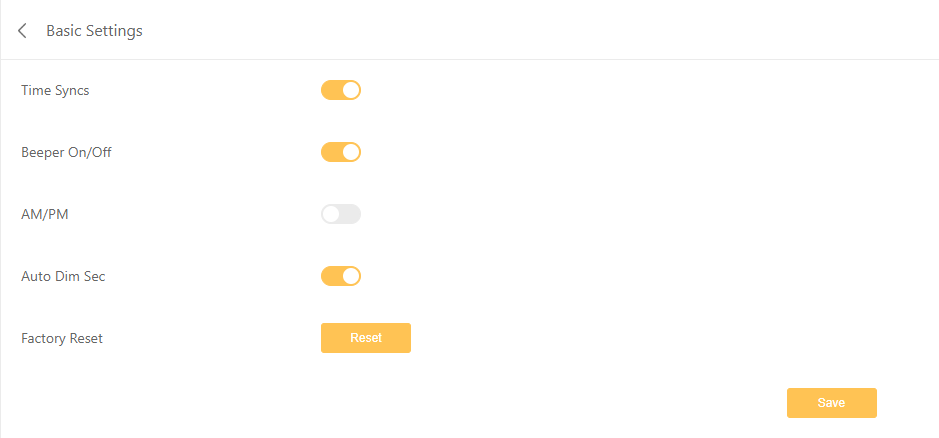
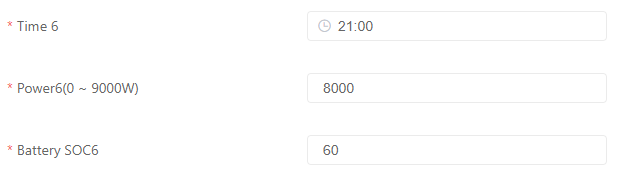
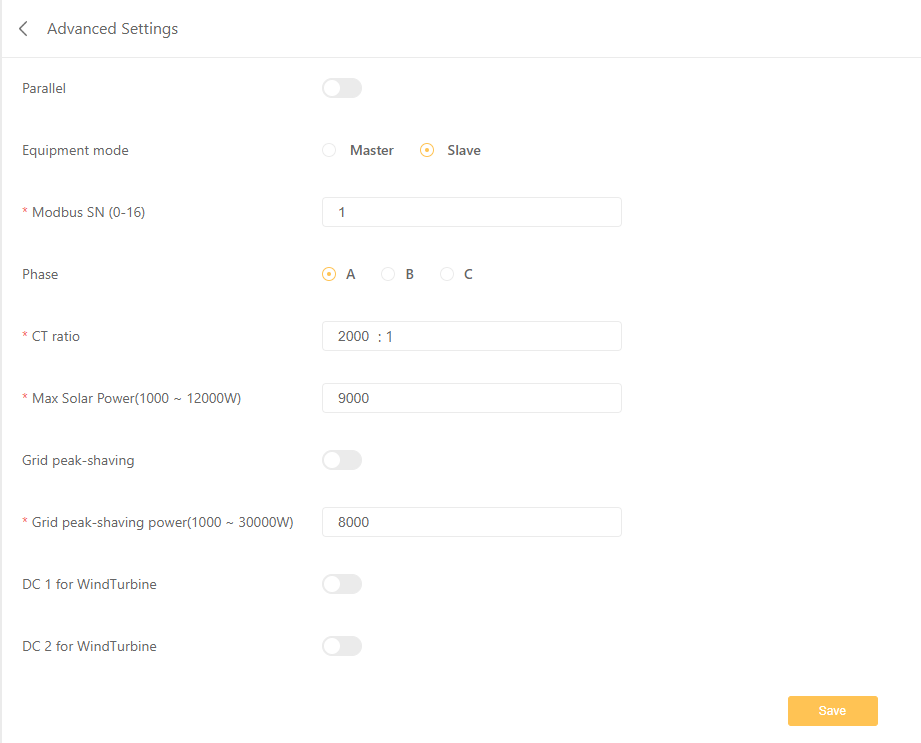 I have installed a new solar system and have been monitoring it from Home Assistant using a modbus and have noticed some weird behaviour that does not seem correct. System Details: Sunsynk 8kW Hybrid PV Inverter 2x Greenrich Lithium Battery 5kW 1.5C 14x Trina Solar Panel 455W So the issue is below. From 9PM the rule is that the battery should not go below 60%. So once it hit 60% it was using grid power correctly. At 23:50pm it suddenly starts making turns almost every minute with the battery and grid. Once it hit the 1pm rule of 50% SOC it correctly only used battery again. What is causing it to switch between battery and grid between 23:50 and 00:30?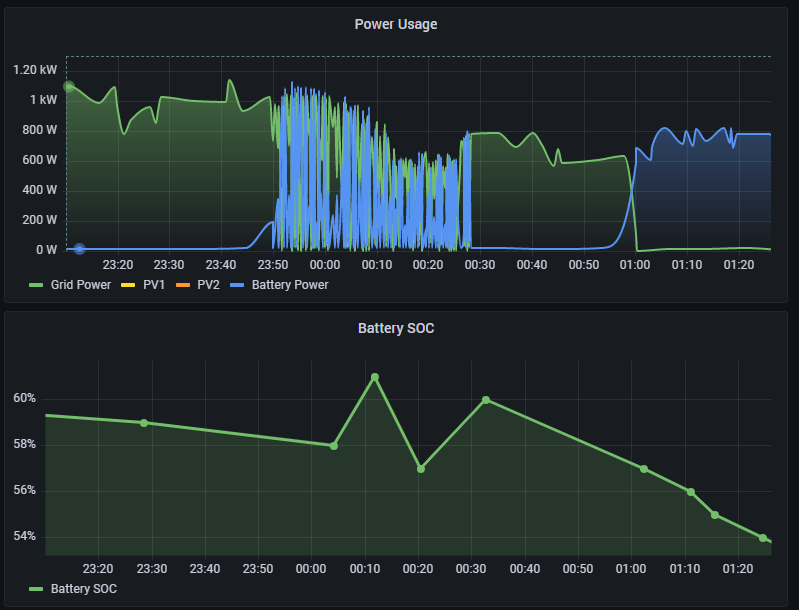
.jpeg.017b14416e4da51fb5a224a2f5562732.jpeg)