CollinRM
Members
-
Joined
-
Last visited
Everything posted by CollinRM
-
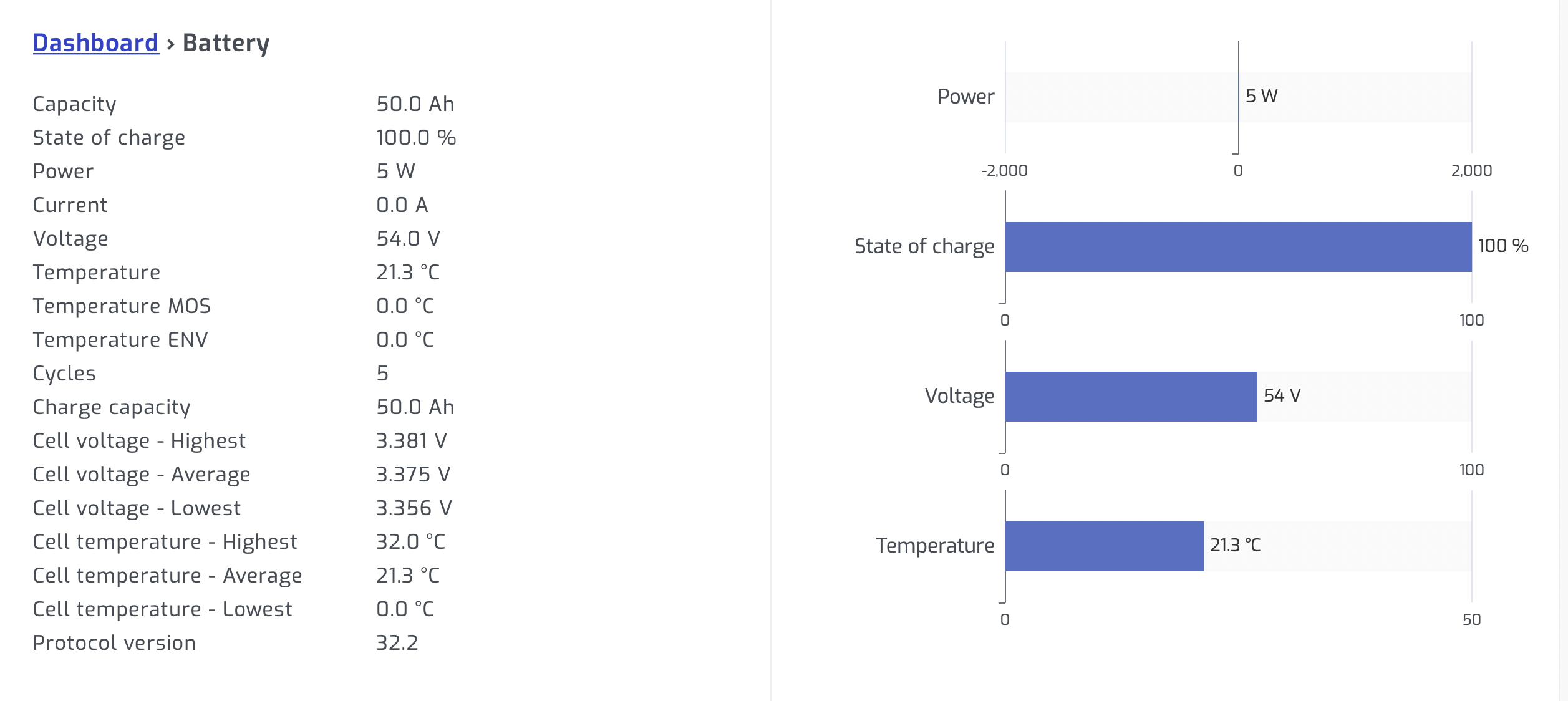
I have the same config as Brian_sa and the pi is talking to the battery directly. All seems great, except, capacity is being reported as 50ah (see snapshot of the battery page on solar assistant), when this is actually a Dyness 5.12kWh, 100ah battery. Could the protocol be incorrect (I have it set to Dyness)?

-
Hi folks - I have this exact setup - and it works wonderfully. I have connected a comms cable from the Inverters rs232 port (rj45 connector) to the batter can bus IN port (rj45 connector). I have used the cable that was supplied with my inverter and the one labelled Axpert-K. Is this the correct cable? Secondly, I have setup Solar Assistant to monitor the system via a raspberry Pi. The software is setup to use 'Inverter Values' for the battery. It shows the voltages of the battery, state of charge, etc but not the temperature. I'm lead to believe that maybe the battery is not communicating correctly to the inverter. Is there a way to test this comms, assuming that everything above is correct? Regards, Collin