NiteshSingh
Members
-
Joined
-
Last visited
-
-
Hi all this is a strange one on emulated bms my soc dropped to 1% yesterday however on inverter values and on the inverter it is fully charged. I was trying the power settings as per below and I did notice at 8am Soc dropped to 1%, it then recharges very slowly as well on the emulated option soc to the battery

-
Hi yes same inverter I am using solar assistant it is fantastic using a usb cable it works fine to the pi will look at the rs232 at some point.
-
Thank you so much look below it is set like that still has not changed

-
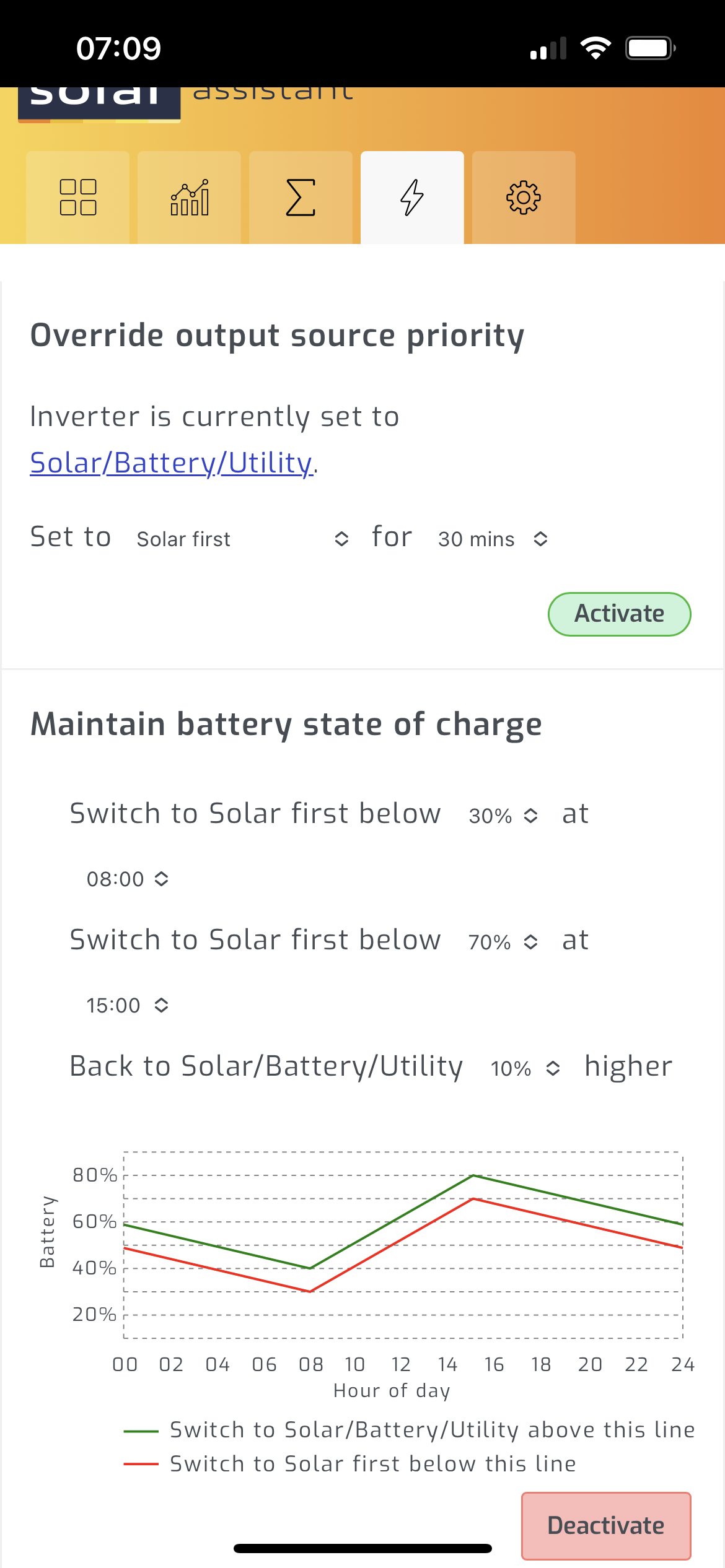
Hi Jacques good news the emulated bms option works thank u, how do I change the settings to solar to utility as per yours above posted a pic of what I see

-
Hi i don’t have a bms so it looks greyed out to me but this is exactly what I want to do one of the users replied about an emulated bms is that what u have done
-
Hi do u set this on sbu then ? But does it charge when battery is low ?
-
This is what I see unless I must disconnect and not use inverter values ?

-
Hi where do I find emulated BMS I don’t have a BMS setup
-
Thanks I don’t have a bms setup ideally what I would like is to set it on sbu during the day and then when the battery gets to 50-60% or at a set time say when no load shedding set this to utility to recharge the battery during load shedding, solar assistant does have what u say but it’s greyed out for me as no BMS setup
-
Hi guys using the solar assistant app with the inverter. My question when set in SBU mode only solar and battery get used how do I get the utility to start charging the battery say when it’s at 70% so if solar is unavailable during the evening, I found option 12 but not quiet sure how to use it, anyone know thanks
-
Hi all using solar assistant to monitor settings, when on solar first - uses more grid than pv eg for load of 137w uses grid 273w and pv only 17w - if I switch this this to solar battery utility then this works as expected - 157w load pv 149w grid uses 0 I would leave this on SBU but when solar stops say 5pm the batteries are low and then I’m afraid I’ll delete the batteries to 0 does not look like it even uses the utility in this mode Is there a setting somewhere ? thanx in advance
-
hi guys I need to buy a wifi module for the Kodak of 3.24 I cannot seem to find where from ? Any ideas ? Like to then use Watchpower on iOS