


ThinusB
Members
-
Joined
-
Last visited
-
I never sent my unit for the software update and it still works fine. However, lately at more frequent intervals it is making a clicking sound and sometimes the lights in the house dim for fraction of a second at the same time. any similar experiences?
-
So if it is firmware update, can't we do it ourselves?
-
Message I got from Mr Zhabi:
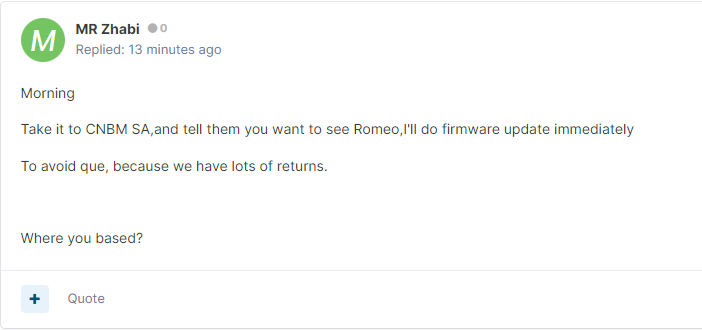
-
Does anyone knwo this guy or were contacted by him re Kool Energy device?

-
I have Kool Energy 1.5kw with 100ah LifePo4 battery. Got it in Jan 2023. Monday it was on 0% battery according to the LCD but lasted for 4hr loadshedding session and my server drawing 150to200w. No loss of power. Supplier told me to reset, i.e. switch everything off and restart. It went back to showing 100% battery, but soon dropped gradually. Now showing 90%. It is stuck there and battery image keeps showing it is charging. My main concern is battery gets damage because system thinks it must continue charging even though it is full. Will this happen? Supplier is waiting on some technician to respond.