A4_
Members
-
Joined
-
Last visited
Everything posted by A4_
-
I was looking at this piccolo actually. There’s also the black and decker - only 650w which is so low. Heard it takes 5-6 mins to boil. There’s also a Smeg mini but that’s 1400w still BLACK+DECKER Travel Kettle, 0.5L, 650W available to buy online at @TAKEALOT We offer fast, reliable delivery to your door. https://www.takealot.com/black-decker-travel-kettle-0-5l-650w/PLID90020323
-
Agree - I’m in process of looking for a smaller kettle. Seen some between 1,100 and 1,400w just to confirm- your concern is: a) the battery will deplete quickly and will need to recharge b) It will ruin the battery / get fewer cycles c) it will reduce life of the inverter
-
thanks for this. Its 3000va so assuming it’s running at say 2,500w for 5/10 minutes over a 4 hour period , that wouldn’t be overdoing and causing damage
-
Thanks for the feedback all - so what’s your recommendation then to prolong the battery? Should I leave it on 24/7 or switch it off and manually disconnect certain plugs in the eve when I switch off the inverter? there seem to be quite a lot of settings on the unit so not sure whether the standard ones are fine or need to be tweaked - any advice there? and last question, someone I just talked with said I should never boil a kettle/ use microwave with only a 3kva - it will ruin the battery. Half the purpose of buying a 3kva was to boil kettle / use microwave. Surely using a kettle/ microwave for 3 minutes each ( not together so load would be less than 3000 w) won’t stuff up the battery sooner than watching 6 hours of tv for example assuming they both drain the battery x% ( figures are for example - but want to understand the principle)
-
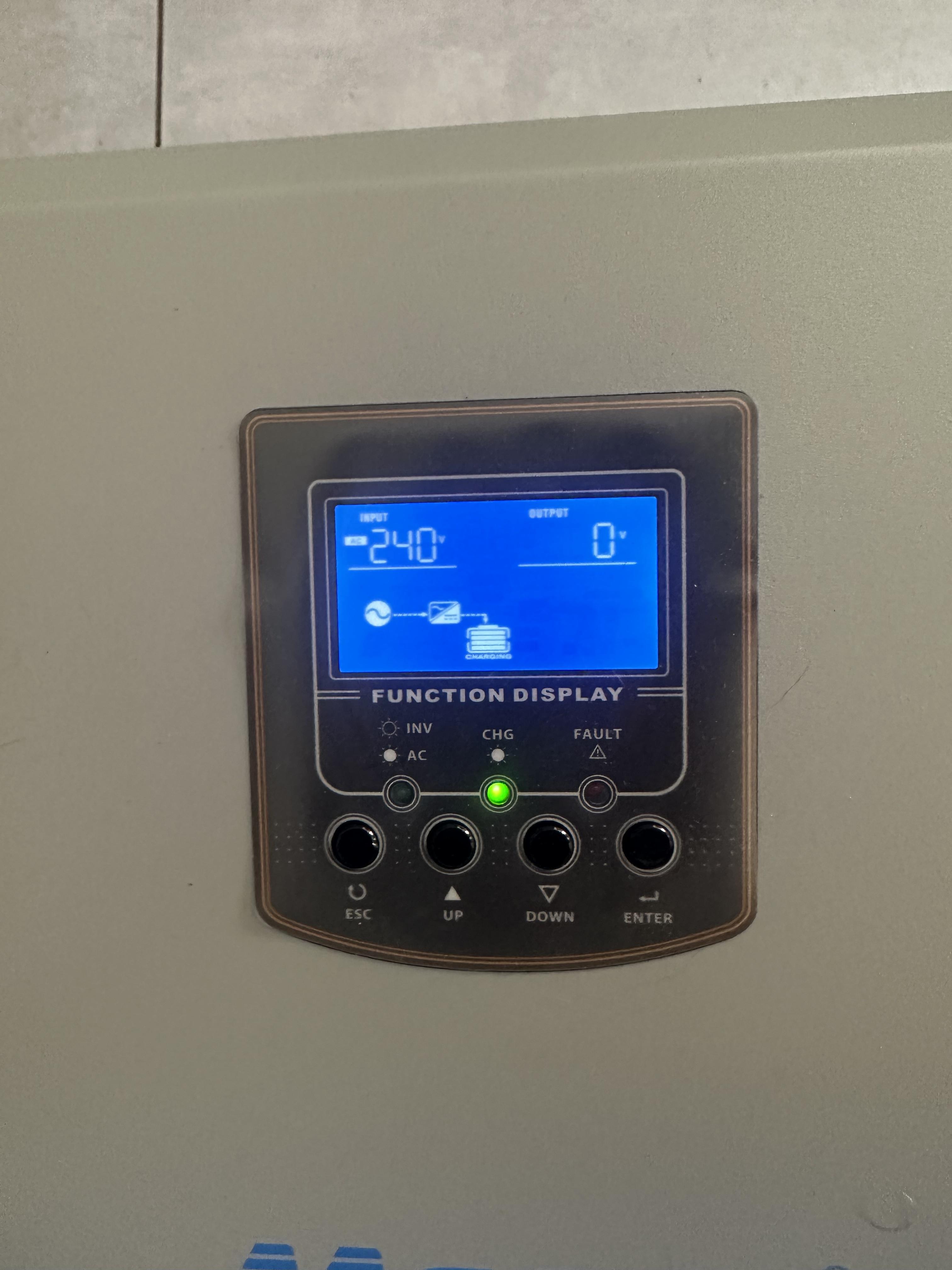
Here’s a pic with eskom power on but inverter off
-
Hi all this is certainly not an area of my expertise so really would appreciate some assistance! I purchased this inverter trolley this week ( https://www.geewiz.co.za/long-run-ups-inverter-battery/178350-3000va-mecer-axpert-pure-sine-inverter-2x-100ah-lithium-battery-trolley-12-hour-battery-life-kit-3000w-with-lithium-battery-3000-cycles-2560wh.html ) and seeking help re the inverter settings. I don’t have solar panels and will look to power tv and fridge and occasionally use a microwave and griller ( load will be less than 3kva) I previously had a basic Ellies 720w inverter trolley and this is a bit more higher grade. I want to maximise the battery lifespan and therefore, if the power is off in the early hours of the morning, I don’t need the inverter running so would manually switch it off and then switch it on when needed, not to lose a cycle. My issue is, when there is eskom power and the inverter is off, it doesn’t power items connected to the inverter despite the inverter screen being on. The old Ellies inverter would still power everything connected to it. Maybe I’m being doff but if someone can assist with setting up the inverter, would appreciate it!Hi looking to buy a new lithium inverter trolley. I am in a small unit in a complex so looking for something portable. what’s the view between a Mecer 2Kw 25.6V 100Ah Lithium Battery Trolley Inverter and the Bluetti ac200 max? I like the Ecoflow quick charge but you getting only 800 cycles vs mecer 2000 and Bluetti 3500