Rayvan
Members
-
Joined
-
Last visited
-
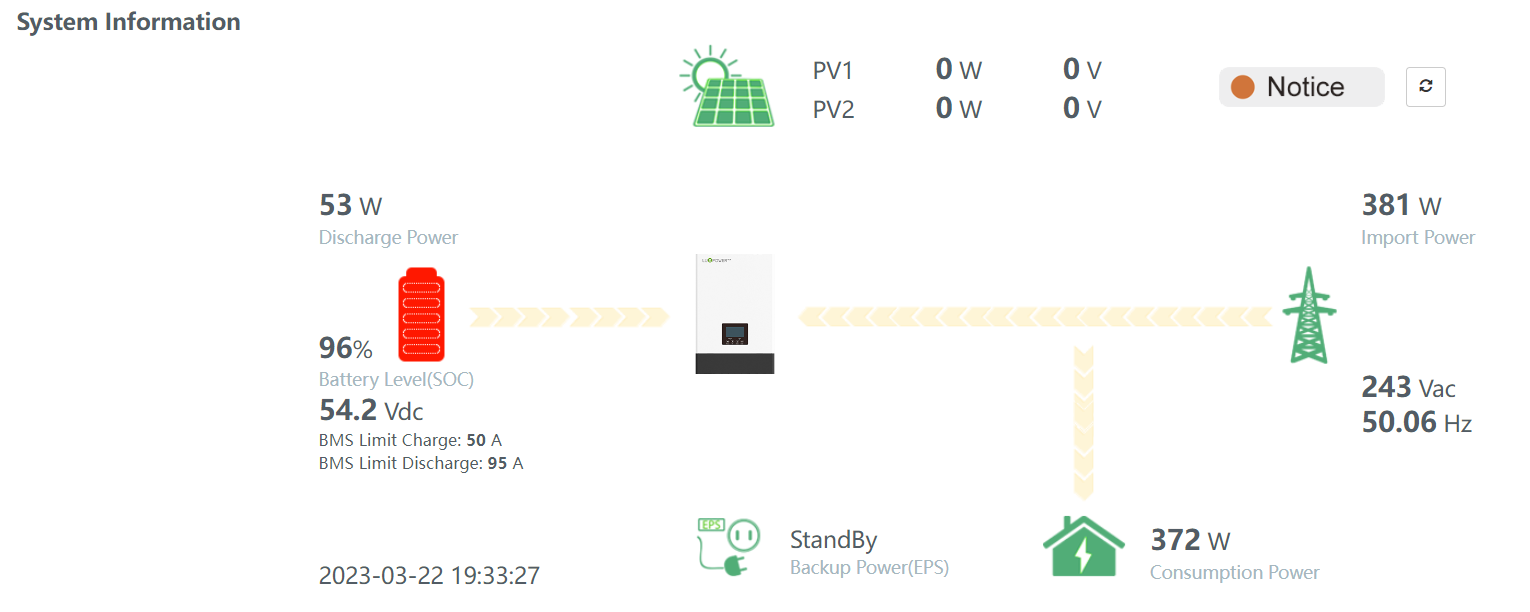
Thanks @jumper! I'll try this and report back EDIT: I disconnected the CAN and set the charge/float voltages and all it shows is that it lost battery communication (red battery symbol). The battery's warning light continues to flash over voltage/current protect and the SOC still maxes out at 96% with a constant drain of a few Watts. I tried having a look at the settings, and it seems like the only way to force the Luxpower SNA inverter to use a specific charge voltage and float voltage is to set the battery type to "Lead Acid". I'm not too confident doing this - is it safe? It seems some people tried it here:
-
Rayvan joined the community
-
@GinoC have you had any success with this yet? I have the same Luxpower SNA5000 with Shoto SDC10-Box5 setup. My app displayed 100ah capacity for about 2 months after the installation until one day it didn't. Now it's 50ah and the battery only charges to 94-98% (used to go to 100%). I didn't adjust any settings at all in this time. The battery's over current/voltage light is also flickering, showing there's something wrong somewhere. The installer tried to change settings remotely, but nothing improved the situation. Now I'm waiting for them to come out later in the week hopefully...