Skip to content
View in the app

A better way to browse. Learn more.

Power Forum - Renewable Energy Discussion

A full-screen app on your home screen with push notifications, badges and more.

To install this app on iOS and iPadOS
  1. Tap the Share icon in Safari
  2. Scroll the menu and tap Add to Home Screen.
  3. Tap Add in the top-right corner.
To install this app on Android
  1. Tap the 3-dot menu (⋮) in the top-right corner of the browser.
  2. Tap Add to Home screen or Install app.
  3. Confirm by tapping Install.

RiaanV

Members
  • Joined

  • Last visited

  1. It makes perfect sense. I got the exact guidelines from the distributer. Thank you for confirming that it works for you to
  2.    RiaanV reacted to a post in a topic: Fivestar 3kva hybrid inverter settings
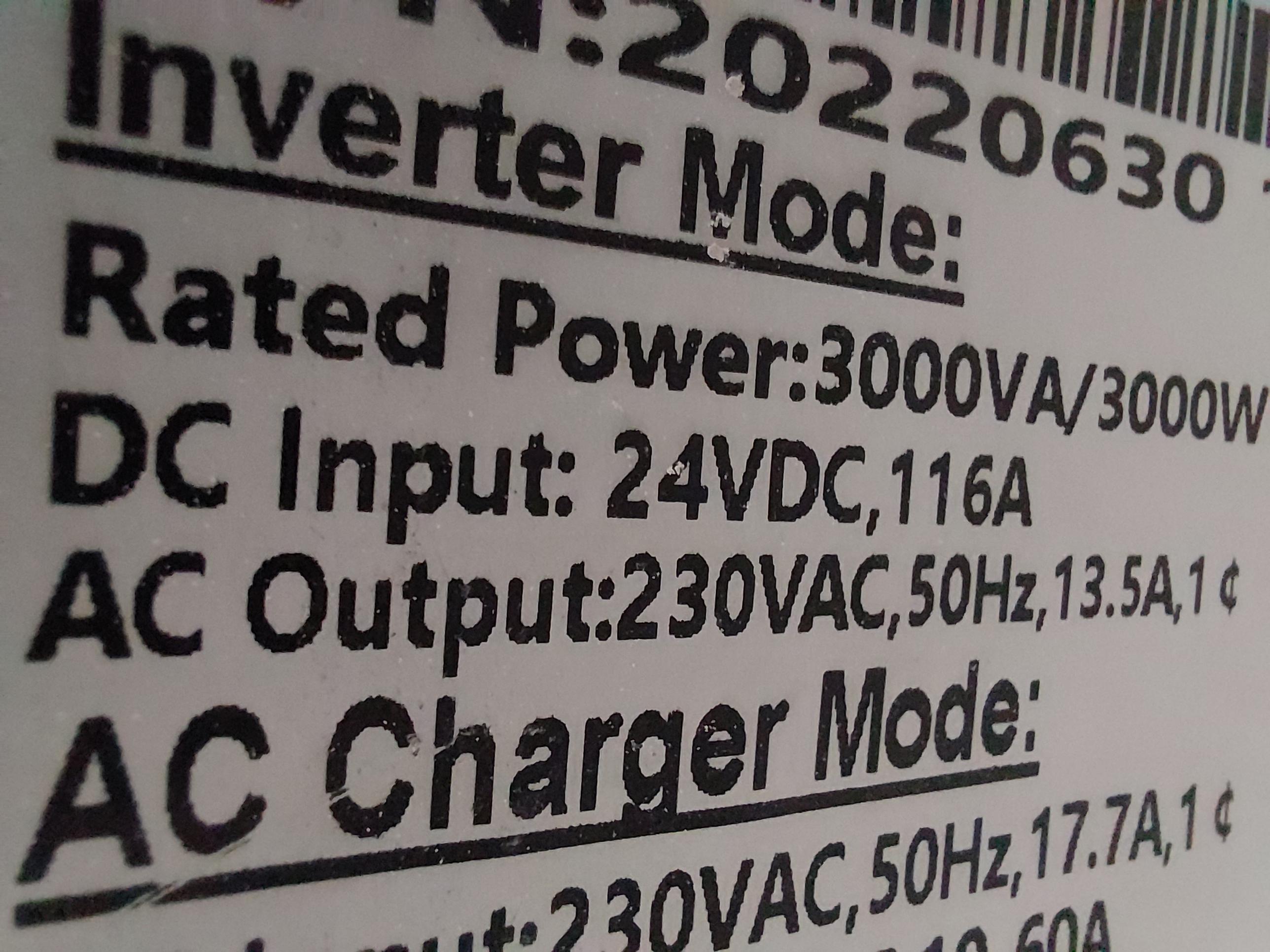
  3. Thank you @Modina. So I was just as worried about the voltage but the side of the inverters sicker shows the same. I'll start looking for the Axpert user manual.
  4. Good day friends I have trouble updateing my settings for a Fivestar GP3024/24V3000VA inverter. The inverter & its manual only gives me options in the setup menu for the 12v system. I have a 24v battery with intelegent BMS connected that needs to be charged correctly. The inverter is running right now with the battery settings at 12v. It detects the input from the battery as 24v but that is where it stops. Please help with any advice to point me to a reliable resource that could help. 🙏

Account

Navigation

Search

Search

Configure browser push notifications

Chrome (Android)
  1. Tap the lock icon next to the address bar.
  2. Tap Permissions → Notifications.
  3. Adjust your preference.
Chrome (Desktop)
  1. Click the padlock icon in the address bar.
  2. Select Site settings.
  3. Find Notifications and adjust your preference.