Eruca
Members
-
Joined
-
Last visited
Everything posted by Eruca
-
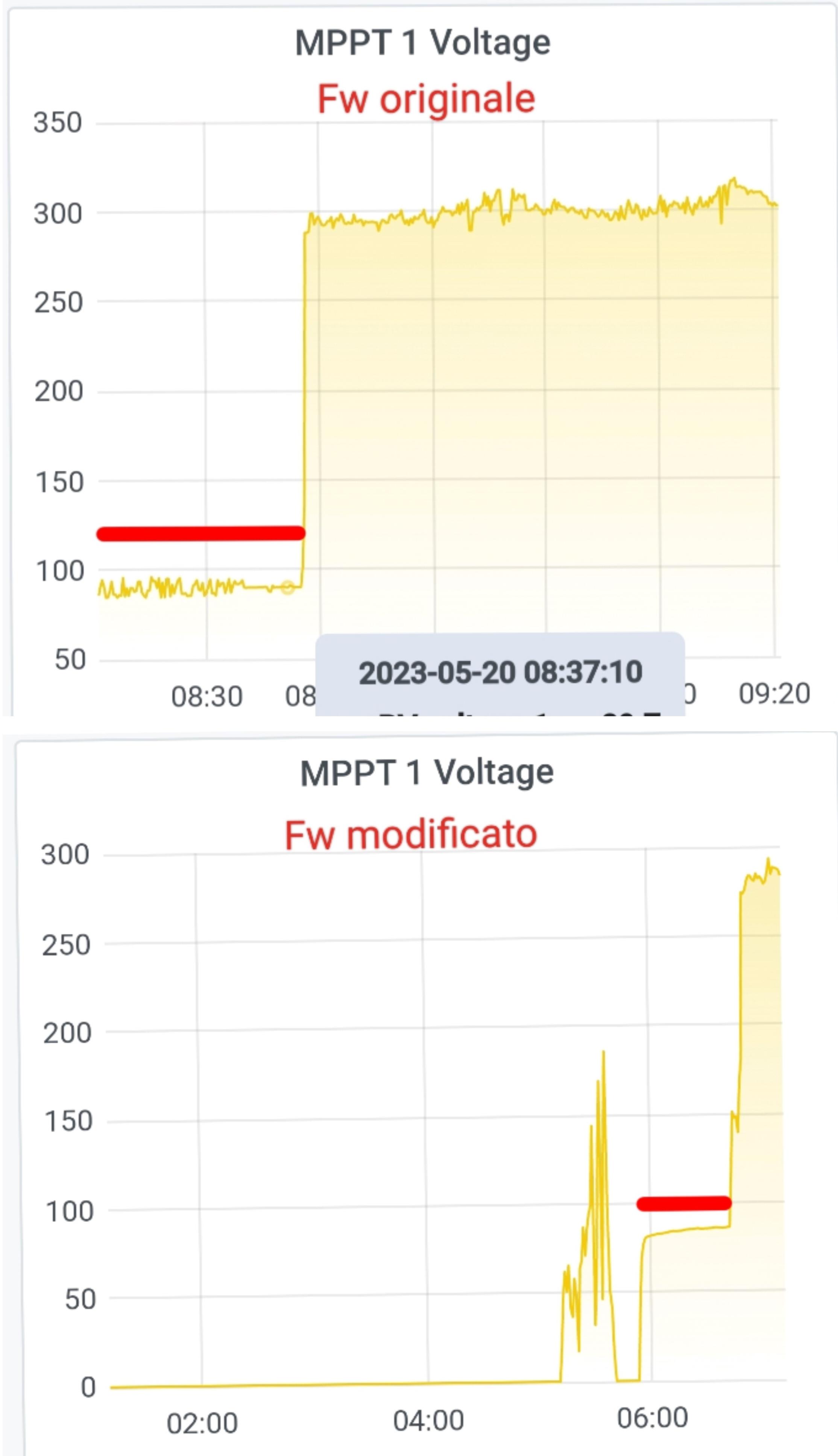
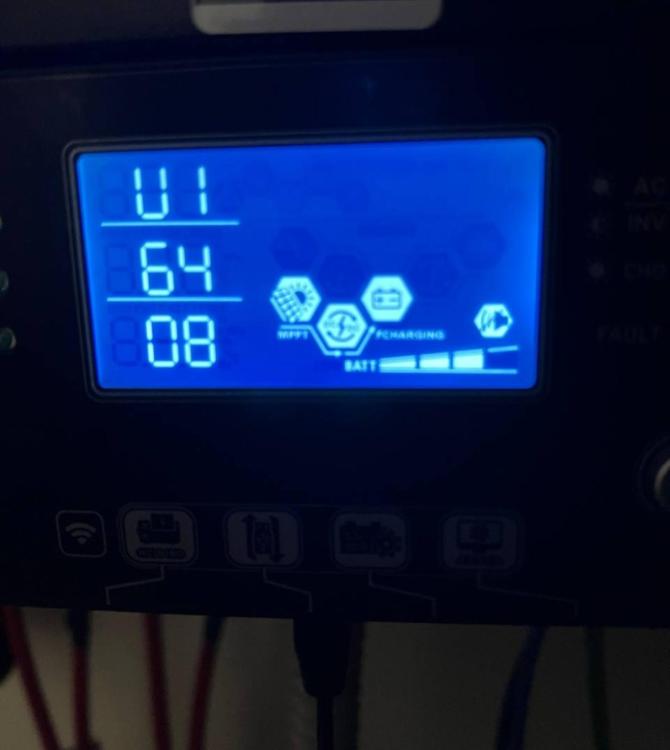
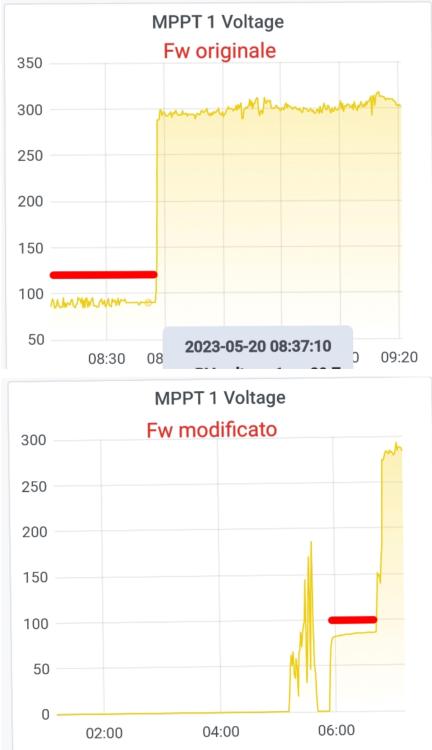
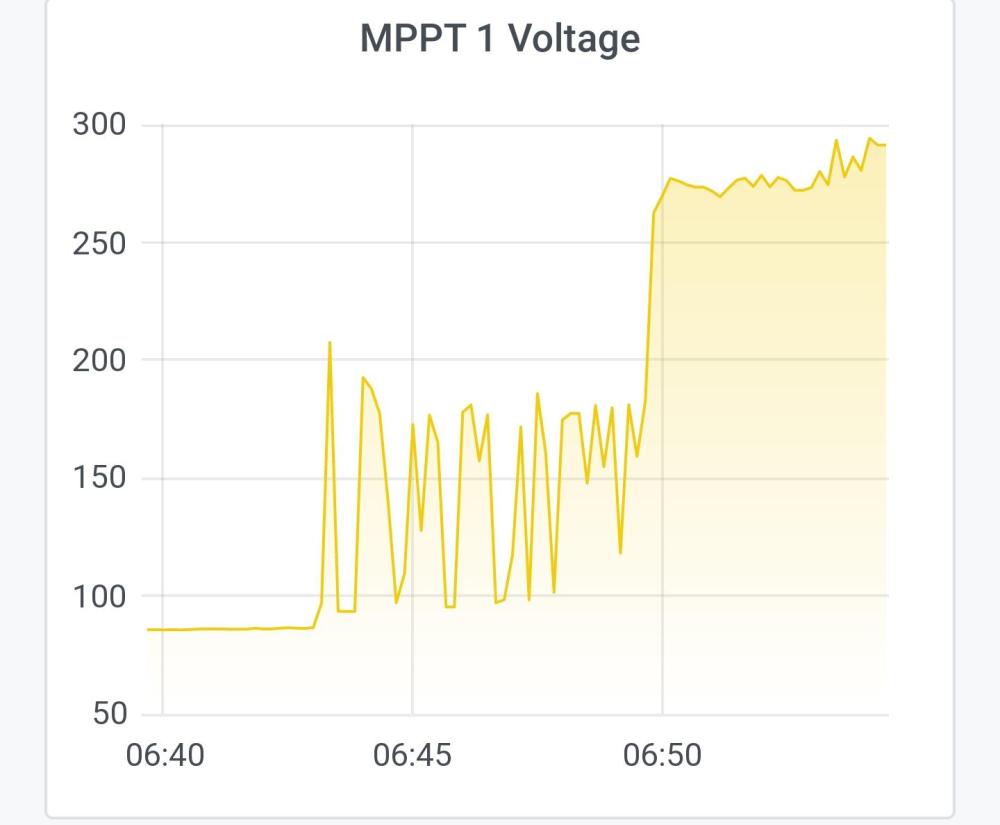
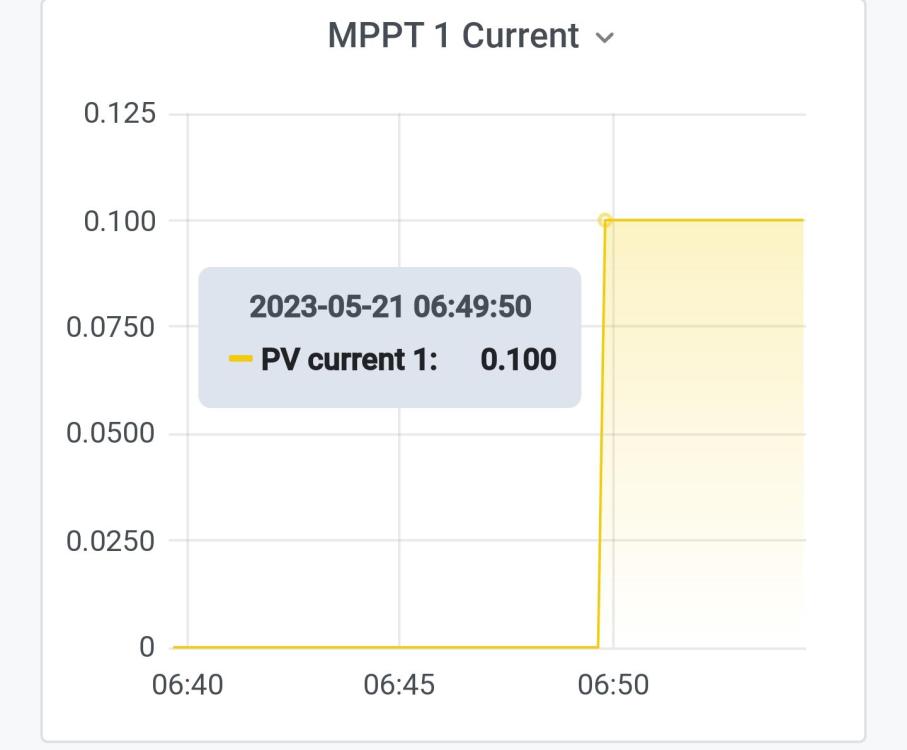
Good evening, I have an Easun 11 kW Twin Inverter with this firmware version U1= 64.08, U2= 34.08, I would like to eliminate the 90V mppt bug. Kindly thank you.

-
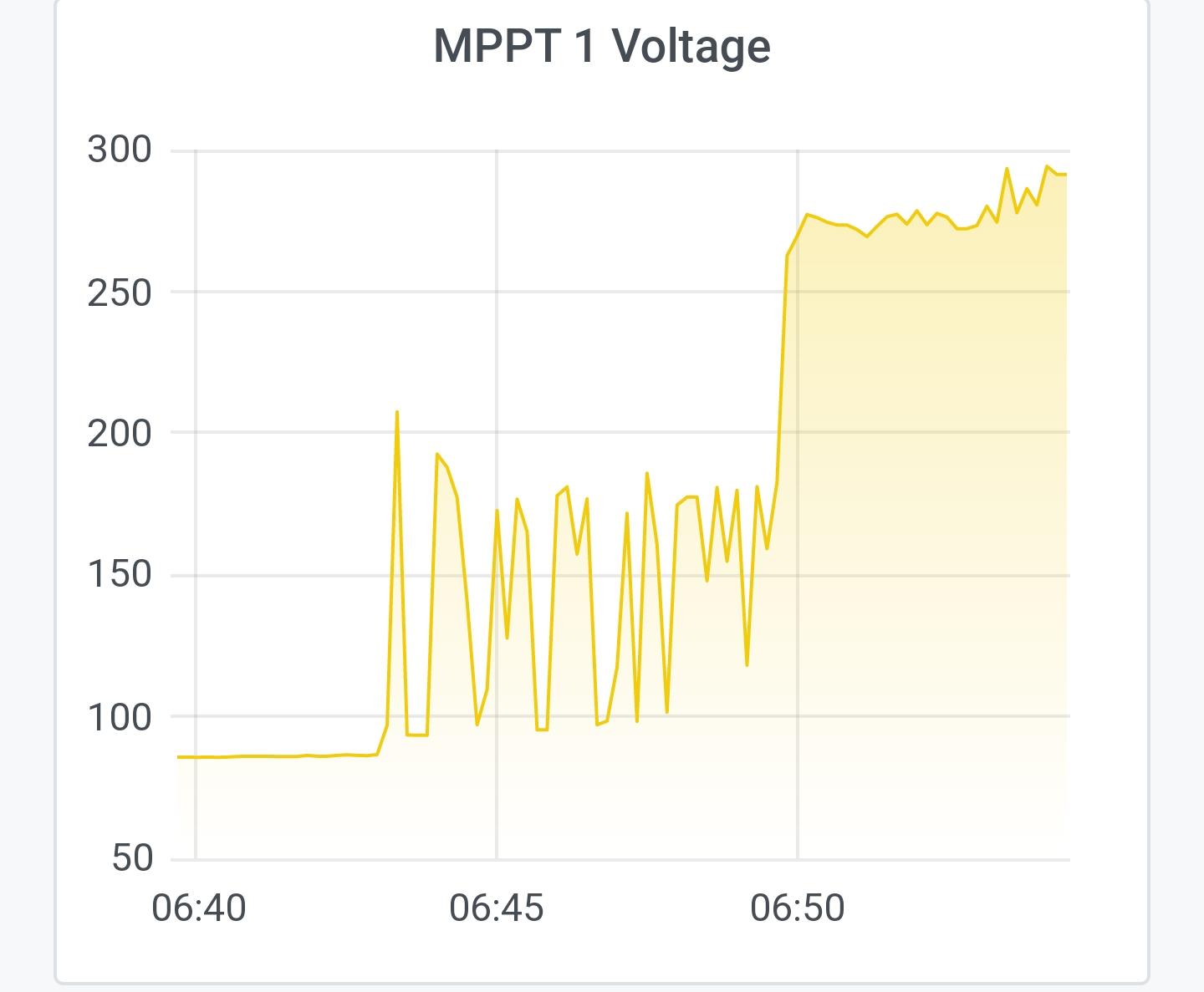
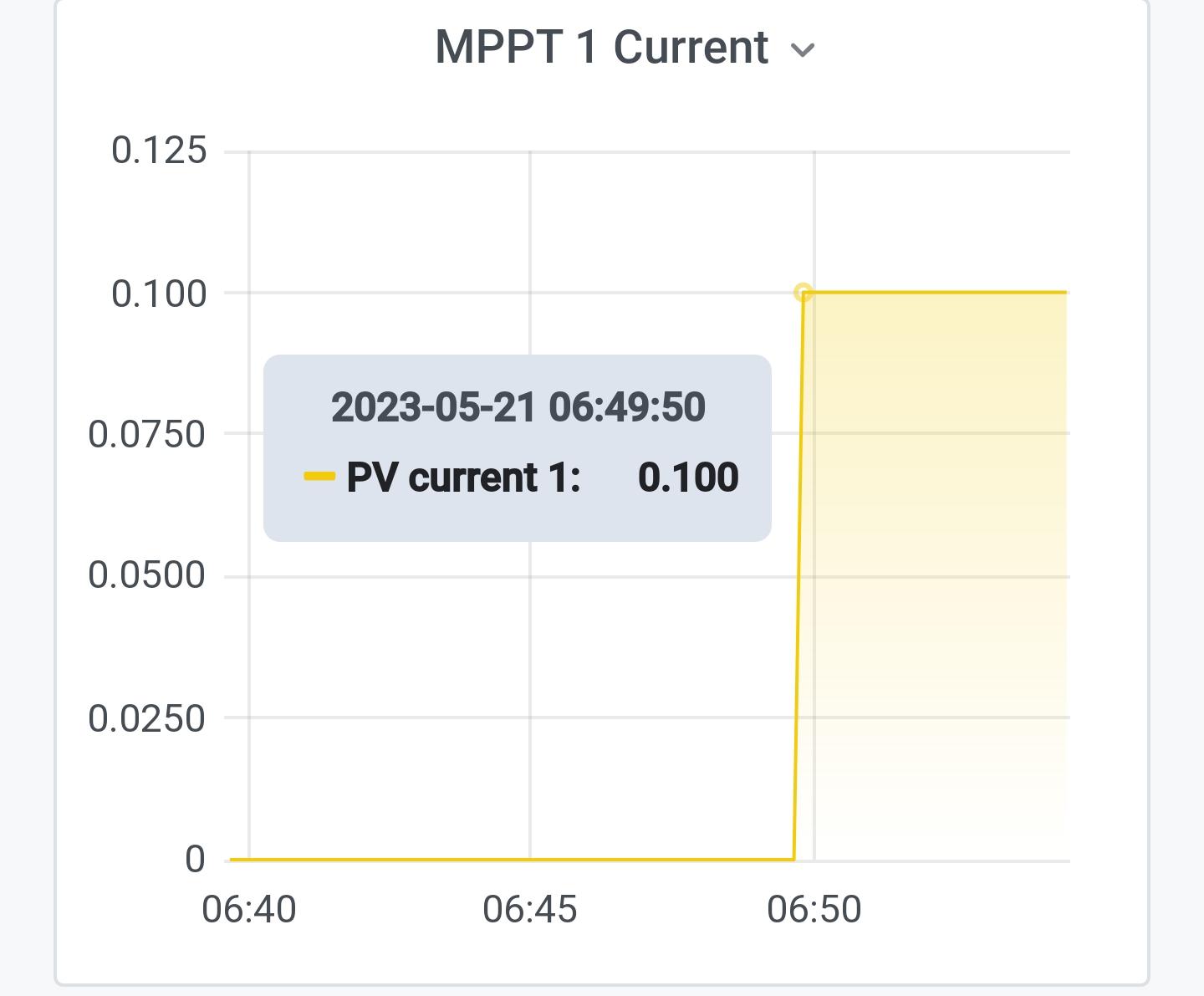
I performed the firmware update, I am attaching two images.. thank you very much
-
Hi, before being able to update the firmware, I was wondering if this operation is reversible to go back to the original 46.08 version.. if so, where could I find the original version? Thank you
-
Grazie mille. 👍
-
hi, I have an Axpert Max 8 kW with removable display. I posted here in the section.. Thank you..
-
Salve, anch'io ho questa microspia da 90V su Voltronic Axpert Max I 8Kw di Solarpower24. Il mio firmware è: Versione firmware CPU principale: 46.08 Versione firmware CPU secondaria: 112.15 È stata creata una patch del firmware per me? Grazie.
-
I hope you will help me to solve the problem with the mppt regulator fixed at 90V in the morning before the lifepo4 recharge starts. If you kindly show me the right way to start, I will be grateful.
-
hello and thanks for the welcome.. yes, I have finished my off grid photovoltaic system.. and I have installed a Voltronic Axpert max 8 kW and 14 kWh of storage with lifepo4.
-
Hi, let me introduce myself.. I'm Eruca and I write from Italy. I am passionate about alternative energy and photovoltaics.