crazykid
Members
-
Joined
-
Last visited
-
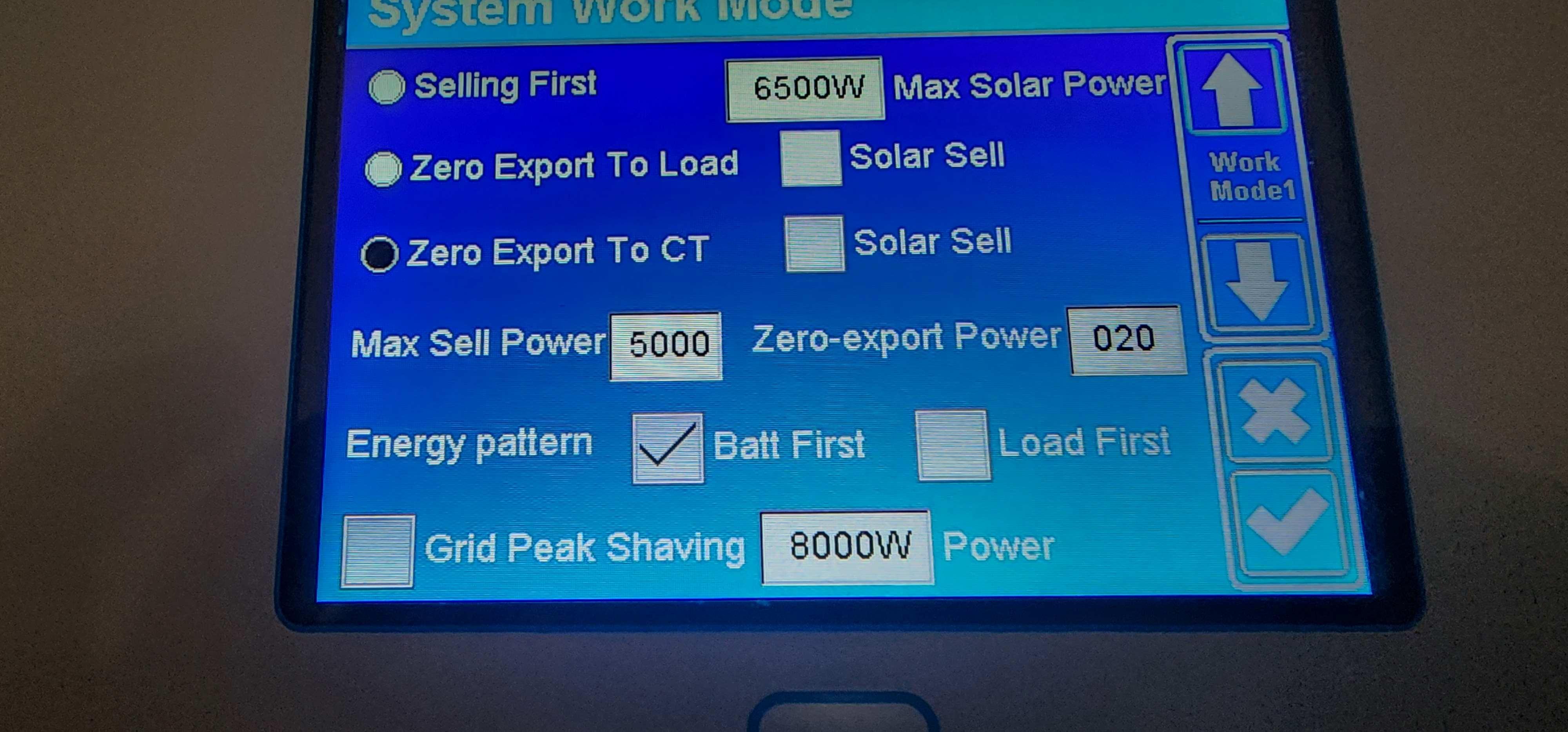
Hi all, sorry for the late response, been dealing with family issues after making this post. There is no panels with my setup, it is only the Deye 5Kw Hybrid Inverter and the Deye 6.14 Lithium Battery. I was under the assumption that the power from the grid would be used first and then the battery would be in use whenever there was loadshedding. I have no idea how an inverter should be setup, so any help is greatly appreciated.


-
Hi, I haven't found a similar topic here with my issue. Recently installed a Deye 5KW backup system and ever since the installation, my electricity consumption from the grid has almost tripled. My consumption pattern hasn't changed much, as I only use electronics such as the laptop charger, monitor, TV, wifi, etc. during loadshedding. I noticed on the app that when it draws power from the grid the inverter is also charging the battery. Is there any way to get the inverter to use the battery only when there is no grid power and switch to battery when the grid power is no longer available due to loadshedding?