Tech_in_the_Dark
Members
-
Joined
-
Last visited
-
Tech_in_the_Dark changed their profile photo
-
Thanks for all the help guys, we managed to get them online and running the schematic worked for us though we had to replace some of the comms cables too. It's really interesting that they don't import them anymore, Durban just supplied us with 3 "new" ones must be old stock. Thanks again everyone.
-
Thanks guys, I'll try it out this week and let you know how it goes!
-
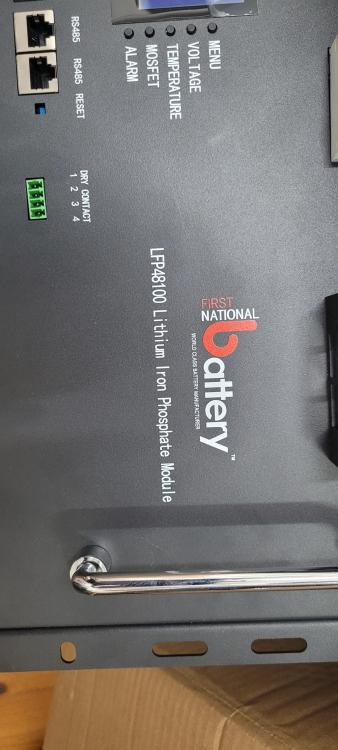
Sorry I didn't take a pic of the whole front, it has a rs232 and the two rs485 ports, but it has 6 switches not 4 that's why we are a little stuck they come with this sequence straight out the box. This pic is an older model but the basic layout is the same. Dip Switches : 1 0 0 0 0 1 If you could get me the info I would be grateful, we have been dumped in the deep end with this setup after the previous guys told the customer they don't know and are done trying!
-
Hi All, I have a little problem, we have a number of these units but they don't come with a manual and the supplier "doesn't know how" to configure them. Trying to get them on a SunSynk 5K inverter but without the dip switch combo to set the battery number it picks a random one to use. Does anyone have a manual or know the dip switch settings? Thanks in advance :)