


Jitz
Members
-
Joined
-
Last visited
Everything posted by Jitz
-
Still no one biting? Check this link out-->
-
Hi. I worked through their manual and it is does mention some coms info, but its limited. It seems you have to select LI on menu 14 and then on menu 41 test each of the increments from 0 to 31 until you can find the one that communicates with the battery. It would have helped if the manual did have more info on the communication protocols of the 0 to 31 options. As @PsyCLown suggested, you would need to figure out, which of the 0 to 31 options is similar to Pylon communications. Happy hunting as you have to reboot after each option is selected to test it. Also try setting the battery dip switch to 1 to give it an ID.
-
I have recently also installed the Svolt batteries and they work well with the Sunsynk Inverter. Coms work well between the batteries and inverter. I am very happy with their performance for the price I paid. They deliver the same value for something that would have cost me double the price! I used the extra savings and bought the sexy SunSynk 🙂
-
Set solar also has TrinaSolar with black frames I could paste the link, but you have to register with them to be able to access the direct link.
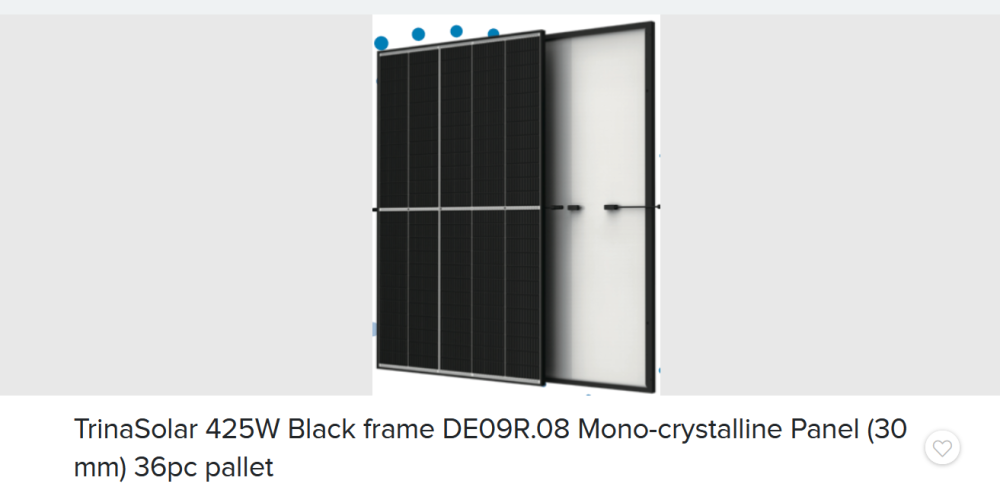
-
Whats your contact details?
-
Hi The prices of these have come down alot. Check this link out. https://www.sustainable.co.za/products/seraphim-siv-460w-silver-frame-solar-panel?pr_prod_strat=use_description&pr_rec_id=2dd4d554d&pr_rec_pid=8216303665392&pr_ref_pid=8285565059312&pr_seq=uniform Jitz 0 8 2 5 6 5 5 2 3 5


