Skip to content
View in the app

A better way to browse. Learn more.

Power Forum - Renewable Energy Discussion

A full-screen app on your home screen with push notifications, badges and more.

To install this app on iOS and iPadOS
  1. Tap the Share icon in Safari
  2. Scroll the menu and tap Add to Home Screen.
  3. Tap Add in the top-right corner.
To install this app on Android
  1. Tap the 3-dot menu (⋮) in the top-right corner of the browser.
  2. Tap Add to Home screen or Install app.
  3. Confirm by tapping Install.

HJM

Members
  • Joined

  • Last visited

  1.    PsyWulf reacted to a post in a topic: Sacolar 5Kva - No Monitoring
  2.    zsde reacted to a post in a topic: Sacolar 5Kva - No Monitoring
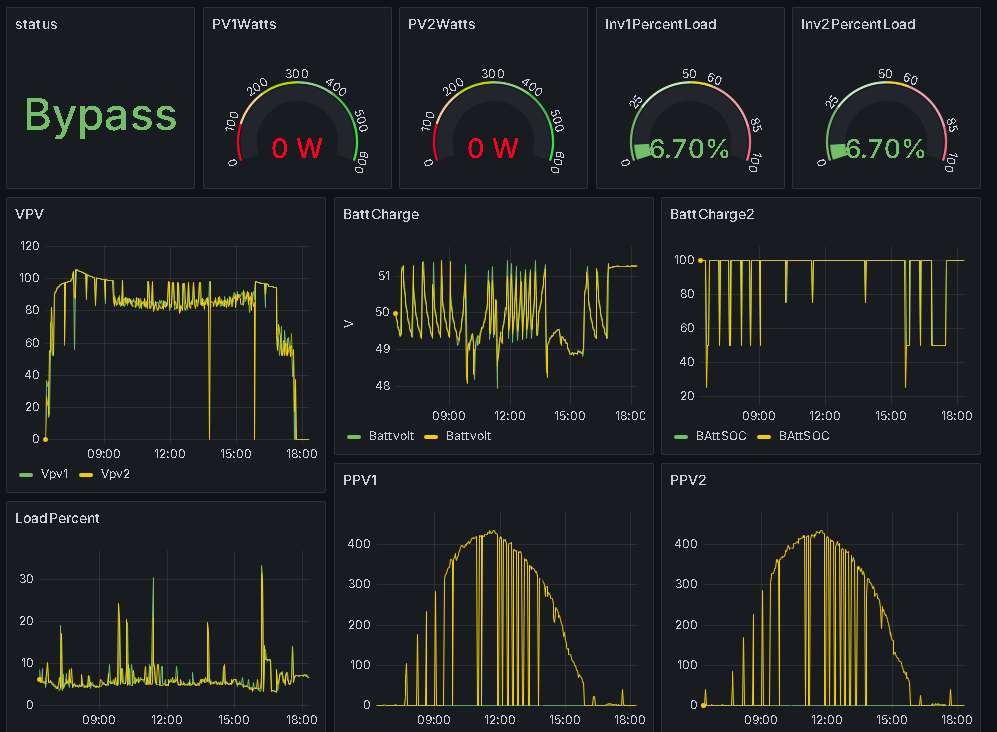
  3. Well, it's sometime later now and my Module and PV Butler still up and running. I have progressed with my own app. I am using RPI 3b with busmod lib and is reading all the info from my Sacolar. its up for 3 weeks and drops my data once a while. Still not sure where the problem is, but I am in the process of coding it to a ESP32. Only need to check the pin connections of the usb to RS485
  4. HJM joined the community
  5. I had the same problem but with the 'Sacolar - Wi-Fi Module' for remote monitoring and 'PV Butler WiFi' I have no problem. I use to use a pi with 'TSPBOT' and it work mutch better, but it is not supported anymore. I don't like the way 'PV Butler' works. its layout and functions.

Account

Navigation

Search

Search

Configure browser push notifications

Chrome (Android)
  1. Tap the lock icon next to the address bar.
  2. Tap Permissions → Notifications.
  3. Adjust your preference.
Chrome (Desktop)
  1. Click the padlock icon in the address bar.
  2. Select Site settings.
  3. Find Notifications and adjust your preference.