Skip to content
View in the app

A better way to browse. Learn more.

Power Forum - Renewable Energy Discussion

A full-screen app on your home screen with push notifications, badges and more.

To install this app on iOS and iPadOS
  1. Tap the Share icon in Safari
  2. Scroll the menu and tap Add to Home Screen.
  3. Tap Add in the top-right corner.
To install this app on Android
  1. Tap the 3-dot menu (⋮) in the top-right corner of the browser.
  2. Tap Add to Home screen or Install app.
  3. Confirm by tapping Install.

gamelaster

Members
  • Joined

  • Last visited

  1. baalwy started following gamelaster
  2.    raytry reacted to a post in a topic: Watchpower on RPi-3+ and ICC
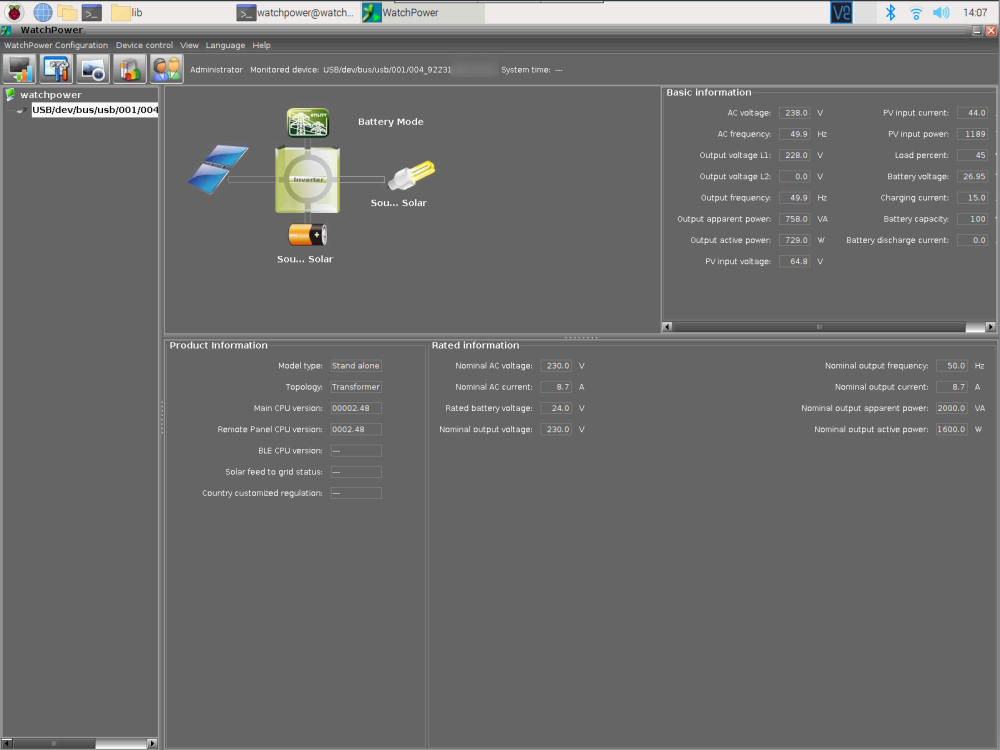
  3. I did not noticed RXTX library here, but rather jSerialComm2.7.jar, which seems to not use native libraries. Only thing which uses native code, is libUSBDevice.so, used by WatchPower.jar directly. I installed 32-bit Linux version of WatchPower on x86 Linux PC, copied it over Raspberry Pi, made some modifications to LAX config to not use embedded Java VM (because it is x86 one) and some other modifications, to launch it. Still, for having working USB connection, I written my own libUSBDevice.so replacement, and it works quite well so far.
Account

Navigation

Search

Search

Configure browser push notifications

Chrome (Android)
  1. Tap the lock icon next to the address bar.
  2. Tap Permissions → Notifications.
  3. Adjust your preference.
Chrome (Desktop)
  1. Click the padlock icon in the address bar.
  2. Select Site settings.
  3. Find Notifications and adjust your preference.