philspain
Members
-
Joined
-
Last visited
-
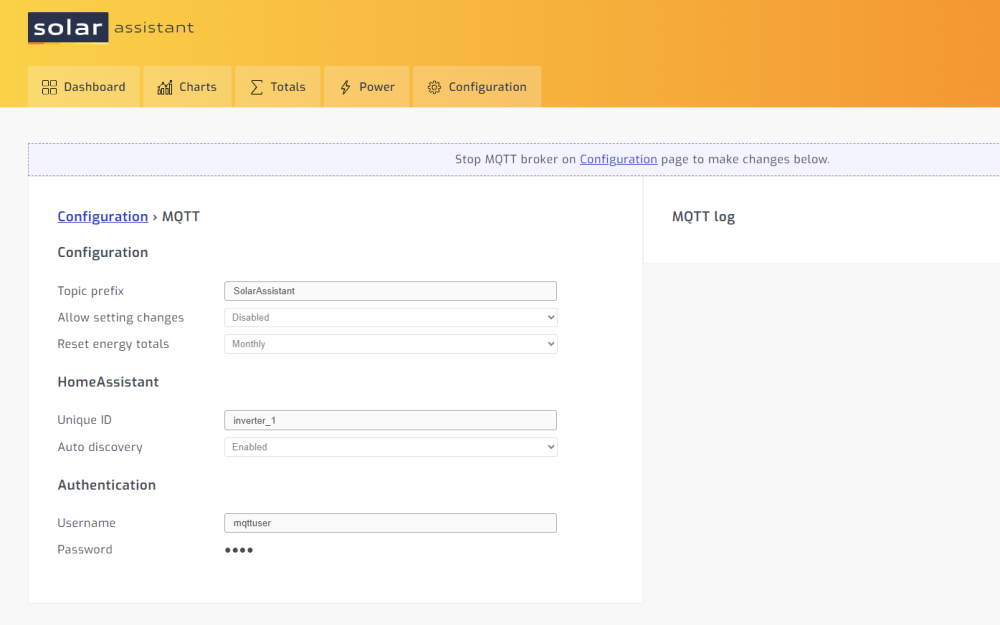
Hi I have just bought Solar Assistant and I'm trying to setup MQTT to Home Assistant. I have followed the instructions on Solar Assistant website with no luck I emailed Solar Assistant and they were very unhelpful they just sent links to their pages on their website which I had already followed with no luck. They also said to ask on here. I already have Home Assistant working with MQTT devices from Zigbee2MQTT they are all working great but nothing from Solar Assistant I can't even see anything when I Connect using MQTT explorer. with my solar assistant IP address. I have attached images to show where I'm at the second image with the red box is what Solar Assistant website show I should see the 1st image is what I'm seeing I know I must be stupid, but I have been searching online for over a week without any luck. Any help would be great. Phil