NicoB
Members
-
Joined
-
Last visited
Everything posted by NicoB
-
I appreciate all your input on this issue. Please do not get the impression that money is not an issue - it is but I am just over frustrated with the system because it was not delivering as I was expecting. I just need to sort out the battery set-up
-
Update on my current system" Thanks to the correcting of the settings the inverter and the battery talks to each other - thans again Scorp. I have installed 10x600W solar panels this afternoon in 2 strings of 3000W each. No more utility usage during daytime. It is actually saving me money from today. I am still not sure about the batteries. According to Hubble service center the X100 and X101 cannot be linked to each other. Help will be appreciated - I want to end with 10kw battery back up. Either 2x5kw or 1x10kw
-
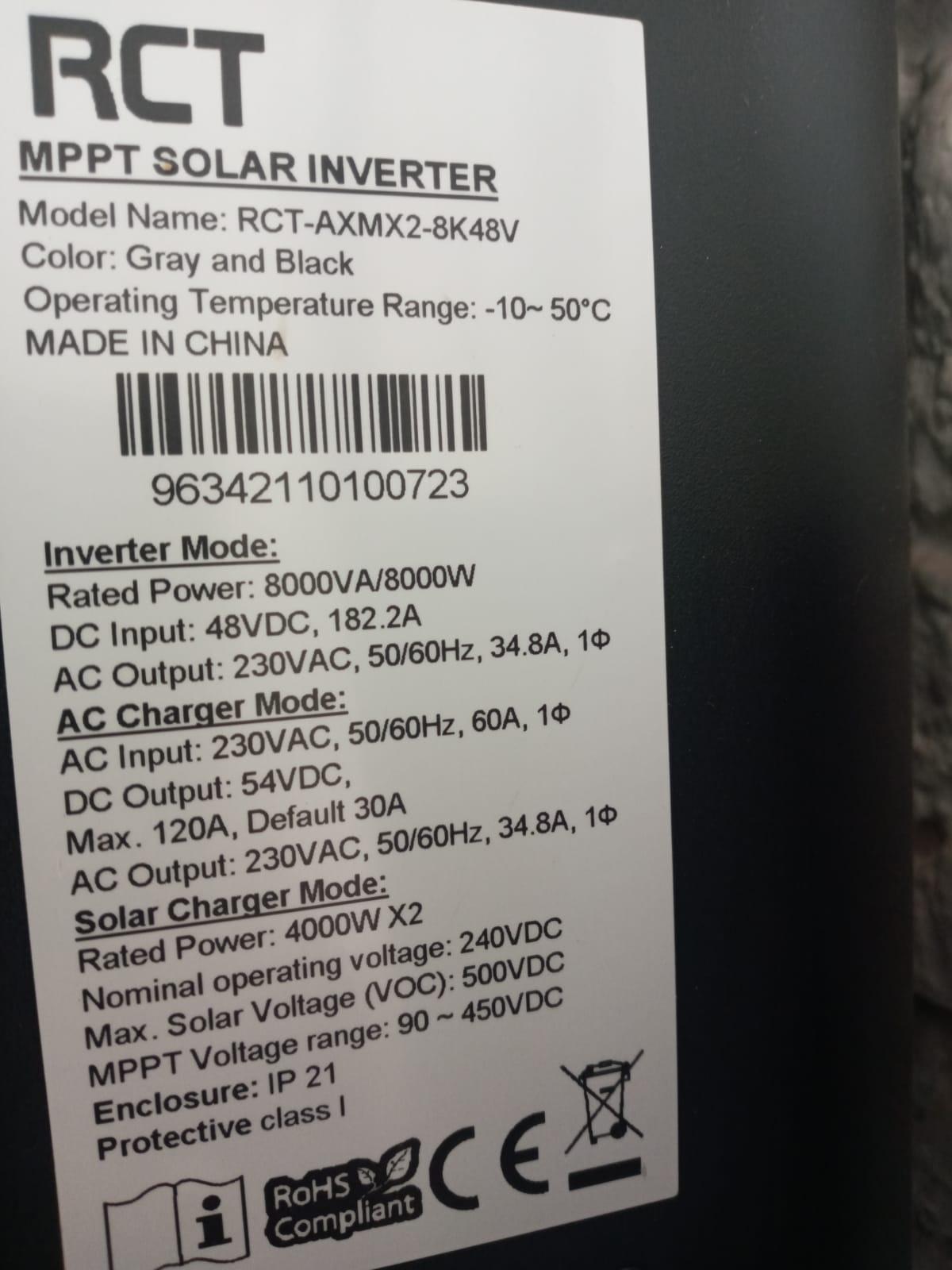
Thanks again for the table. I went through the list and a lot of differences was corrected. The inverter started charging the battery immediately. let us hope. As far as i know the Hubble X-100 has full bms integration with Voltronic inverters. The Hubble X-100 has been discontinued but there is the X-101 available that can be paired with the existing X-100 for paralleled conection with bms interface between the batteries and comms to the inverter. In the mean time change program 29 to 44v low dc cut off. Do you guys think I must buy another hubble or go for kodak/pylontech batteries? I want to increase the back-up size to 10kw
-
Thanks Scorp for the table.. I am going to check my settings according to it
-
Maybe someone can help me with setting 5 on the inverter. It gives me choices between different batteries. on setting 29 the low of the battery is set at 42.5
-
inverter.htmlinverter.html


-
The more I try to learn the more I realize how little I know. Let me start at the beginning where I was blindly trusting my installer. My intention was to beat loadshedding and not going off grid. What was installed was a RCT 8kw inverter, with 1x5kw Hubble X100-48V battery and 6x450W solar panels. Afterwards ( with much frustration with failing of the system due to running the battery flat) I learned that the inverter (Axpert) and Hubble battery does not communicate with each other since the battery does not have a comm port to link the inverter with a cable. It is only the power cables running between them. According to my understanding now is that Pylontech or Kodak batteries the preferred choice is of RCT inverters. I want to get rid of the battery as they are discontinued and want to upgrade to a newer battery - I am looking at 2x5kw or 1x10kw battery. Is there someone out here that can help me with advice to sort this out for once and ever.