vdml
Members
-
Joined
-
Last visited
Everything posted by vdml
-
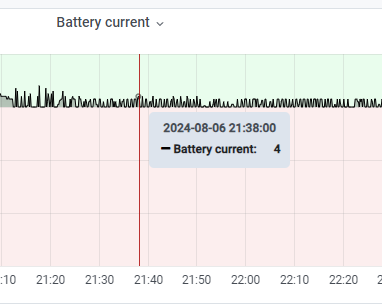
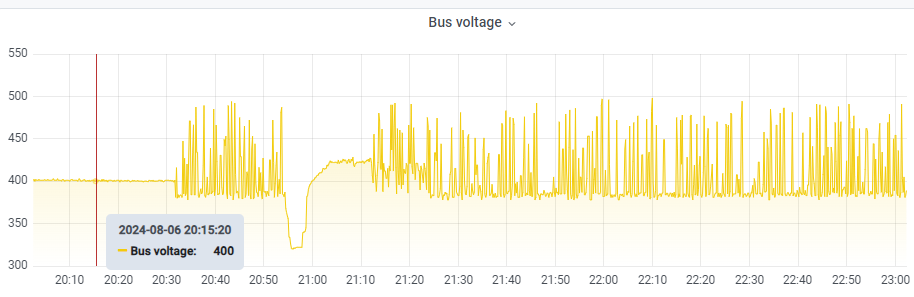
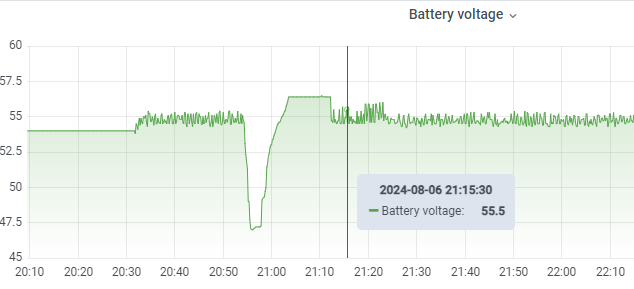
This is interesting. I have two inverters and one has similar problem, I'm using right now just lead-acid batteries. For both inverters I have new controls boards. The difference is that the control board on the inverter that operates as expected has firmware 60.04, second one 60.08. But, I don't think this is a firmware issue to be honest. When inverter does not detect solar anymore, it just goes crazy with charging, this 0-3 amps pulses all the time. I have setup Solar Assistant today and I can clearly see that something is off. What's more interesting, "solar only" charge mode doesn't really change anything, what I see is that it stop resetting\re-measure SoC, but charge pulses continue, what is more interesting, when I disconnect batteries at all, inverter thinking that they are still connected. I assume that when only grid available, something doesn't work correct in the part of the system responsible for charging. Also, I see on charts that bus voltage is going crazy too. I will continue testing, and will let you know If I will discover anything. Unfortunately, second inverter installed in the different place and has no solar assistant, but "official" mobile app shows that battery voltage is on the same level all the time. Below few screen shots from Solar Assistance, around 21:00 I disconnected it from the grid, connect some load (just for testing) and after enabling grid the strange behavior can be seen starting from 21:15
-
@Coulomb Thank you very much
-
Communication tool was used to send commands. Logs [2024-07-18 12:45:40] Send: QPI [2024-07-18 12:45:41] [60ms] Return: (PI30� [2024-07-18 12:46:04] Send: QBOOT [2024-07-18 12:46:04] [60ms] Return: (NAKss [2024-07-18 12:46:24] Send: ATE0 [2024-07-18 12:46:24] [58ms] Return: (NAKss [2024-07-18 12:46:52] Send: QBOOT [2024-07-18 12:46:52] [54ms] Return: (NAKss [2024-07-18 12:47:15] Send: ATE1 [2024-07-18 12:47:16] [521ms] Return: (ACK9 [2024-07-18 12:47:36] Send: QBOOT [2024-07-18 12:47:36] [81ms] Return: (1©=
-
For history, if someone will face the same issue, I haven't found a way to fix this problem, so at the end I have ordered new Control Board here https://maximumsolar.online/product/4024mt-6048mt-control/ and it works good, problem solved. The final question that is left is what to do we serial number and potential 90 error. New board has default serial number 5535553..., but if the same number in the bootloader then I believe everything should be ok. I don't really care about serial number, just need to be sure that it will not fault with error 90. Any idea how I can validate this? Thanks
-
I have tried it already, unfortunately result the same. I'm going to contact supplier, since I'm running out of ideas. Meanwhile, I have a question about upgrade instructions, and specially about part where solar must be disconnected. I'm not 100% sure, but if I forgot to disconnect solar and start DSP upgrade, what it might affect?
-
@Coulomb Do you have 56.10 firmware by any chance?
-
Thank you very much, I will try.
-
I've tried 60.04, 60.05, 60.06, 60.89, 68.04, 70.00 also 100v 60.06 patched firmware, all have the same result, after 5 minutes of work it fault. Thanks, I will try to do this. As for PF command, where can I read more about this?
-
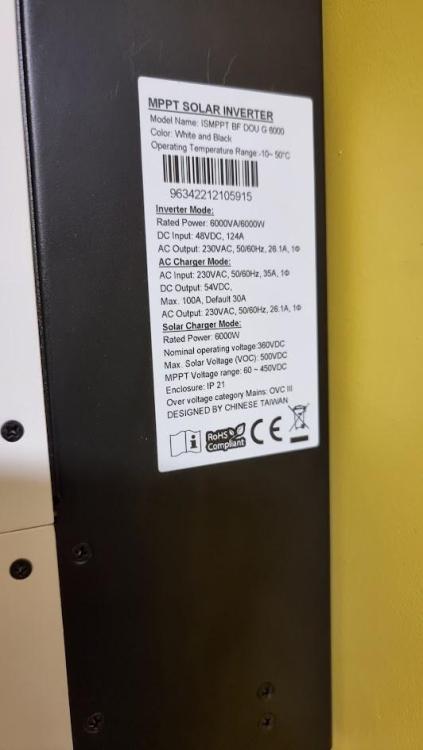
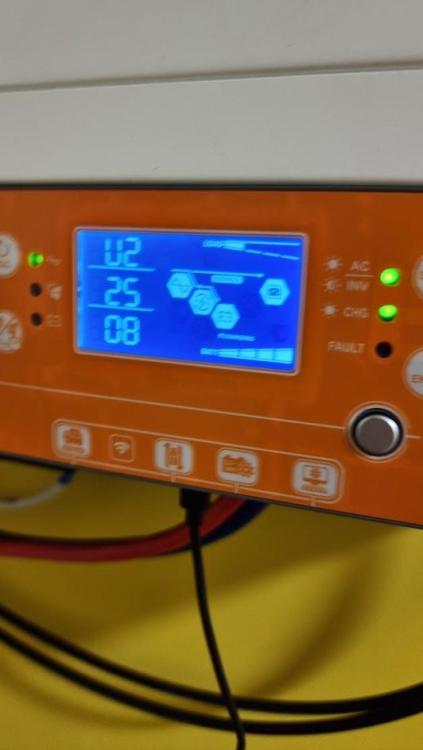
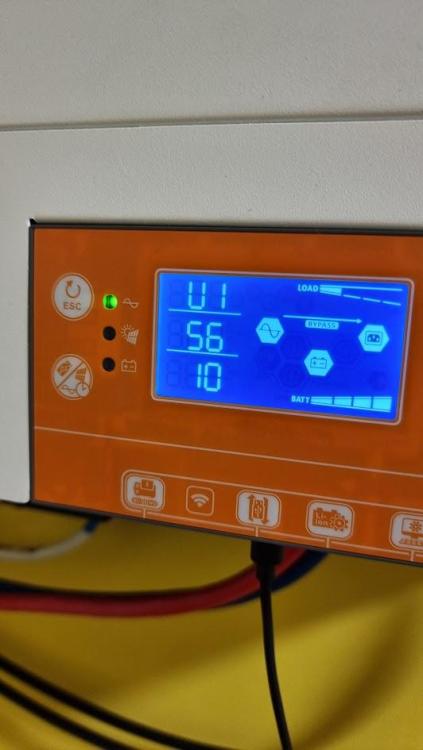
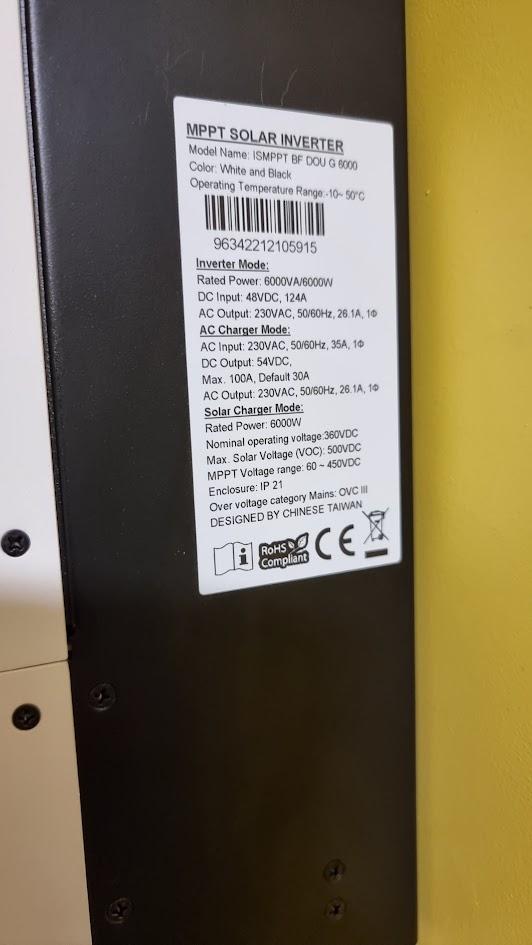
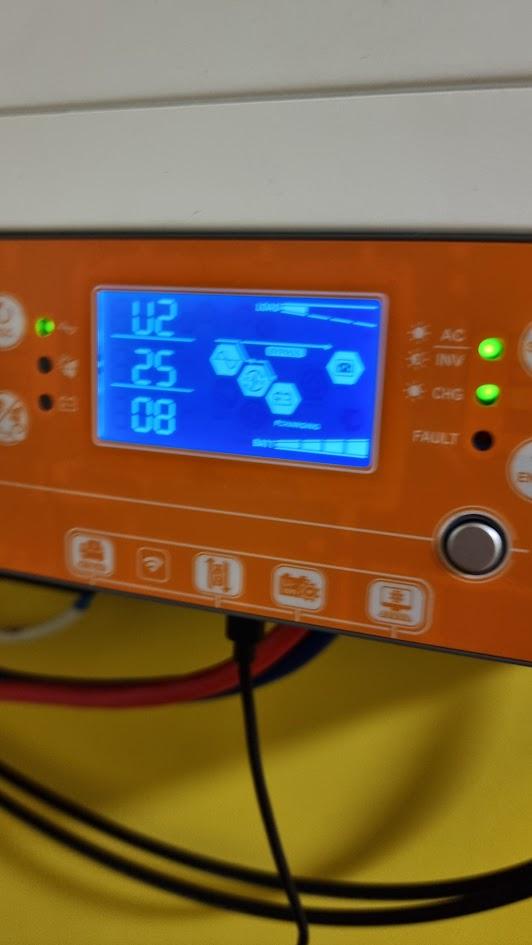
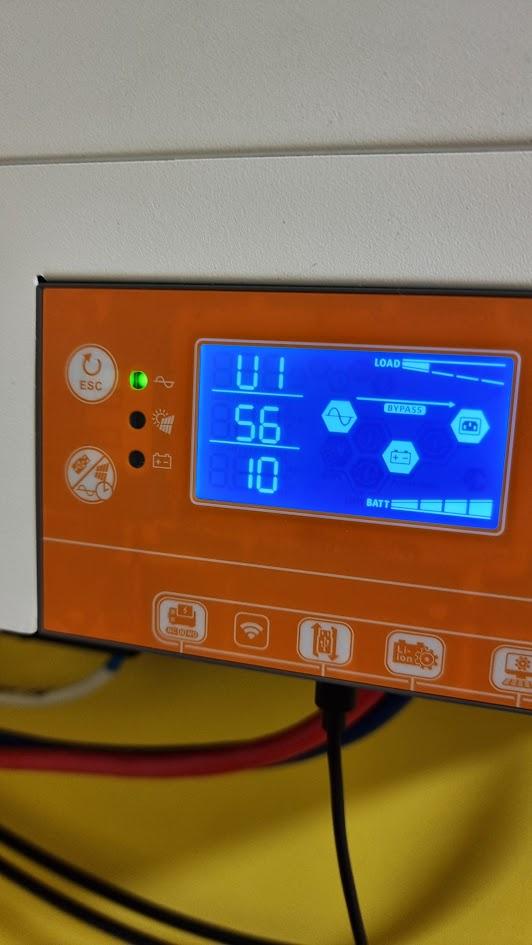
Hello, I have Axpert VM iii twin 6kva (Local brand AXIOMA energy ISMPPT BF DOU G 6000) Unfortunately, I have found out that it has some issues, with MPPT particularly, and after some research I decided to upgrade firmware. Upgrade went "well", inverter starts, it sees battery, AC, solar, it generate output, but it fault after 5 minutes. I have tried different firmware I found in this forum and also tried different running conditions, like only from battery, or AC, with and without load, it always fault after 5 minutes. Watchpower desktop app doesn't show any errors, but Energy-Mate(mobile app) shows two errors, first error is Inverter Fault and the second is EEprom Fault. When it fault there is no error code on display just Fault led is working and it produces fault sound. I did config reset using both mobile and desktop applications, with hope that this will fix Eeprom problem, but no result, I wonder if eeprom is the reason. Originally this inverter had firmware U1:56.10 U2:25.08 Manufacture date is an end of 2022. Is there a way to perform some kind of factory reset by pressing some buttons combination? Any ideas what might be an issue? Thanks