AlfredCE
Members
-
Joined
-
Last visited
Everything posted by AlfredCE
-
Good morning, in the end I have not updated the inverter, due to problems with the communication board, they have changed me for a new one. The new one has the firm 61.03 and the screen 22.21. Now the inverter charges perfectly from the generator set, which it did not do before. But with this version the battery SOC still does not appear to configure points 12 and 13.
-
Hello Coulomb, happy new year, a question, is it better to update the screen first and then the inverter?
-
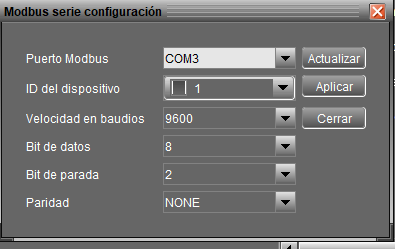
Yes, in the end I was able to connect with the rj45/rs232 cable, with the cable that I bought on Amazon it works perfectly. With com port 3, changing the stop bit to 2, and the baud to 9600, the connection between inverter and PC worked. Now we need to test the update. Let's see if I can solve the fact that the generator set is not detected by the inverter, and that the inverter detects the lithium batteries with the SOC percentages. Now I have another problem with this inverter, it does not close the contact to start the generating set, when I change parameters 12 and 13 so that it starts and charges batteries, it does not close contact, and before it did... let's see if it works with the update. I'll tell you, thanks for the help.
-
I have already been able to connect the inverter with the PC, I send a photo of the modbus configuration. Now I need to try updating. I'll tell you. Thanks for the answers. All the best
-
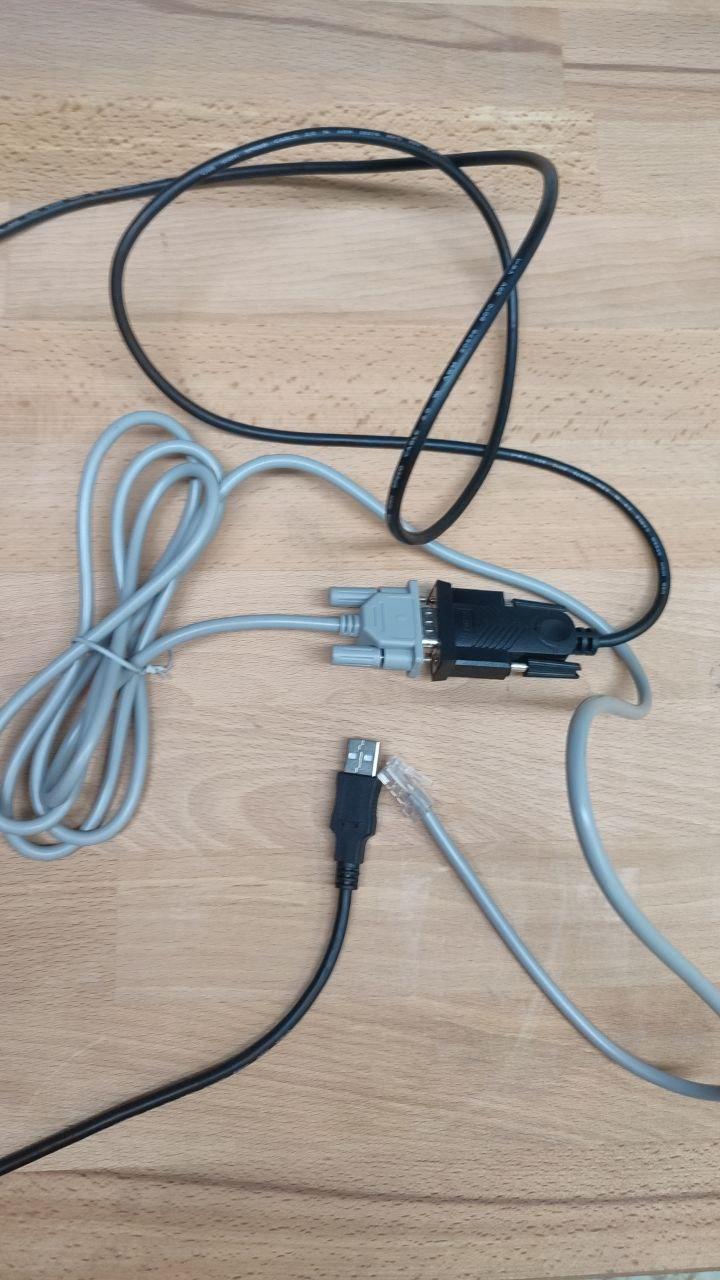
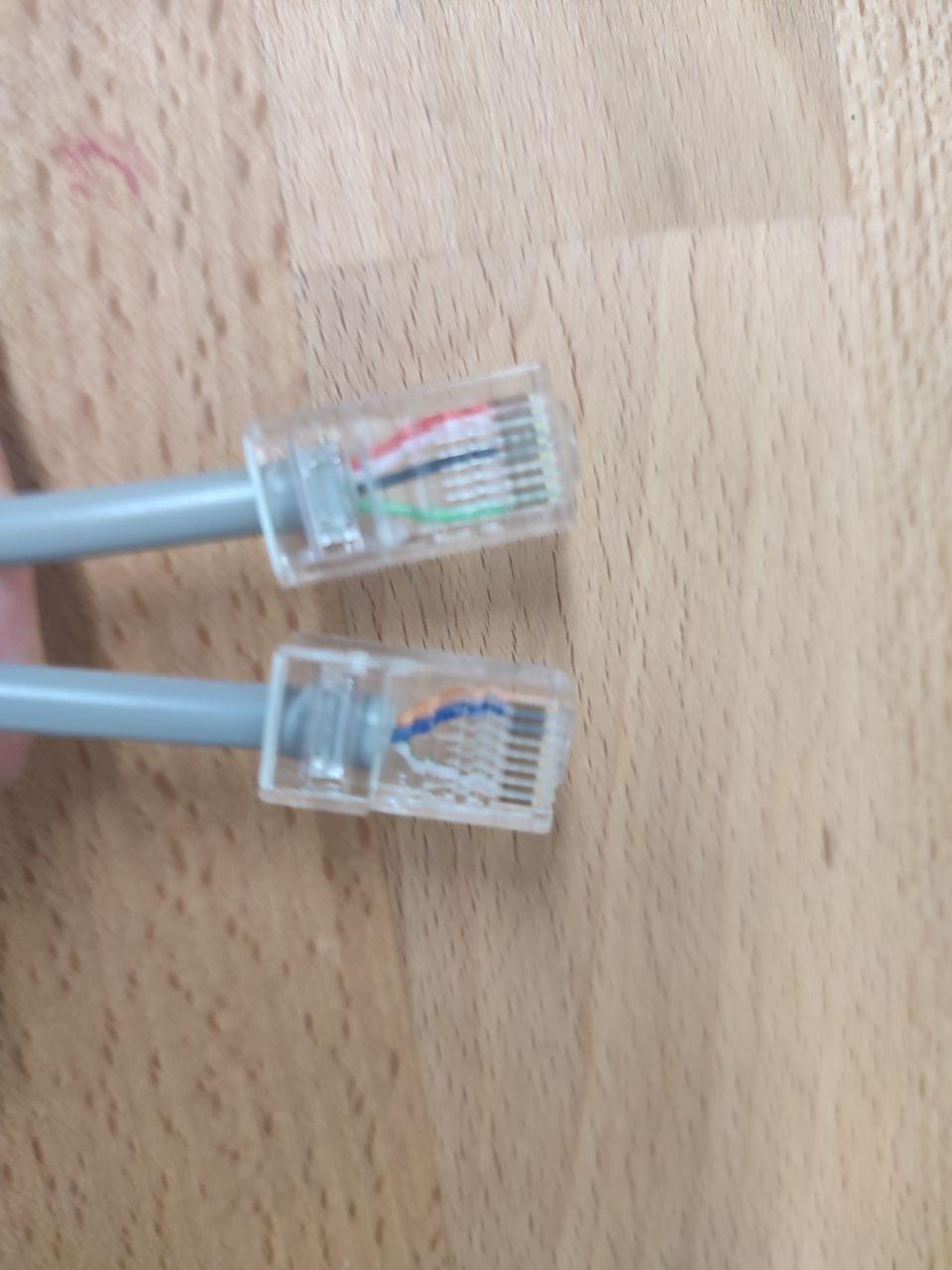
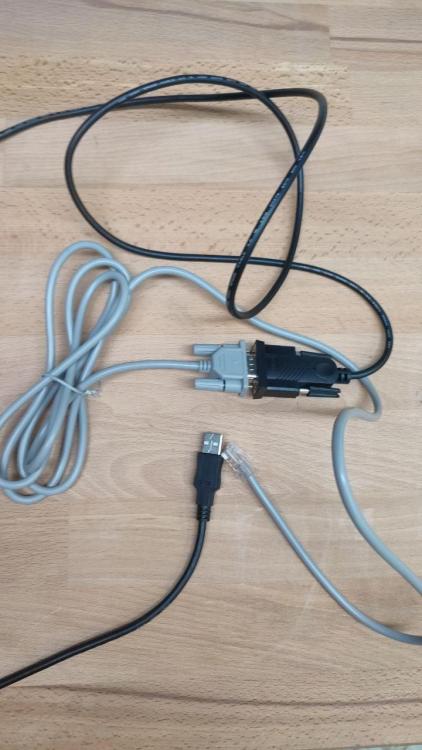
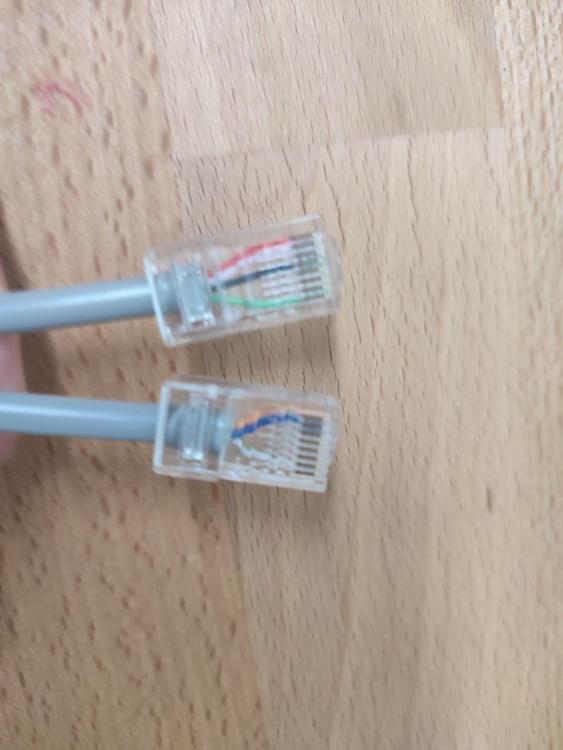
First of all, thank you very much for the answers. I have tried two different inverters and it does not connect to either of them. I saw the cable that I bought on Amazon in a video where they updated a Voltronic, so I bought the same one. When I connect the cable, Windows recognizes it with com 5, but I can't get it to connect with watch power. I tried to update the inverter screen but it tells me that there is no connection to the inverter. The problem is that I don't know which cable came with the utp/rs232 inverter, I mixed it with others and then I realized that there are some with 3 cables and others with 4. I attach photos If it could be updated with the USB cable to the PC directly, there is no problem because it recognizes it well, but it cannot be done with the UTP cable. Do you have any idea what it could be?

-
Hello Coulumb, I hope you are well, I have a problem with the update, let's see if you can help me. I try to connect the inverter to the PC with the UTP/RS232 cable, I have bought an RS232 to USB transformer, the PC recognizes the transformer but I cannot connect the inverter with the watch power program. If I connect the inverter with the mini USB cable it does connect me with the watch power program, but I understand that the screen can only be updated with the UTP/RS232 cable. Another question I have is that there are two types of UTP/RS232 cable, one with 3 cables (pin 1,2,8) and another with 4 cables (pin 1,2,4,8) where pin 4 is power. I have tried the 3-wire one and I cannot connect two of the same inverters that I have tried. Where do you think the problem must be? Could there be a problem with the baud? Both the program and the USB input are configured at 19200. I attach a link to the rs232/usb cable that I purchased. https://www.amazon.es/dp/B0753HBT12?ref=ppx_yo2ov_dt_b_fed_asin_title&th=1 Thanks for the help
-
Good morning, thanks for the response. Very difficult to contact Voltronic, you can't talk to anyone. I have versions 22.21 and 61.65 which, according to what I have read, are compatible with this inverter. But I'm afraid because I've never done this and I'm afraid of breaking the inverter. But I have to do it to see if I solve the battery problem at least.
-
Hello, the technician sends me the screen firmware, 122.15, 102.73, 112.19, why is he sending me these? Why don't you send me 22.21? What is the difference between those firmware? My inverter is the VM IV.
-
Thanks for the response, we will try another group, but we have already had this same problem with several Voltronics.
-
Thanks for the response, if the Greenheiss technician confirms that the batteries communicate via RS485. I have tried and it doesn't work. Let's try updating to see if it recognizes them.
-
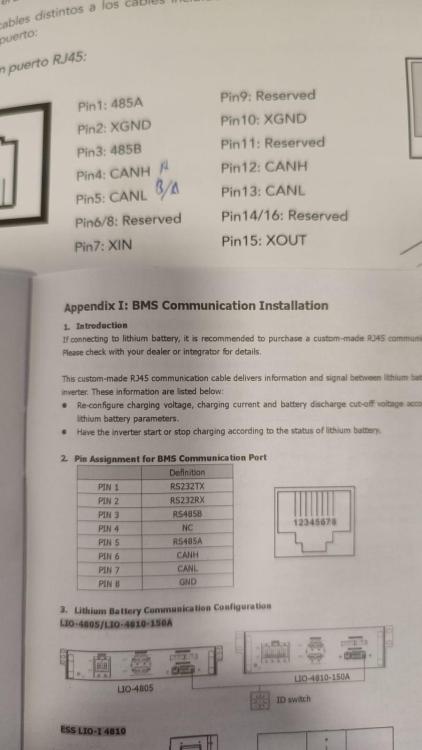
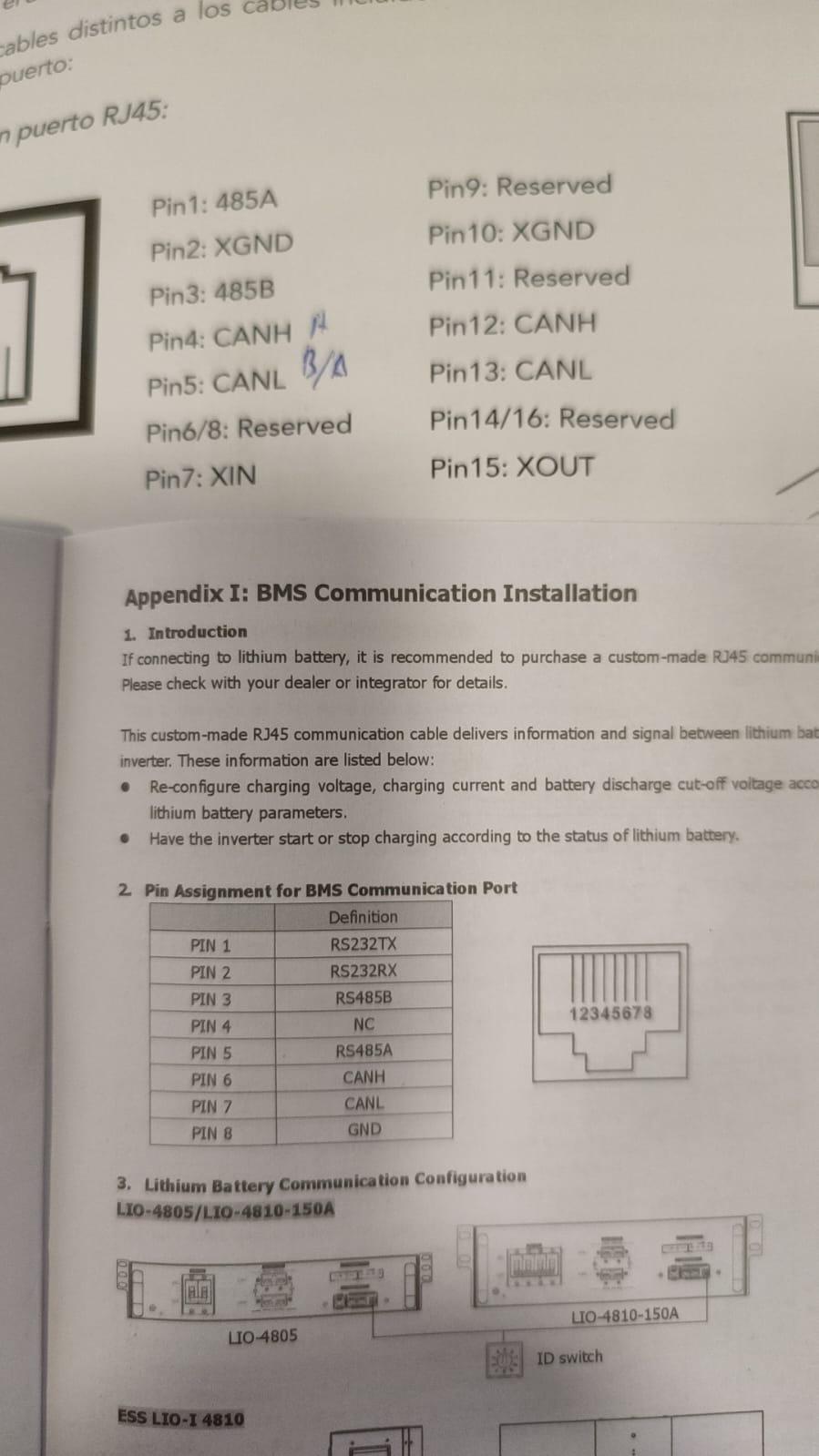
Hello, good morning, I am new to the forum and I was reading you because I have the vm IV 5600w inverter. I have two problems, first the inverter does not recognize the greenheiis batteries, I have tried several cable configurations and not even in PYL, Lib or Lic mode does it recognize the batteries. I attach a photo of the configuration of the can pins on the battery and inverter. 4-5 to 6-7, is correct? Another problem is that the inverter does not charge the generator set. I'm thinking about upgrading the inverter. The version I have now is 61.01 with 22.20 to see if it solves the problem. Any advice? Thank you