Enrico nc
Members
-
Joined
-
Last visited
Everything posted by Enrico nc
-
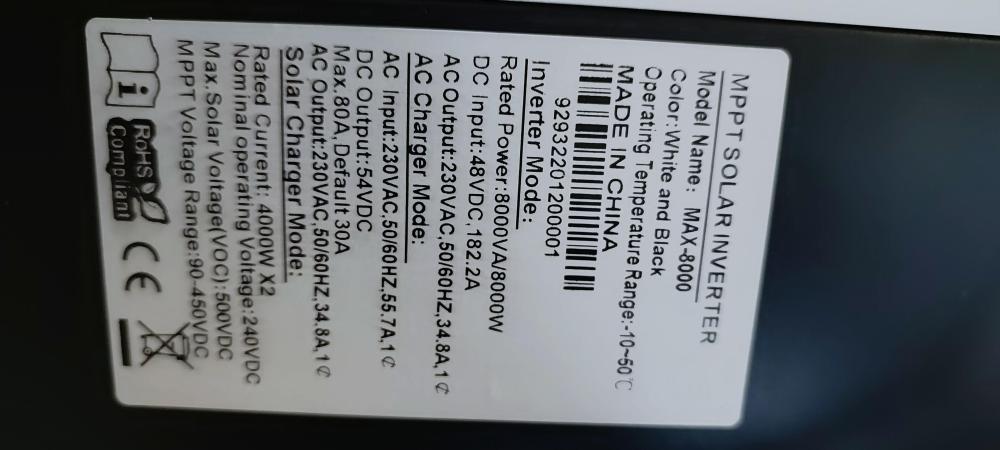
I have this inverter that has just been returned by my client because of a F90 error code. From what my supplier says I need to update the firmwire. Problem is, the firmwire that they have sent me is not the correct one after several researches I have made in the internet. I have read several articles on the website, but all the articles have received answers with the correct firmwire, but they are now unavailable. I there any chance someone could please send it to me please? I have attached a photo of the serial number of the inverter and the references, if it can help someone solve this error code. Or if anyone of you has any other informations that could help me get this inverter back on track it would be very helpfull. If there is other informations needed please feel free to ask. Thank you in advance to all those who will take some time to read.