


Hunter85
Members
-
Joined
-
Last visited
-
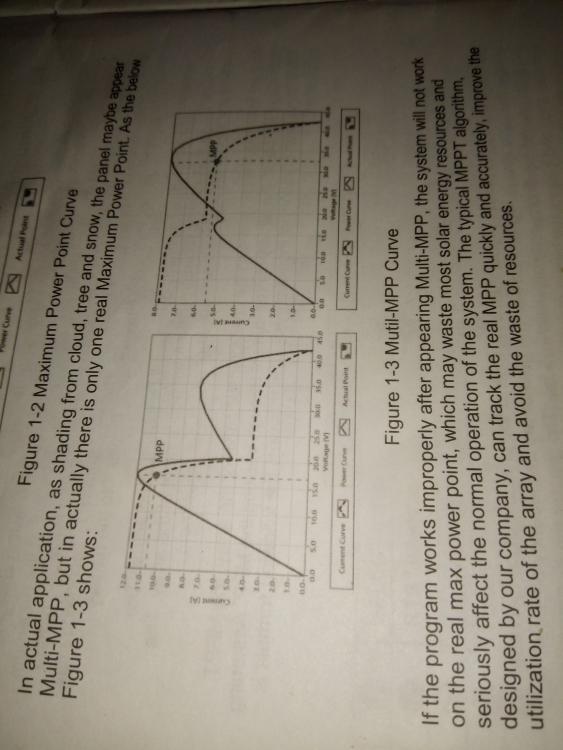
I did not understand very well what you're talking about because my 3210AN seems very quick in the exchange. the company epever writes that their controllers work like this, as in the picture I posted. it's correct??

-
I did not understand very well what you're talking about because my 3210AN seems very quick in the exchange. the company epever writes that their controllers work like this, as in the picture I posted. it's correct??
-
good morning, I have epever 3210 An on my camper and it works perfectly with a 350 watt panel, I live in the camper for 6 months. I think epever makes good products at a fair price. Victronenergy has the same specifications and the price is inflated due to the European brand often. I think it's perfectly normal that the solar controller takes an hour to reach the maximum constant voltage if the battery is not 100%. in fact, at the beginning the battery absorbs the maximum current, but the voltage is not maximum. the voltage increases as the absorbed current decreases. in this phase the controller works in MPPT mode. I think that all the algorithms of the mppt controllers and the latest generation of chargers work like this, this is also written in the manuals. it's not a defect of that controller


