


Ahmed2024
Members
-
Joined
-
Last visited
-
What made me ask about the capacitor is that I was facing a problem with this device when the batteries are empty Inverter loses the programming and basic settings
-
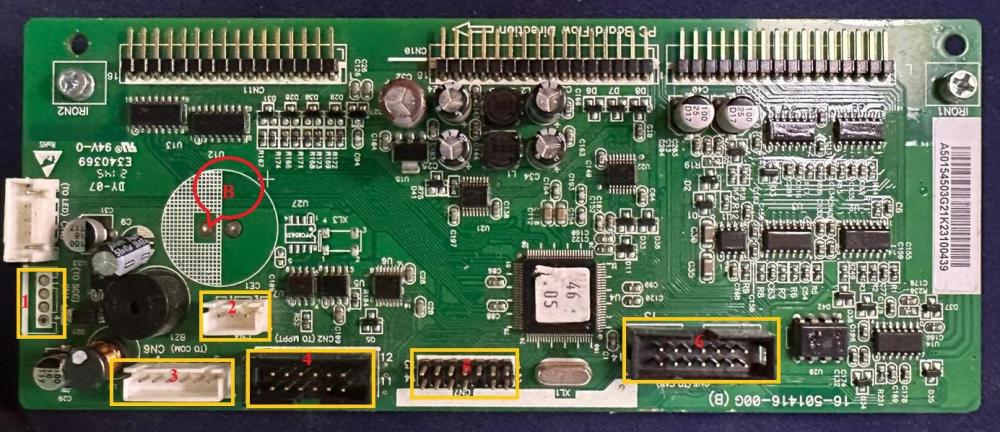
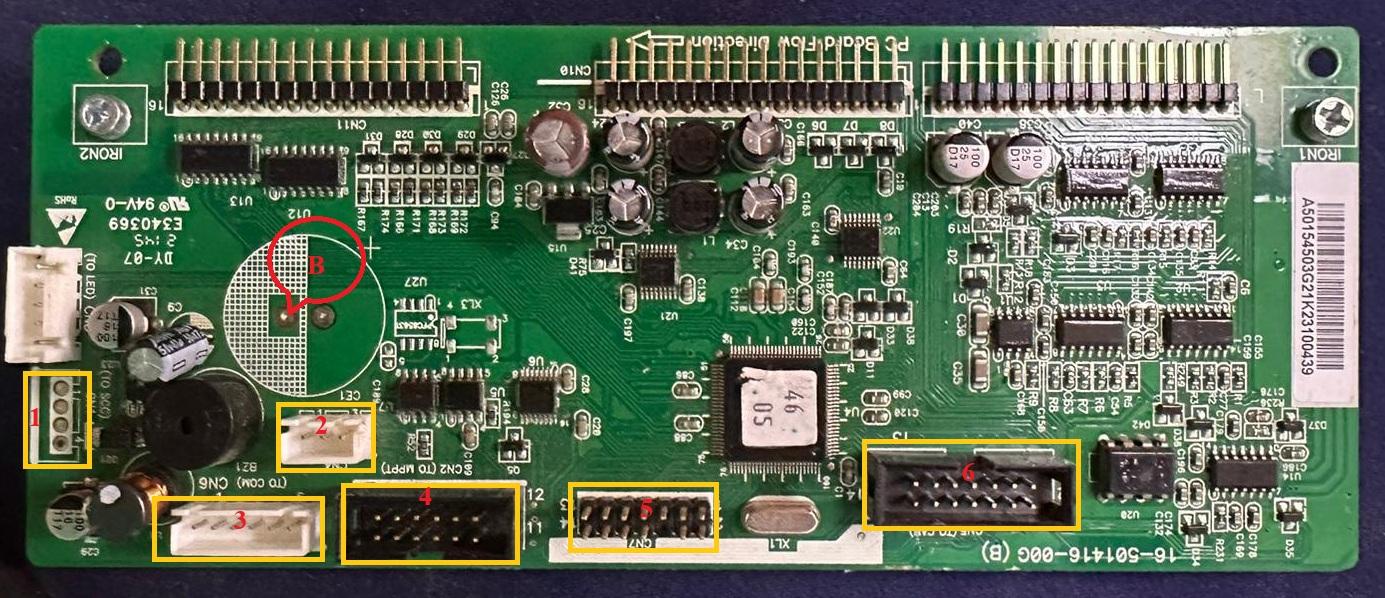
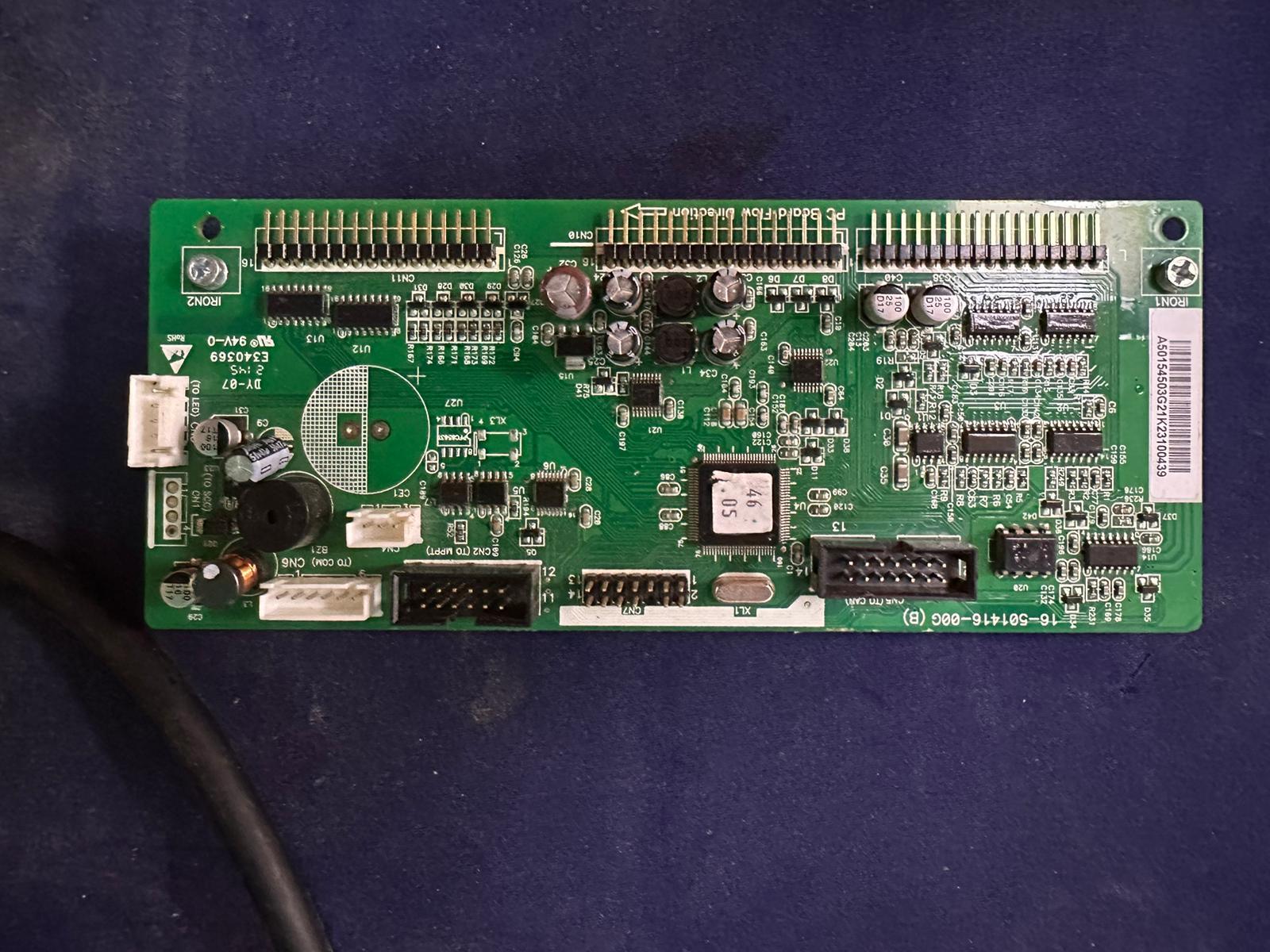
Thanks a lot i will try that, But can you tell me how to connect rs232 directly to this kit where i can connect (Rx, Tx, GND) and which socket i can connect them directly (1,2,3,4,5,6)?. and also i want to ask about is it recommended to add battery in (B) at picture for protect control board to lose its configuration ?
-
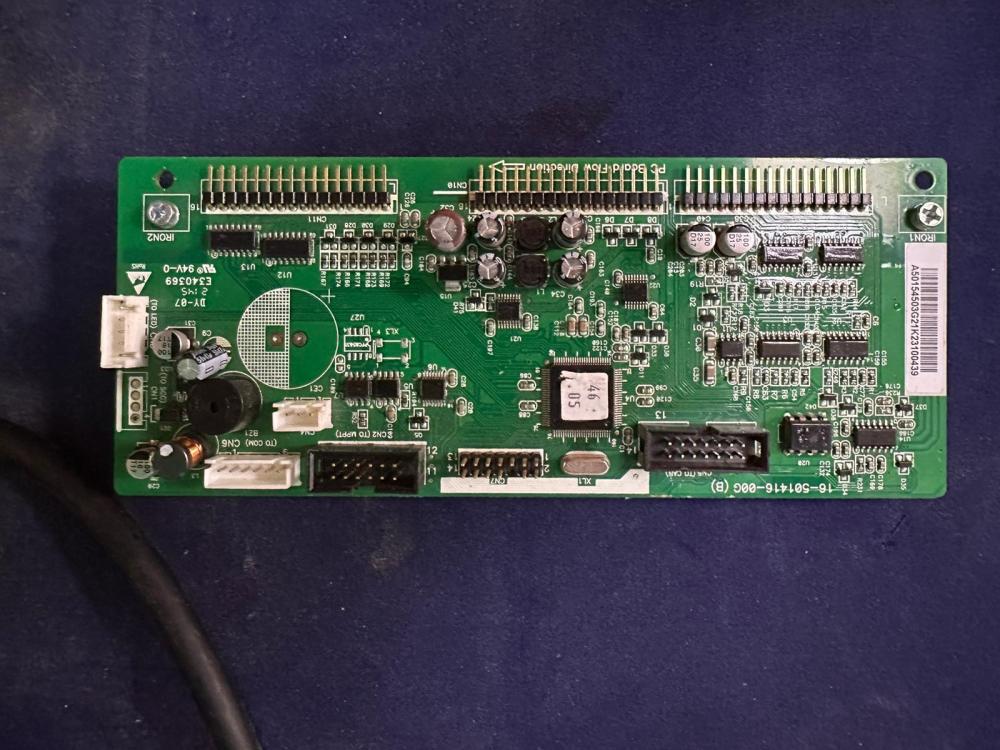
I take photo for the inverter control panel, under white sticker no any number
-
-
What can i do in this situation ?
-
@Coulomb @Ahmad_k @Georg594 @Enrico nc @Peter Sam @Steve87
-
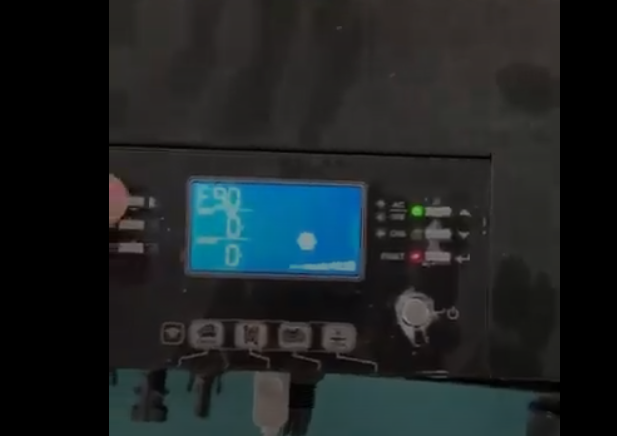
after Greeting , i have problem at Axpert max 8kw non-Twin, we face error f90 and i try to use USB with AxpertSetSN to reconfigure the firmware for the device and it give me "setting faild" and when i use serial by using ReflashTool_Xseries software but it tell me too "serial port open" so what can i do? please i wait your reply i want to Add video for my device when i try to use flash https://drive.google.com/file/d/1iYwK_7-ucIsyO807CgRjjVKUOsWAzMhJ/view?usp=sharing Softwares i use but i faild too
.jpeg.17a28a0b150c5b5d58a5a8ebf9eb0508.thumb.jpeg.4fc04a661afb47a4d24a30525952f578.jpeg)

.jpeg.17a28a0b150c5b5d58a5a8ebf9eb0508.jpeg.2e3cd11e04ab039449812416150f5d32.jpeg)