Maurorr
Members
-
Joined
-
Last visited
Everything posted by Maurorr
-
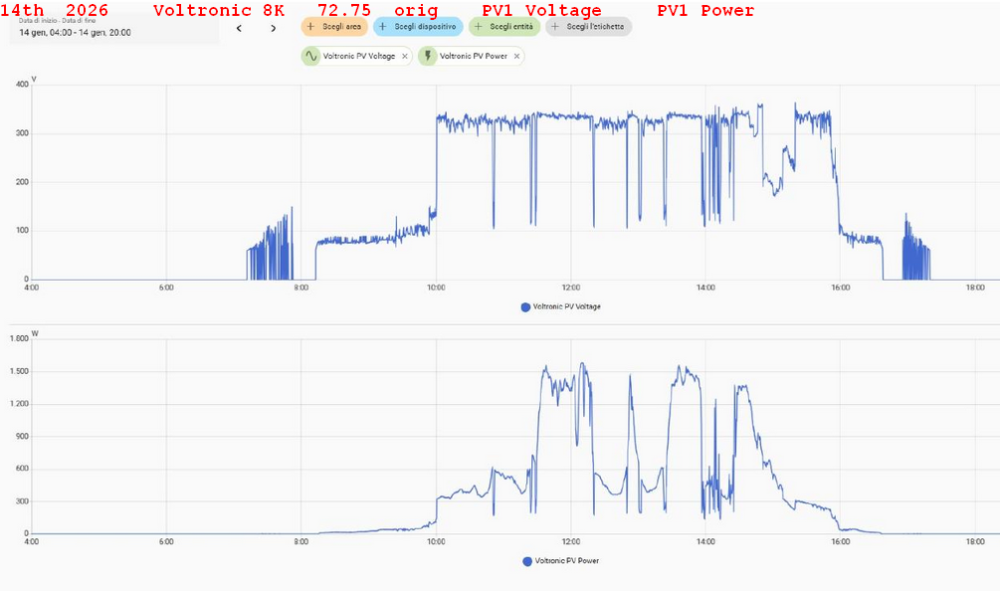
Hello everyone! This is the behavior of two different inverters with the exact same panel configuration: both 10x410W south, each on the same roof . In the same day (100% identical conditions) A: axpert max E 8K U1 72.75 original B: axpert max E 7k2 U1 245.11 patched 200V The 72.75 stays hanged at about 100V for a while The 245.11 immediately rises to 300V. During that time, the 72.75's Pv1 production is 250% lower than the 245.11's. When the voltage also rises on the 72.75, output is more or less the same on both systems Thank you !


-
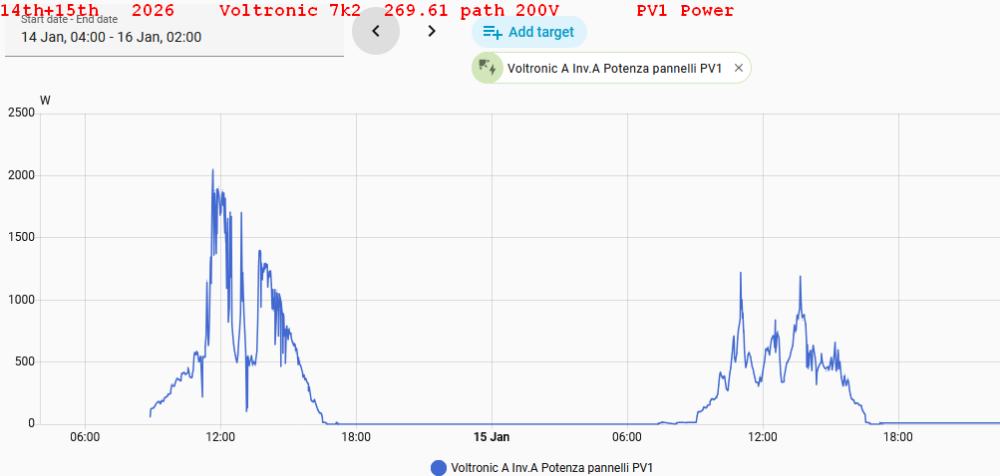
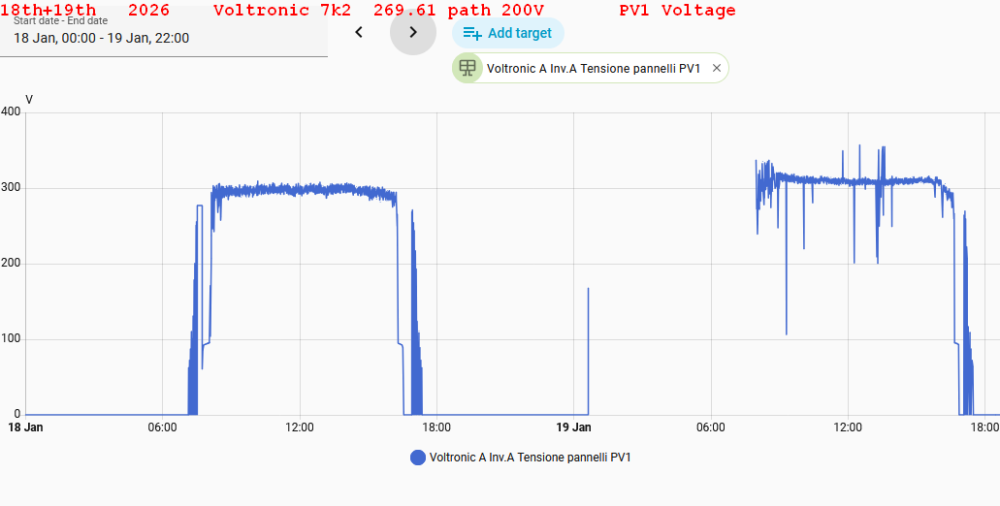
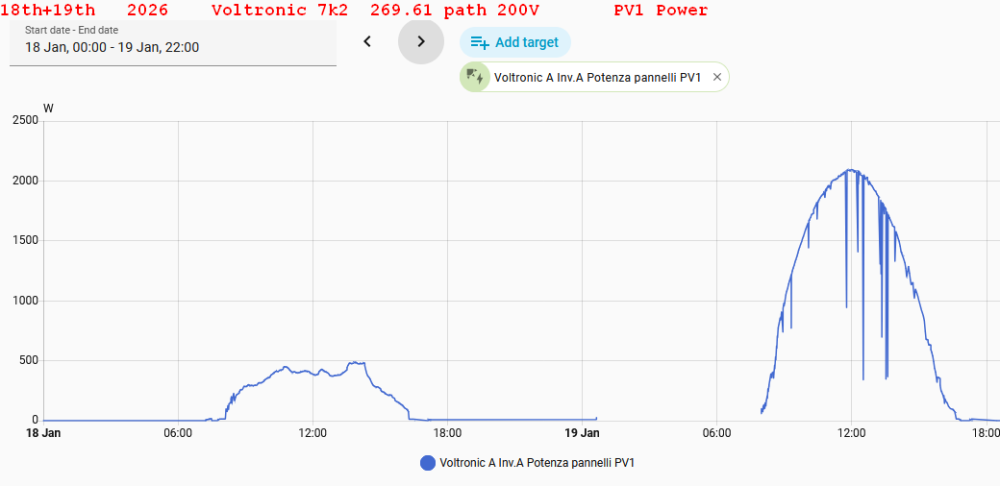
Hi Coulomb I tested on another 8k 28066 U1 72.75 and U2 12.30 : in this Unit SOC is working fine the same as previous U2 releases... don't know why I attach the graphics of 14 15 16 17 18 Th january taken from a Max 8k 72.75 original firmware and a 7k2 269.61 patched 200v Both installations are 10 x 410W panels s/w oriented 16th and 18th january in particular was cloudy all the day today 19th very sunny all day Graphics are related to Home assistant application that logs only Pv1 panel input Good by and thanks




-
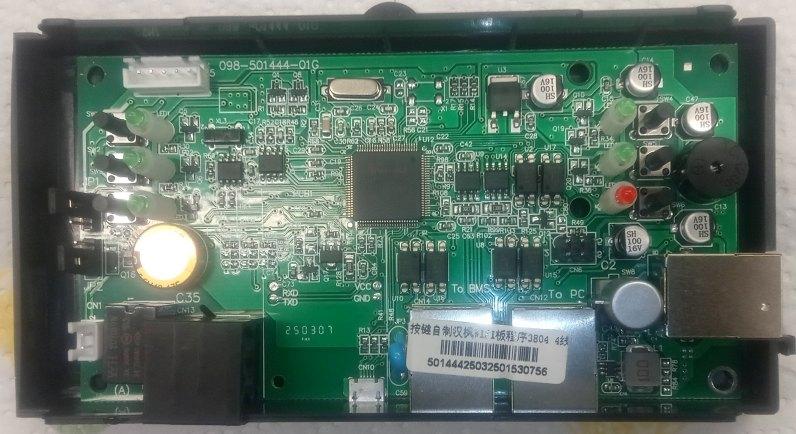
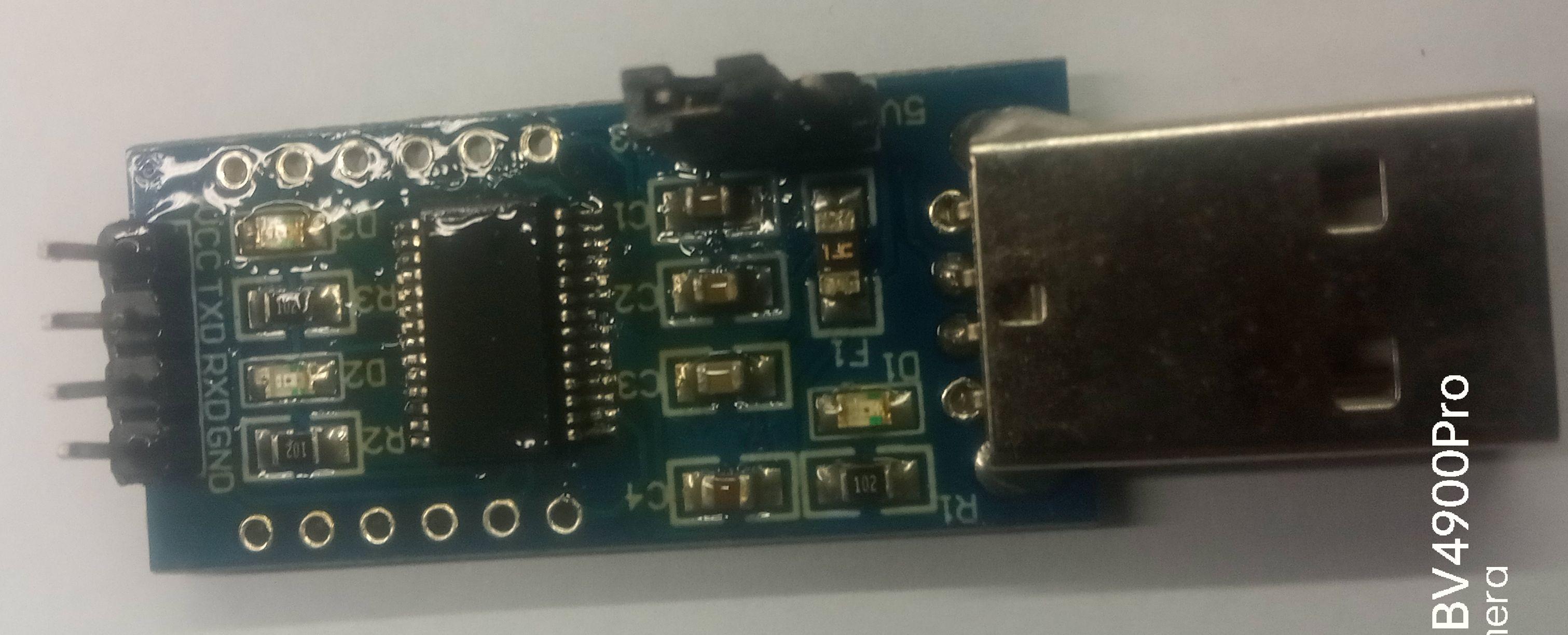
It lost all text !! I rewrite... Hy ! My axpert max E 8k removable display showed an E32 after a failed upgrade.. A lot of failed test and headache Nothing to do in all the ways i attempted I was able to communicate with cpu and reload firmware only in this way: Disconnected completely display from DSP board The cable you need is the 6-pin one coming from CN6 of the DSP board (I'm not sure if the display-side connector in the round inverters is the same as the models with removable display, but what is certain is that the control board is the same and the signals present on CN6: TXD and RXD are present with the same pinout. In the worst case scenario, you could connect directly to CN6 DSP board side by opening the inverter cover and connecting there with dupont jumpers.) There you have TXD in pin 1 RXD in pin 2 and ground in pin 4 These are UART TTL 3,3V level signals NOT RS232!!!!! To communicate witch pc you must own a uart interface USB to TTL 3v3 level Is very common may be FT232RL from FTDI or CH340 or many others You have to cross signals . RXD fron dsp to TXD of interface TXD from DSP to RXD of interface and ground to ground Be careful that these signal are coming directly from cpu and are not protected. Usually in the inverter there are some optocouplers to insulate and secure the system So you have to turn off or disconnect battery and panels to inverter that must be connected only to mais 230V Pc must be a laptop BATTERY powered non connected to grid.. In this way i was able to recovery my inverter at first attempt using firmware upgrade utility ( if DSP board is non full bricked and bootloader is lost ...) see pictures just sent before... more useful than my speackes Good Luck! Bye
-
Hi Coulomb Thanks for replying. Yes, you are right , the 72.75 is the only one that implements QDOP, but i tested, this occurs only with U2 12.29 or 12.28 ( oldest releases i did not test...). Using U2 12.30 , in removable display , and U1 72.75 the soc is no more displayed and managed , only voltage mode !! Anyway, with the 72.75 for the 8K, the MPPT, with the same panels configuration, stays at 90V for at least an hour longer compared to my two 7K2's , one with firmware U1 269.61 28066 CPU and the other U1 245.11 2809 CPU: they are very fine, not even comparing them with the original U1 72.75 installed on the Max E 8K. If f you can patch the one you think is best, I'd be very happy to try it at my friend's house. Thanks, thanks again, and byeHi ! An inverter axpert max e 8kw 28066 cpu U1 72.75 U2 12.29 Both official versions , so they allow to programs 12 & 13 in SOC%. I tested to downgrade U1 to 272,66 patched 200V, to solve 90V mppt problem .. U2 the same 12.29 After patching fimware, parameters 12 & 13 are no more manageable in % SOC , only in voltage mode Please , have you notice if this older release does not support QDOP commands ? Thank you to allHy Coulomb yes Serial number 96342205601236 is the same of mine axpert max E 11K twin 2809 .... sure clone..
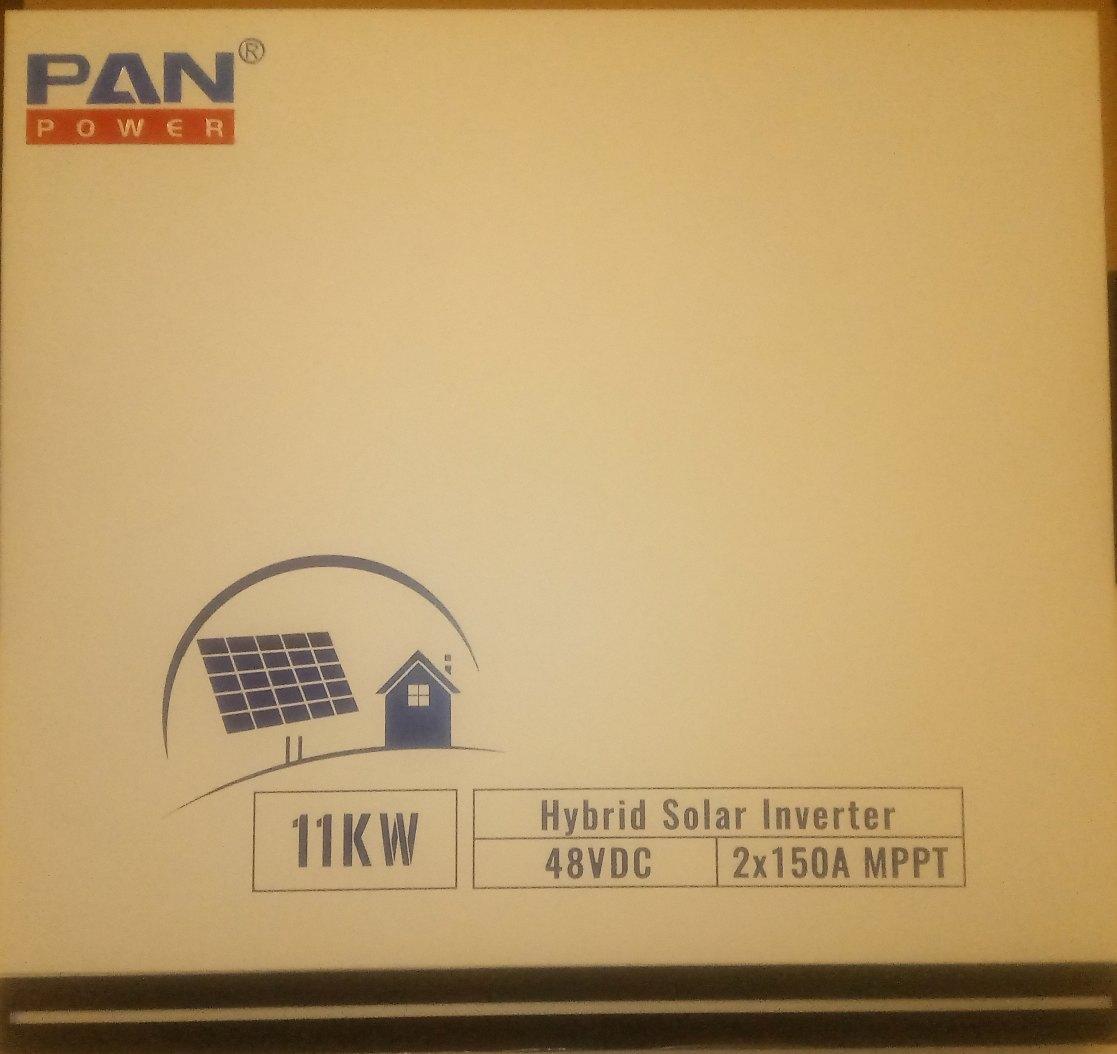
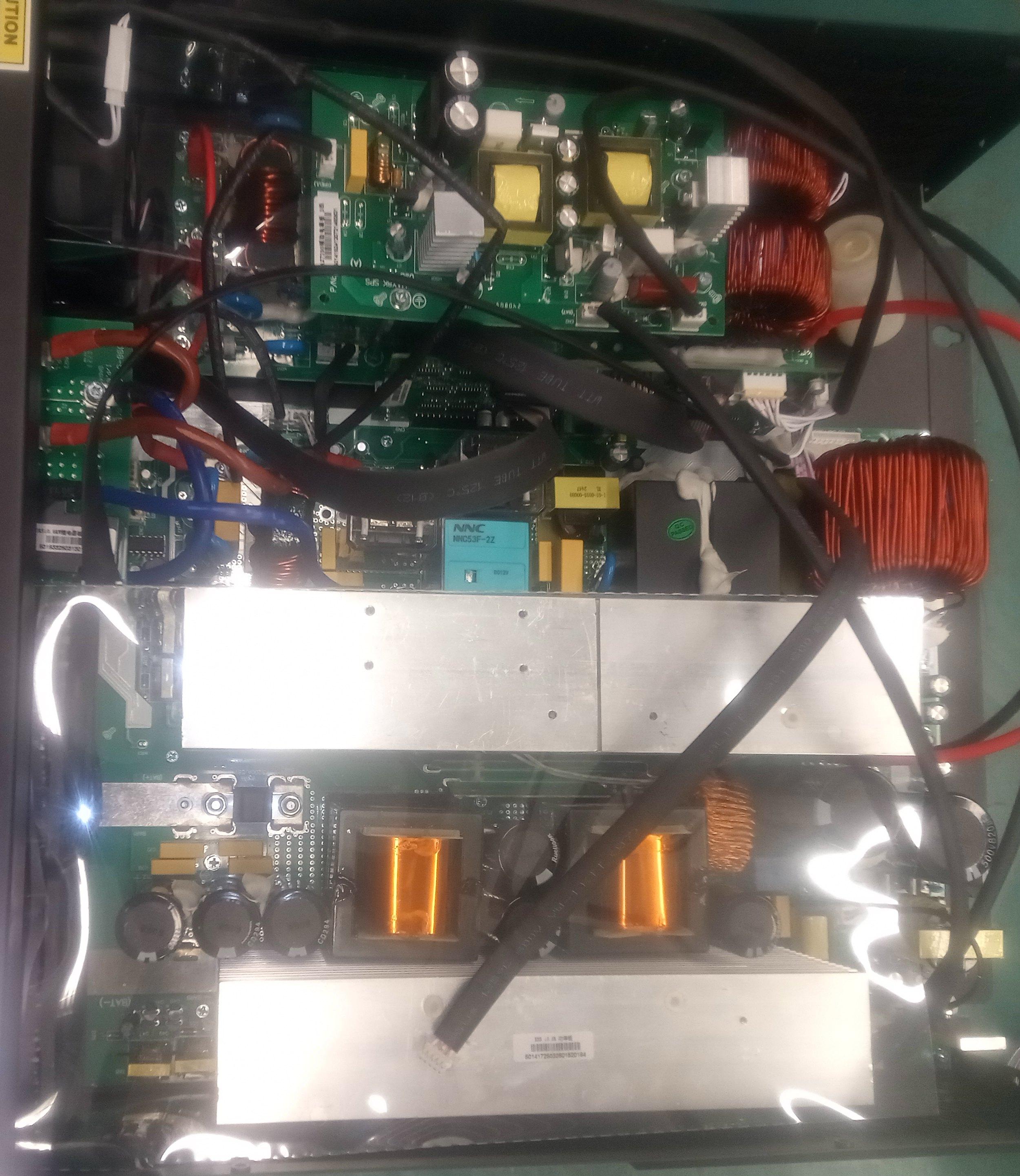
 Hi to all !! This is screen shot from a probably clone axpert max E 11K Twin Only the display panel and his firmware is that of an axpert 7k2 non twin Serial number 96342205601236 is the same of mine may be this when clones?Hello to all! I'm Mauro from Italy A my dear friend made a present to me: he bought from far east (aliexpress) an axpert max E 11K Twin (in my home installation i already have two original axpert max 7200 working fine) with Coulomb and George 90V patches production yeld in the morning has really increased!! Returning to this new inverter, i'm afraid this inverter is a probably clone The label is marked as non twin … but it is twin It has and external wi fi dongle called “ Solar plug RWB01” and wi fi module inside LCD panel is not installed., so cloud application is not more Wath Power , but Solar of things. Firmware DSP 64.03 Panel 38.04 Processor is 2809 problem is that it is not working in Home assistant Syssi PIP integration These are the tests i done: 1: my homeassitant RS232 external home made interface ( ESP01 + max 3232 ttl 3v3// RS232 UART interface) actually used in the others 7200inverter doesn't work on the RS232 port … no data …. ( waits for dongle!!) 2: another test with the display panel borrowed from an original Voltronic: voltronic cloud correctly works and all data are showed in the native voltronic application watch power . RS232 port is still not working So I'm afraid a firmware update is needed. This is QPIGS report from an original 7k2 in axpert tools: [2025-10-28 17:51:34] Send: QPIGS [2025-10-28 17:51:35] [1704ms] Return: (000.0 00.0 229.9 49.9 1194 1190 016 387 53.00 000 089 0034 00.0 000.0 00.00 00024 00010000 00 00 00000 010È This is QPIGS report from 11k clone in axpert tools: [2025-10-28 17:45:36] Send: QPIGS [2025-10-28 17:45:38] [1766ms] Return: (229.6 50.0 000.0 00.0 00000 00000 000 000 00.00 000 000 0030 00.0 000.0 00.00 00000 00000000 00 00 00000 000 0 00 0000 (this last one only powered with grid no battery no load … seems correct only last part of string is different …longer) Protocol seems different ... in last part of string .. BUT It works correctly works with watch power installation in my PC windows also in RS232 interface , but not yet in Home assistant .... the response to QPIGS commands is not understood by home assistant which reports ""UNKNOWN" I also updated DSP and display with late firmware : same rusults I believe protocol is written in 24c256 eeprom located near microcontroller in DSP 2809 board, i also have an image of this eeprom found on the net, but i'm sure i will loose my serial number and will soon obtain F90 error in next future Some one knows location of the eeprom where SN is written ? , i could edit eeprom file and insert directly it in my file .. is this possible? Some ideas? Thank you all of you for the kindness