DeonVDW
Members
-
Joined
-
Last visited
-
 NigelL reacted to a post in a topic:
New tool: monitor individual cell voltages on BlueNova batteries
NigelL reacted to a post in a topic:
New tool: monitor individual cell voltages on BlueNova batteries
-
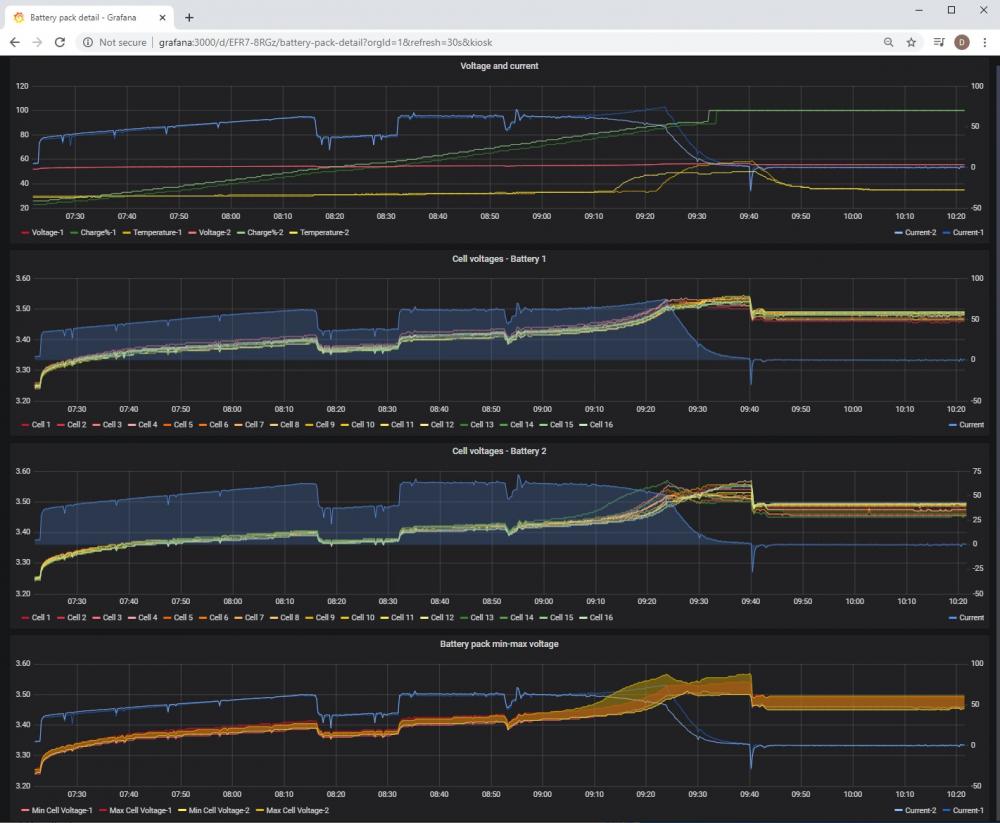
I've created a small application to log the output from the BlueNova battery monitor (battery-ip:9000/) to a database - this allows you to create graphs like the attached one. My goal is to perform long-term monitoring of the battery health beyond a simple Health% value, and well, because it was there :) The project page is at: https://github.com/deonvdw/BlueNovaBatteryMonitor. Also contains some details about hooking up your BlueNova battery to fixed Ethernet using an USB-Ethernet adapter.