Skip to content
View in the app

A better way to browse. Learn more.

Power Forum - Renewable Energy Discussion

A full-screen app on your home screen with push notifications, badges and more.

To install this app on iOS and iPadOS
  1. Tap the Share icon in Safari
  2. Scroll the menu and tap Add to Home Screen.
  3. Tap Add in the top-right corner.
To install this app on Android
  1. Tap the 3-dot menu (⋮) in the top-right corner of the browser.
  2. Tap Add to Home screen or Install app.
  3. Confirm by tapping Install.

Pieter_vdw

Members
  • Joined

  • Last visited

  1. Hi thanks for the feedback. Thats a bit worrying if the system cant track the SOC properly as I also have it set to 50% DOD as a max! Do you know what firmware version you are on?
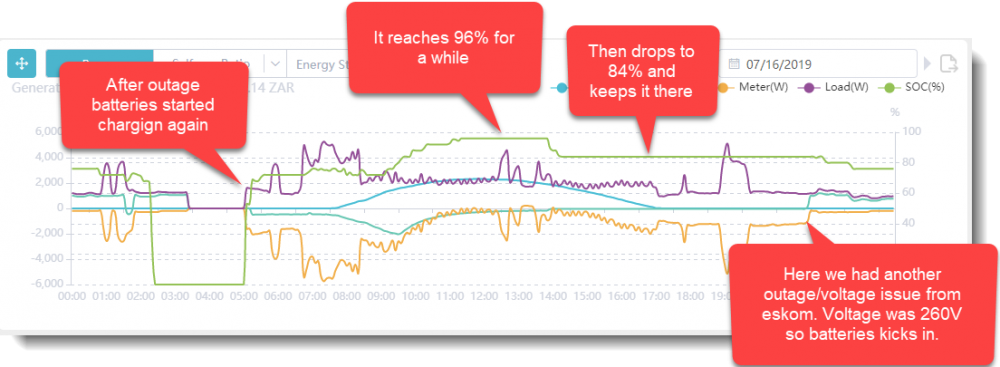
  2. Hi I am having trouble configuring my Goodwe system to get my batteries charged up to 95% and up. Has anyone out there got lead acid batteries connected to the Goodwe GW5048D-ES? I have 2 strings of batteries with 4 batteries in a string. In total a 48 Volt system. They are 230 amp FNB batteries. See pic. Anyone got an idea on how to overcome this? Please see my PV Master settings. Thanks!
Account

Navigation

Search

Search

Configure browser push notifications

Chrome (Android)
  1. Tap the lock icon next to the address bar.
  2. Tap Permissions → Notifications.
  3. Adjust your preference.
Chrome (Desktop)
  1. Click the padlock icon in the address bar.
  2. Select Site settings.
  3. Find Notifications and adjust your preference.