


Tiaan Pot
Members
-
Joined
-
Last visited
-
-
Hi Guys Thank you so much for all the assistance. Ill be doing a more research on the Victron equipment ( I need to understand everything in detail before I commit) Apologies if my comment offended anyone with regards to ICC, I can see now that it came across rather rude. My buddy that also gives advice is a real nerd and he bought the ICC software, at the time he found a few mistakes in the software. Being a super nice guy he email the ICC guy with the fixes and even some suggestions for improvements out of the good of his heart and got shot down. So maybe some hurt egos as well when he described it to me as a hack job. Seems like some here even know him personally so again Im sorry for the insult.
-
-
Hi Jaco My mate recons that the Victron MultiPlus-II 48/3000/35-32 2400W Inverter/Charger would work for my needs. I tried reading the manual to try and understand how the Victron components work together but Im still not 100% clear. The Datasheet was more informative than the manual. Seems like I need the above, Inverter: Victron MultiPlus-II 48/3000/35-32 : R17.5k Comms Module : Venus : R5k Display unit : Colour Control GX : R9k Is that right ? What else is missing ? The price for the Victron display is what I paid for my old 5 kW inverter !!
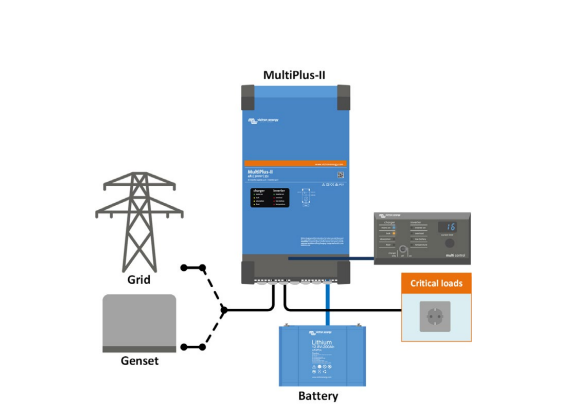
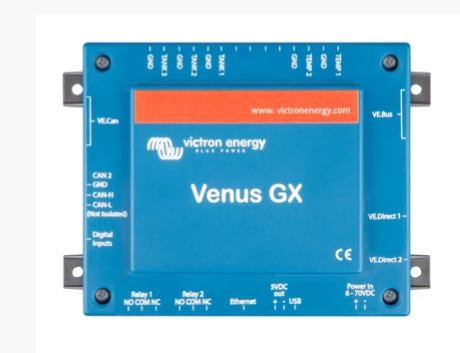
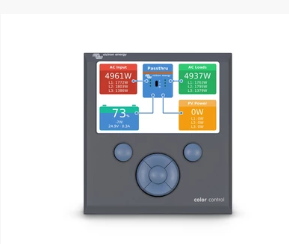
-
Thank for the reply Terrible Triplett. I thought that maybe the new Axpersts were upgraded to be able to communicate the Polyntechs but after some research I doesn't seem like it so I dont really want to go back to Axpert. Plus this one didnt see much work at all and it failed when I really needed it. Once bitten .....
-
Howzit Peeps. I got referred to this place in the woods by a buddy as I need some of your smart brains here to advice me. I have a simple setup 1 x 5 kVA Voltronics Axpert Inverter and two 2.4 kWh Polyntech used a UPS during load shedding. I have no plans for Solar panels, but I want power during outages. So just an UPS basically to keep my electronic goods going and the lights in the house. The Axpert setup has been ok over the last few years, but obviously not ideal as it couldn't interface with the Polyntech batteries that I got beginning of this year. Yea I know there are some guys in Pretoria that developed some cable and software but frankly when I saw the price and interface I decided against it. So over the weekend we had a 8 hour planned outage. During this time a hair dryer was used. This event truly unsettled the Axpert who decide to switch itself off. Now if I switch it on it does go on for a brief few seconds then switched back off. Now warning lights or beeps. ____________________ 1. Which inverter should I buy ? Requirements - Robust ( not spill its guts when a 2000W Benner Read Professional asks it out for a quick spin around the block) - Interface with the Polyntech batteries natively ( no garage hack job with DIY cables) - I also had a problem where my one Polyntech battery would switch off when fully charged (53.2V) on the Apxert) ___________________________ 2. Where can I take the Axpert to have it fixed ? I bought it from a buddy with an account at Rectrum years ago ? 3. I also have one of these 2000W Ellis Power Inverters that let the smoke out - Are those worth fixing ? I want to fix the two old ones and pass them on to the needy _________________ Any suggestions would be welcomed. I don`t have an affiliation towards any specific brand. I was asking around about Victron (Actually how I got here as this is apparently the Victron fan club Forum ? Much appreciated and thanks in advance Tiaan

