


Blessing
Members
-
Joined
-
Last visited
-
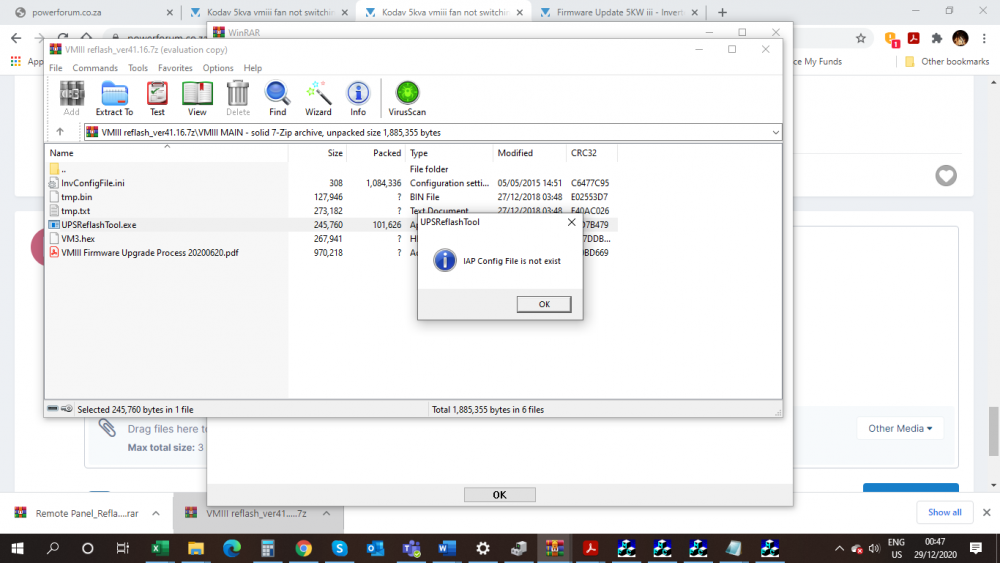
@Henry2501thanks for the update,lm however getting below message saying IAP file does not exist,are you able to assist? trying to connect via usb on windows 10 laptop and w2hen l connect the usb laptop tells me device not recognized.
-
Hi @Coulomb,do you have the latest firmware update for the kodak vmiii?
-
@Coulomb thanks a lot, played around with the settings, changed from ups to appliances that seems to have dealt with the EEPROM fault warning. As for the fan, it works normally switching on and off at low speed till noon. After which it just runs at full speed and no cutting off.
-
Hi all My recently installed kodak 5kva vmiii fan does not switch off automatically regardless of load. Max loads l have put on is 400w (standard fridge, freazer, tv and decorder) but the fan blazes on even when there is no load. At night l have to restart the unit to get it to start turning on and off automatically. Is this normal? I have also noticed an EEPROM fault warning on the watchpower app. What causes this and how is this fault cleared? The firmware version on U1 is 41.30 Your help will be greatly appreciated.
-
Blessing joined the community
-
Having same problem with us3000 battery, error 61,what could be price?
