


SERIOUS
Members
-
Joined
-
Last visited
-
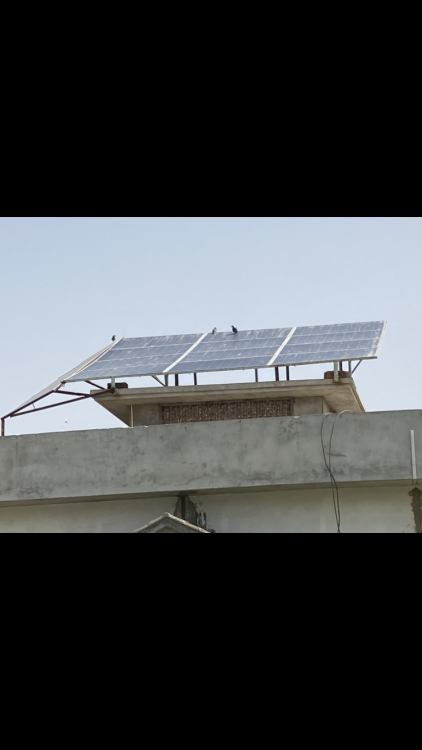
This is my setup 15*270 mono GSPV Panels 12 panels towards south and 3 panels towards west for more power in evening time panels are dirty and birds sitting on the panels all day
-
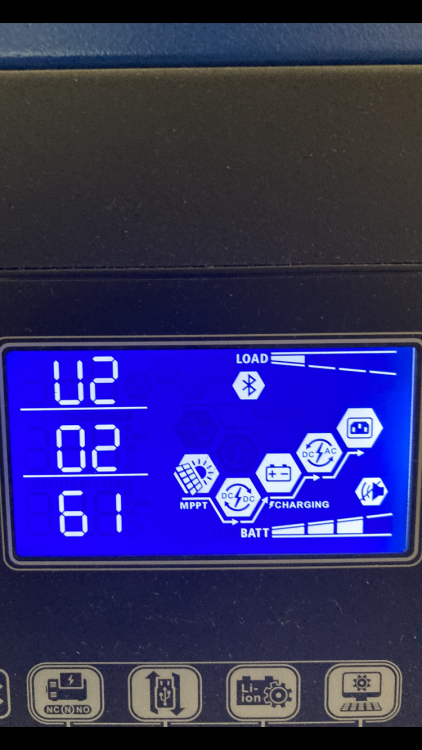
Upgrade display with 2.61 no issue yet I noticed MPPT delivering more power now thanks for supporting and guiding me
-
Can you share download link for 2.60 so that I can safely download and upgrade firmware
-
Hello all I have upgraded my axpert king with 71.95 so no issue things worked well now which firmware should go for for display Bluetooth or mcu please help

-
From this group you can download certain firmwares of inverters
-
Only solution in my mind is either I get another display or smilar firmware that might solve my issue however no other possibilities In mean time I'll download other mcu firmware and patch with hit and trail and see if anything helps
-
Any previous mcu firmware that resolves screen issue ??
-
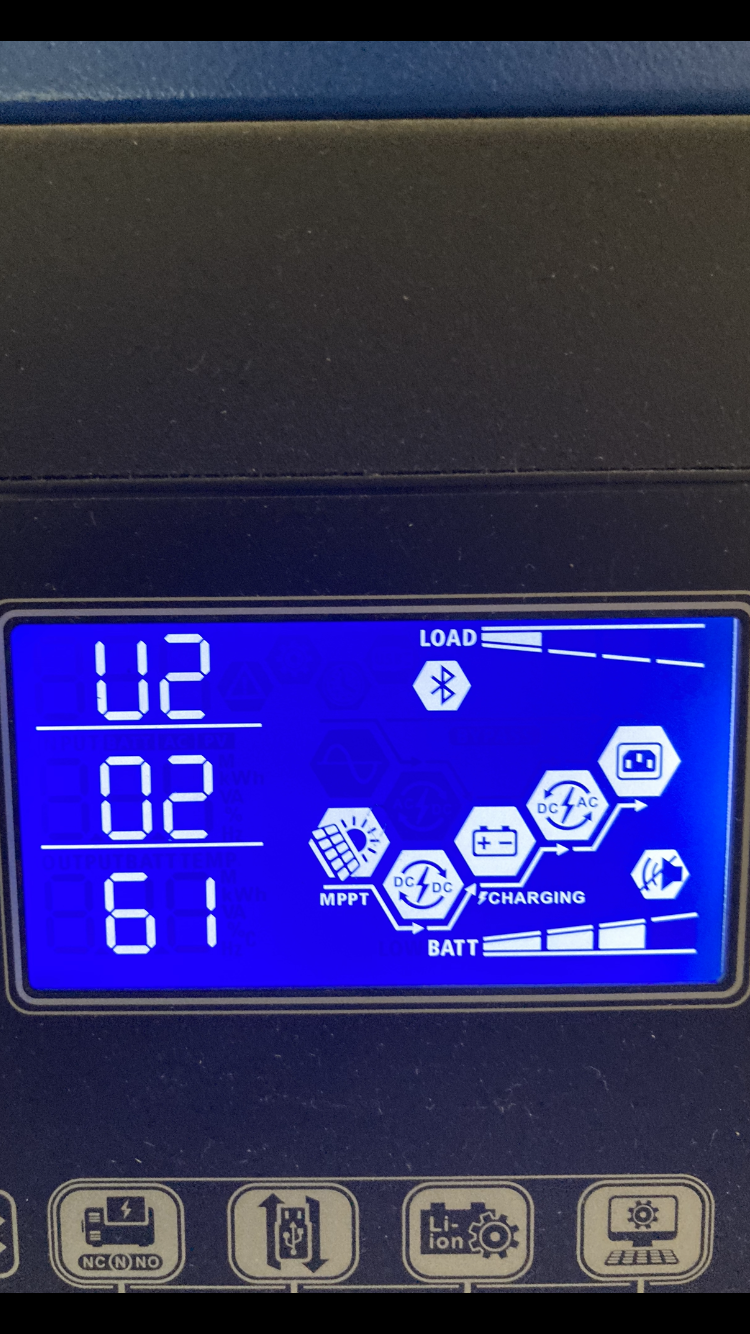
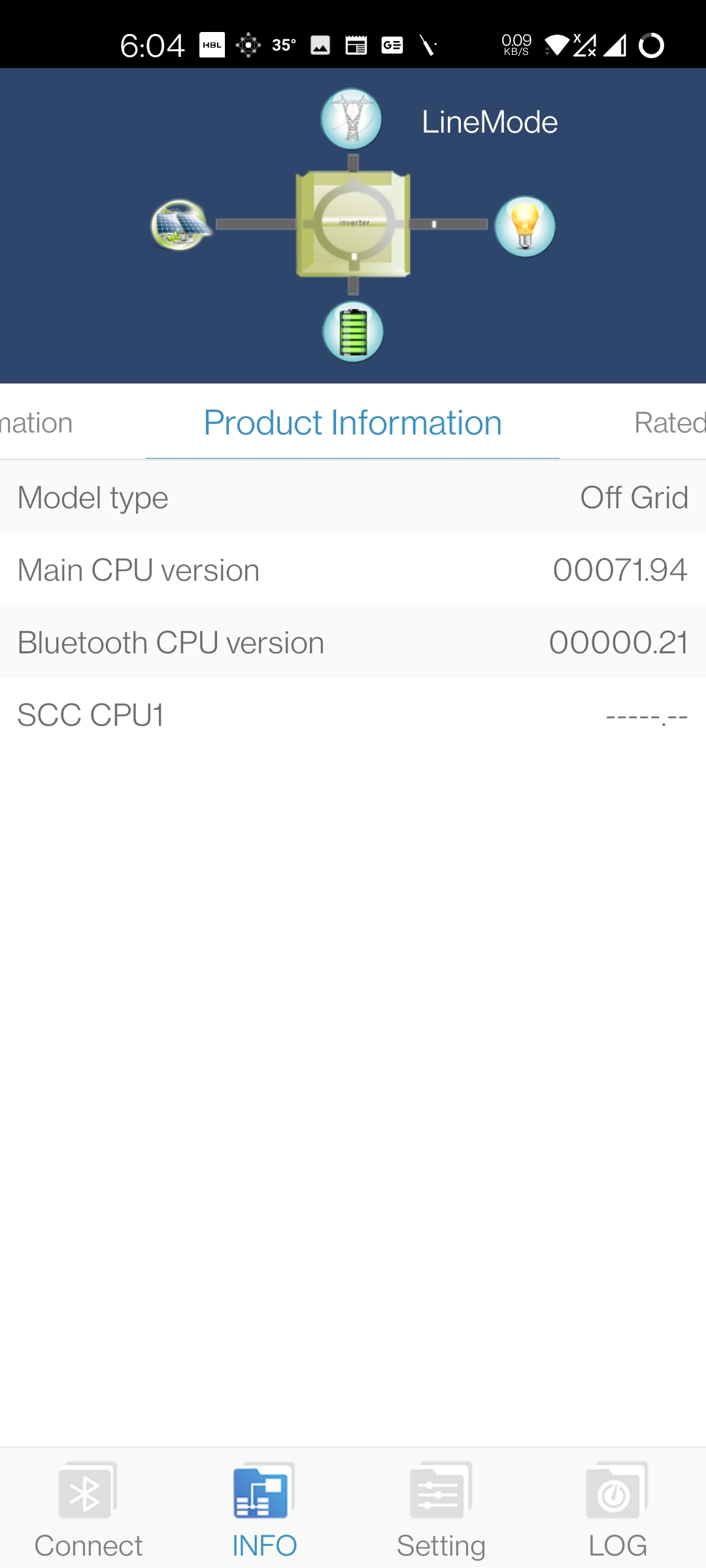
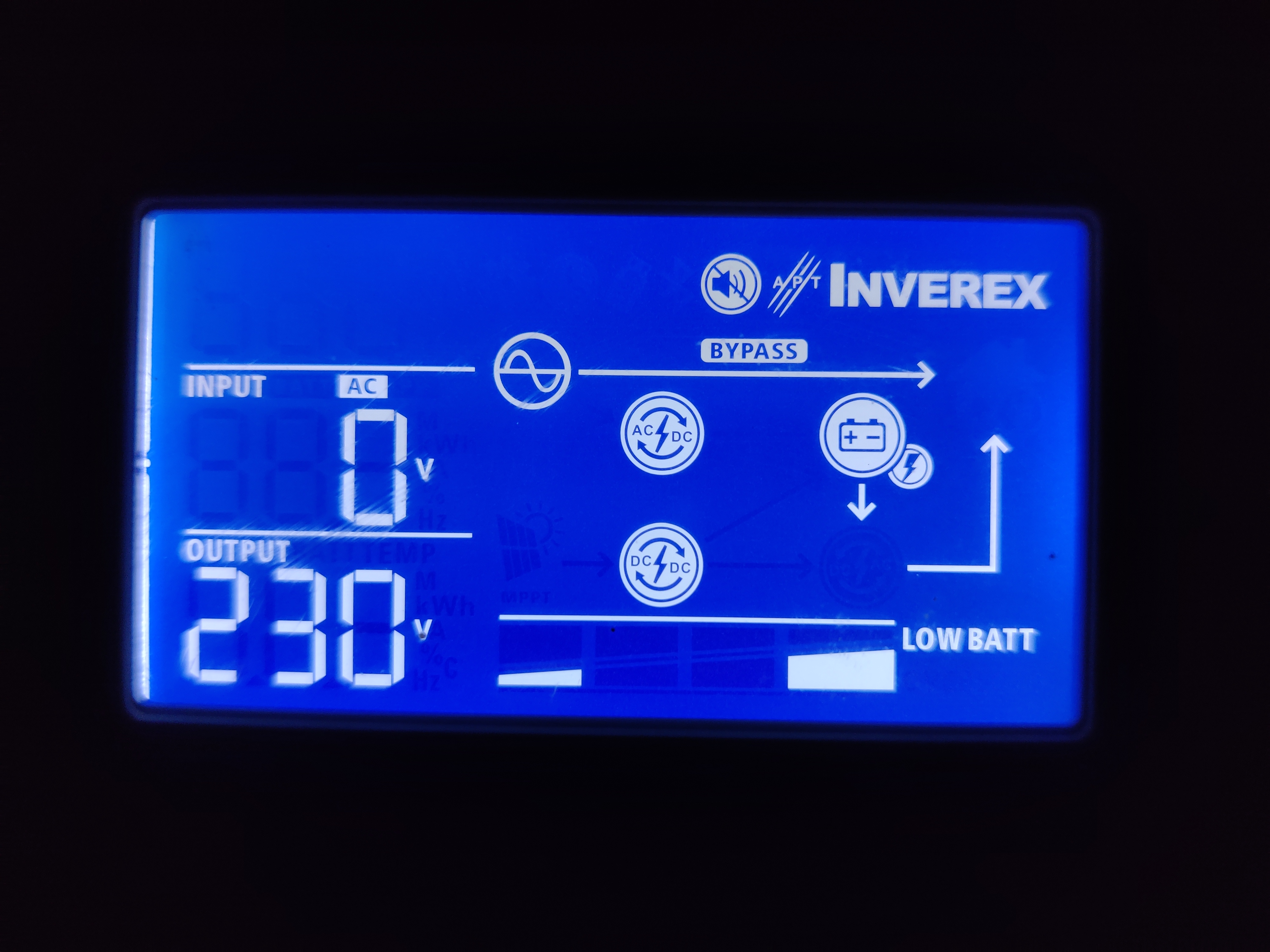
These are recent screenshots All things are normal except broken display Any help will be welcomed
-
Thanks for faster reply I just flashed remote panel mcu U2 02 00 and this screen apprearing
 I have also share screenshot of firmware before updating





Account
Navigation
Search
Configure browser push notifications
Chrome (Android)
- Tap the lock icon next to the address bar.
- Tap Permissions → Notifications.
- Adjust your preference.
Chrome (Desktop)
- Click the padlock icon in the address bar.
- Select Site settings.
- Find Notifications and adjust your preference.
Safari (iOS 16.4+)
- Ensure the site is installed via Add to Home Screen.
- Open Settings App → Notifications.
- Find your app name and adjust your preference.
Safari (macOS)
- Go to Safari → Preferences.
- Click the Websites tab.
- Select Notifications in the sidebar.
- Find this website and adjust your preference.
Edge (Android)
- Tap the lock icon next to the address bar.
- Tap Permissions.
- Find Notifications and adjust your preference.
Edge (Desktop)
- Click the padlock icon in the address bar.
- Click Permissions for this site.
- Find Notifications and adjust your preference.
Firefox (Android)
- Go to Settings → Site permissions.
- Tap Notifications.
- Find this site in the list and adjust your preference.
Firefox (Desktop)
- Open Firefox Settings.
- Search for Notifications.
- Find this site in the list and adjust your preference.