chmmmr
Members
-
Joined
-
Last visited
-
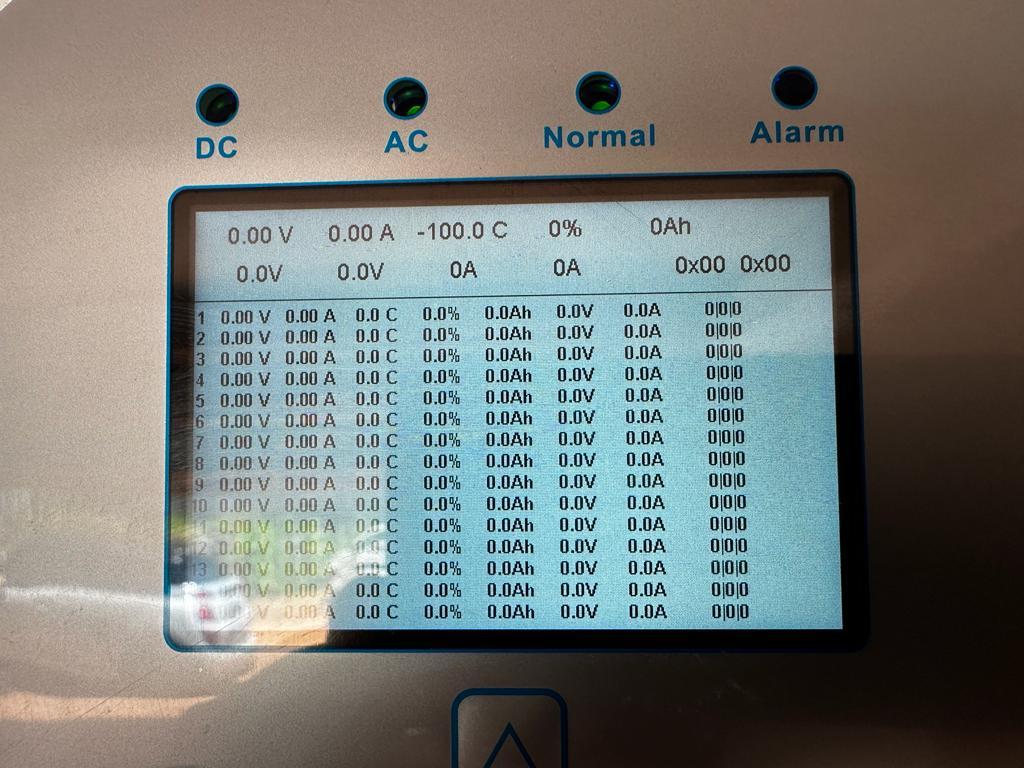
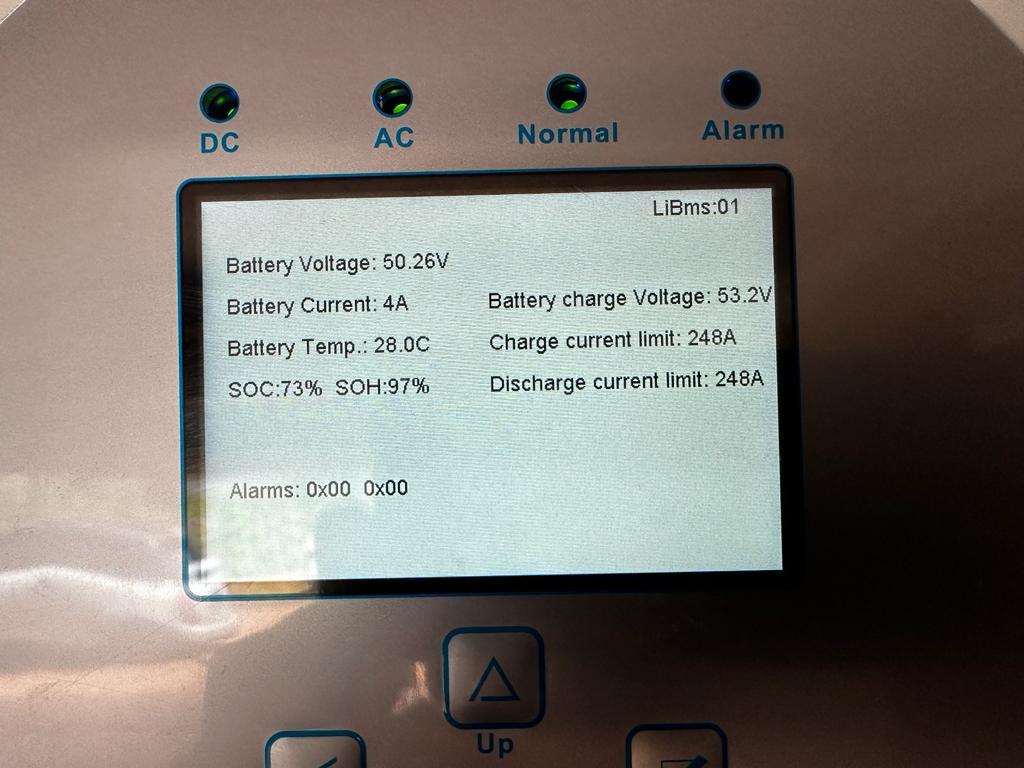
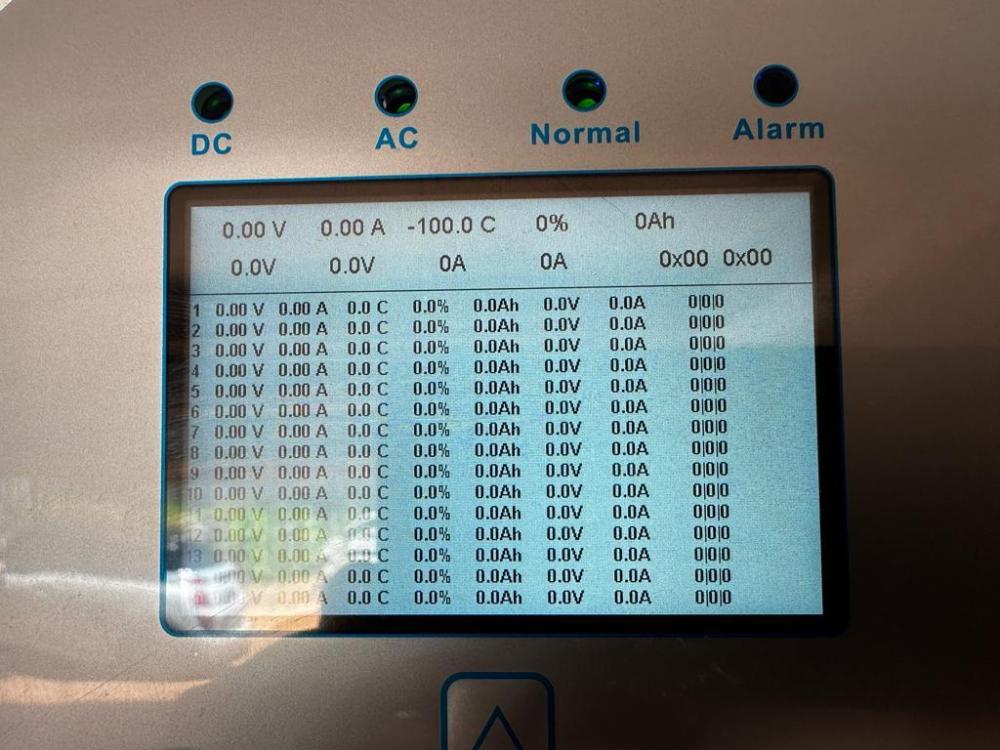
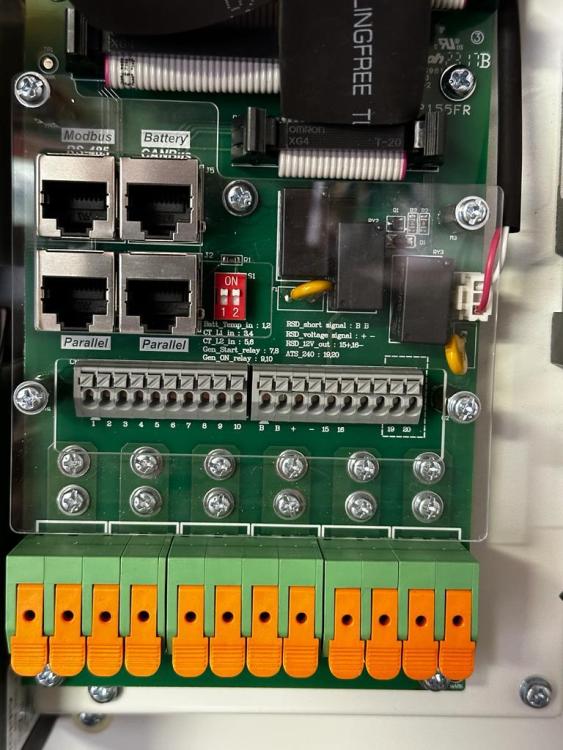
@AlexTZA That's what I was told, and I used to have the same batteries connected to an Axpert VMIII and I had all the dip switches set to off. But when upgrading to the sunsynk it just would not connect to the batteries. I have 6 batteries, 2 UP5000 and 4 US3000a/c's, the UP5000 is the master. I haven't upgraded the UP5000 to the latest firmware yet (as it's working as it is and i'm too scared to do it...) I've connected the CAN cable to the battery/canbus port on the inverter (top right on the picture below) and the CAN port on the UP5000 (top middle) The Li-BMS page would just show zeros for everything and after changing the dip switches it shows the voltage, soc and other info. Also the inverter would be in an alarm state as I have the BMS_Err_Stop checkbox ticked.

-
Ok, Looks like it's solved. Looks like i have to set dip switch 1 on the UP5000 master battery. Here is a nice doc that explains it: https://portal.segensolar.co.za/reseller/docs/pylontech technical ppt (1).pdf (page 33) - also has other useful info.
-
I'm getting a BMS Fault when I enable the BMS error check on my Sunsynk. I've got the CAN cable connected from the invetrer to the my master UP5000 battery. This is the cable I'm using (https://shop.crystalcom.co.za/products/bms-cable-for-sunsynk-solis-with-pylontech-hubble-lithium-batteries). I'm using a UP5000 with firmware(B69.13.0.0 (22-01-24)) as the master. My Sunsynk 16kw firmware version is (M9.0.2.2/S1.7.2.6/C E.4.2.6) My battery type is set to Lithium and the battery protocol is set to CAN(protocol 0) Anything suggestions on how to fix this? Thanks Chris
-
Thanks, i didn't realize that you could do that. That make perfect sense now. The Pylontech cables can only carry around 100amps each. so the busbar and the cable to the inverter should be able to carry 400amps max. Thanks for your help.
-
Thanks, that is pretty much what i was thinking. I also assume you can limit the amps the inveter pushed/pulls through the cables?
-
Hi. I'm upgrading from a 5kw Axpert to a 12kw Sunsynk inverter. I currently have a combination of Pylontech batteries consisting of: 2x UP5000 4x UP3000C I'm trying to work out how the best way to connect my batteries to the new inverter so any advice would be greatly appreciated. I am considering the following approach: - Divide the batteries into two banks. Each bank would consist of 1x UP5000 and 2x UP3000C. - Connect the positive and negative terminals of each bank to a busbar. - Utilize one 'master' battery for communication with the inverter. - Connect the communication cables to all the batteries as per normal Would splitting the batteries into two banks as described and then joining them at a busbar be a viable approach? Could this effectively enable me to draw the full 12kw from the batteries without exceeding the current rating of the cables? And is it advisable to have only one 'master' battery to manage communication with the inverter? Thanks
-
Looks like everything is still working, bluetooth etc. Hopefully going from having a version on U3 to no version is ok. Thanks for all your help.
-
ok that was a bit of a panic post I click flash mcu and after the flash the screen came back to life. Pylontech setting now connects and doesn’t complain about low battery. Also did the main firmware update and everything looks ok so far. On the inverter now when I press up the U3 says 88.88 I guess that is the dsp? Is that a problem? Thanks for your help.
-
@Coulomb I think may have messed something up. I tried to flash the removable display unit, I downloaded the 2.66 rar file, ran the Remote Panel_ReflashTool.exe app, clicked on flash dsp. The screen is now blank and the error in the console window says cannot find `dsp.hex`. I now see there is only a mcu.hex file in that folder. Not sure if i've bricked it, but where can I find a dsp.hex file to try recovery from?
-
Thanks @Coulomb. I found version 02.66 removable display unit in the downloads section. I will try flash it as soon as I can get a USB to COM port adapter. I assume my main firmware is also old then, but I can't seem to find the latest VMIII firmware in the downloads section. Could you help me find it. Also, what is the chance of bricking the unit from flashing it with an incompatible version or something? Will all VMIII firmware files work with my RCT Axpert VMIII?
-
Hi. I've been running 3x US3000 with an RCT Axpert 5KVA VMIII for a while now. I decided to add an extra battery and received the US3000C. I've made the US3000C the master (I was told that I have to) then set dip switch 1 to on on the master and all other dip switches on the slaves to 0. When plugging in the original comms cable I started getting the error 61 (no comms) error on the inverter. After some digging here I found that the cable pinouts have been changed. Using the pinouts found in a doc on another thread (pin7 -> pin5) and (pin 8 -> pin3) the error 61 stopped, but now i getting error 04 (low battery). Seems like the inverter connects to the battery but cannot read the correct battery capacity. Not sure if I have to upgrade firmware maybe, or I need a different cable? Can anybody help? My current firmware versions are: U1 -> 41.03 U2 -> 02.00 U3 -> 00.21 Pin outs: