morneode
Members
-
Joined
-
Last visited
-
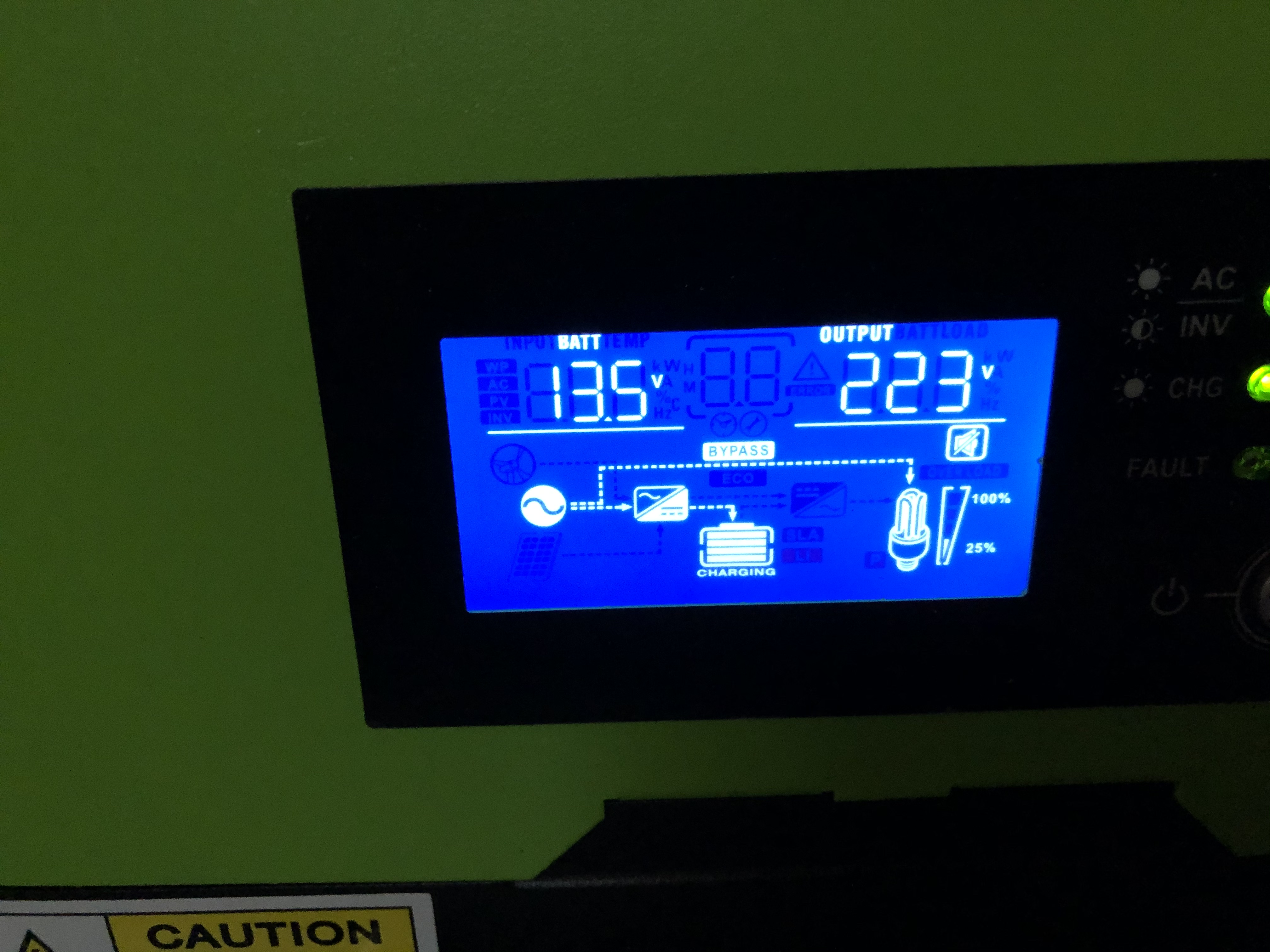
Hi @Richard Mackay, The display (see attachment below) shows the following: - the battery bars stops filling, which shows that the battery is full, I suspect. But, - the battery is still connected to the charging circuit. If I disconnect the mains, the LCD shows that the battery is not connected to the charging circuit any more (the line goes away)

-
Hi all, I have a RCT-AXVP1-1K-5K Inverter, a 12V unit with 2x batteries in parallel. When the unit is not connected to the mains, it is quiet. Once I connect it to a wall outlet, the fans ramps up, and the unit starts charging the battery. The problem is that the battery never stops charging. After a while, the batteries' Voltage, levels off at 13.5V, but the Inverter doesn't stop charging, and the fan keeps going. I even changed my float Voltage setting to 13.5V, but this proved unsuccessful. Has anyone else experienced this issue?